01
Bluetooth device pairing
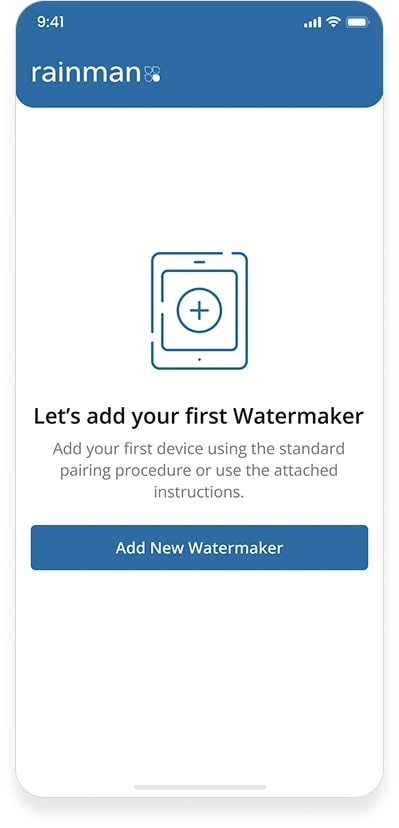
The app had to connect to the AC Electric Watermaker over Bluetooth, so the machine could be monitored with no cables involved.
Overview
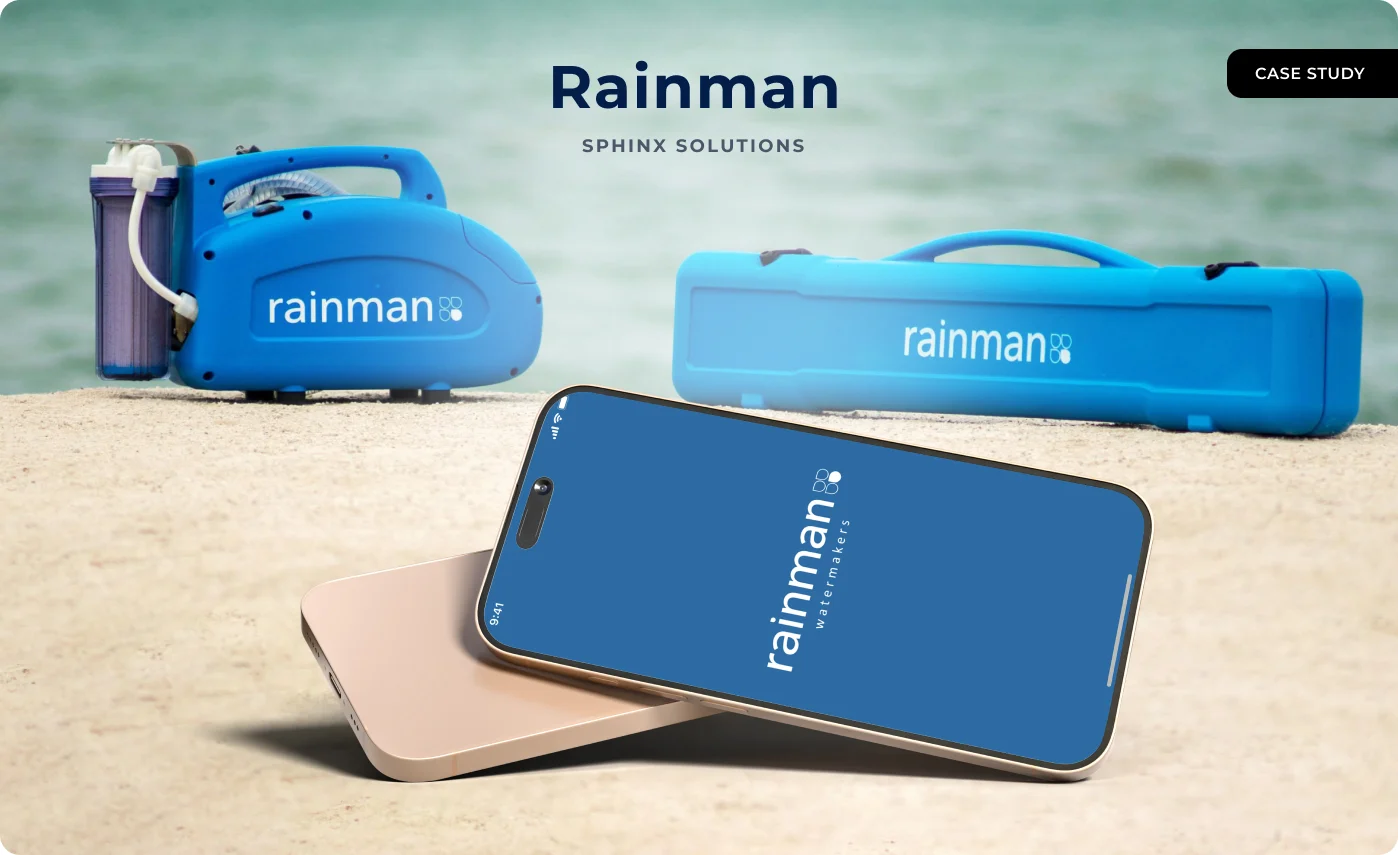
Rainman Technology is an Australian company making portable desalination systems. Their AC Electric Watermaker turns seawater into drinking water for people on boats and in places with no mains supply. What it did not have was any way of telling you what it was doing.
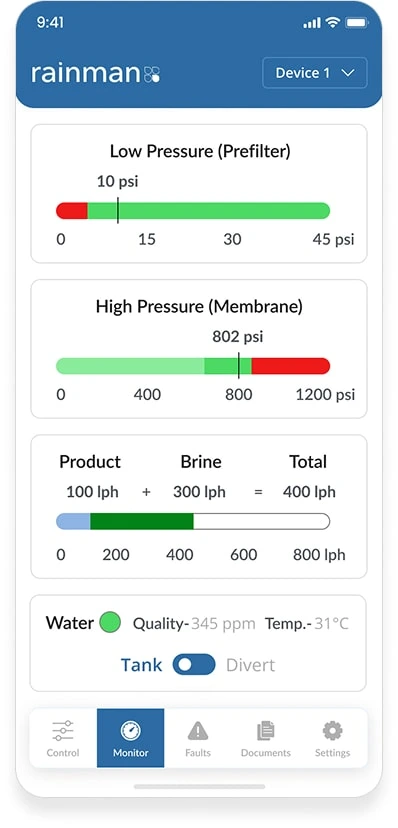
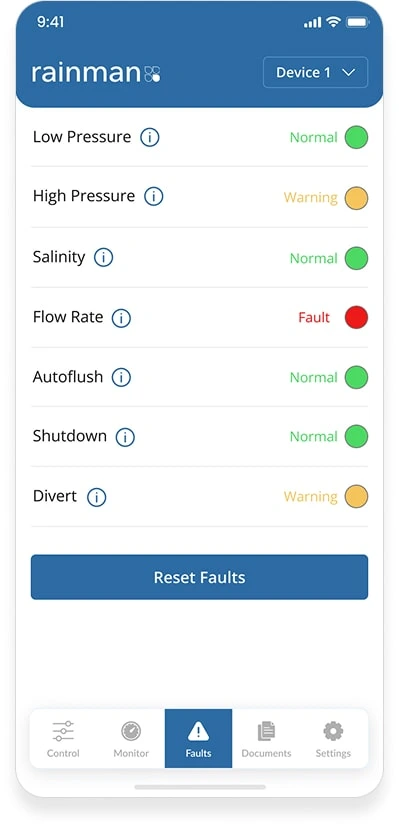
Pair a phone with the watermaker over Bluetooth, and everything happening inside the machine is on the screen: pressures, flow, salinity, run time and any fault, the moment it appears.
We built the app for Android and iOS. It pairs over Bluetooth Low Energy, then reports pressure levels, system status and runtime, and raises a fault signal as soon as something goes wrong rather than after the fact.
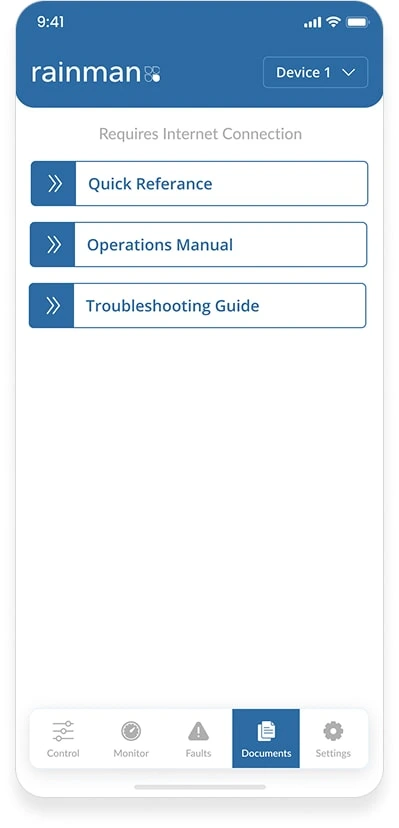
Alongside that sits a support section carrying videos, user manuals and step-by-step guides, so someone can put a small problem right themselves instead of calling for help from the middle of nowhere.
The interface was built for the conditions it gets used in: bright sun, wet hands, gloves, a deck that will not stay still. Large controls, high contrast, nothing fiddly.
Client Requirement
01
The app had to connect to the AC Electric Watermaker over Bluetooth, so the machine could be monitored with no cables involved.
02
Pressure levels, runtime and overall system performance, updating on the phone as they change.
03
Detect a fault or error the moment it occurs during operation and tell the user, rather than leaving them to notice.
04
Videos, manuals and troubleshooting guides in the app, so people can resolve problems without needing a specialist.
05
Usable outdoors, in the wet, and by someone wearing gloves.
06
Lightweight and stable, working at sea or off-grid where internet is poor or simply absent.
Rainman had a strong product with a gap in front of it. Owners worked from printed manuals, guessed at how the system was performing, and often only acted once something had already gone wrong.
There was no way to get an update or an alert from the machine, which is hardest on exactly the people using it furthest from help.
They wanted to make the watermaker smarter: keep the owner informed, catch problems early, and put the controls on a phone.
Connecting a machine to a phone over Bluetooth is not a feature you bolt on. It needed careful planning and hardware connectivity that actually holds, on a boat, in motion.
The app also had to work with no internet at all, explain itself step by step, and be simple enough for someone with no interest in technology. Rainman were looking for a partner who understood those constraints as real rather than as a wish list.
We built an app that pairs directly with the AC Electric Watermaker over Bluetooth Low Energy and puts the live system data on screen, so pressure, status and runtime can be checked without opening the machine or guessing.
The result turns a well-regarded piece of hardware into a connected one, easier to operate, easier to maintain and easier to trust.
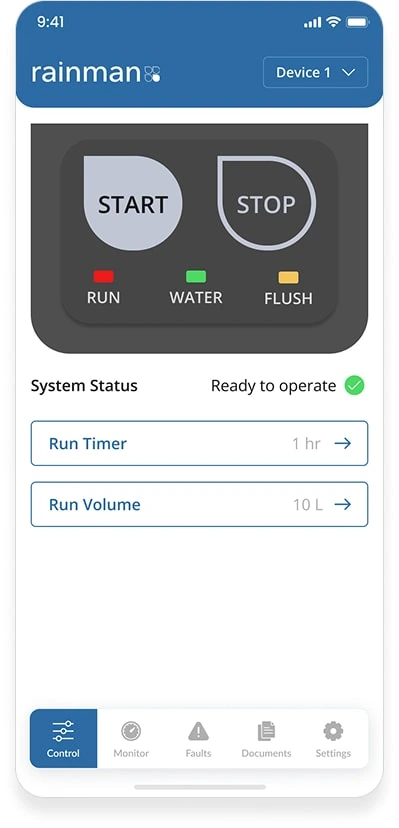
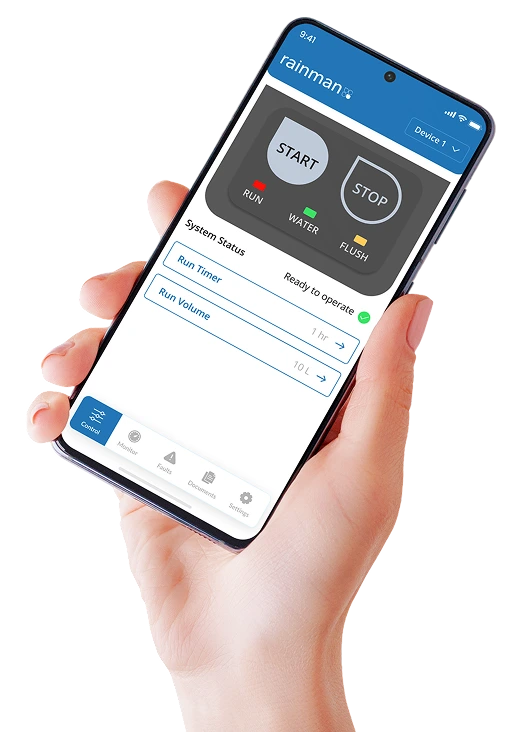
Sphinx Solutions delivered a Bluetooth companion app on Android and iOS for the Rainman AC Electric Watermaker: live pressures, flow, salinity and runtime, start and stop control, instant fault alerts, and the manuals built in.
“Working with Sphinx Solutions has been straightforward and worthwhile. Their team understood both the technical and the customer-side challenges from day one. The app they built has genuinely added value to our product, and made it more modern and easier to use. Our customers now have better control, faster fault detection and easy access to help, all from their phone.”
How We Work
Step 1
We started with Rainman’s idea of making the watermaker smarter, and worked through hardware compatibility, what data had to arrive live, and how someone would actually use it.
Step 2
A clean interface that works on a boat or in a remote spot: large buttons, high-contrast colours and simple navigation, designed for gloved hands.
Step 3
We built the BLE link between app and machine to be stable, quick and power-efficient, with connection status shown and automatic reconnection when it drops.
Step 4
Live monitoring, fault alerts, the help centre and system settings, built so they work together rather than as separate screens.
Step 5
Tested in the conditions it ships into: low-connectivity areas, movement and interference, to make sure the link held and the app stayed responsive.
Step 6
Released on the app stores, with updates, fixes and support since, for a user base spread across the world.
Implementation
We spent time on how the watermaker works and which readings owners actually want: pressures, faults and runtime, in that order.
Bluetooth was the only route between app and machine, so the communication had to be stable, fast and easy on the battery.
Screens that make sense outdoors and at sea, built around quick access to live readings and fault alerts.
Live monitoring, fault alerts, the help centre and system settings, working as one thing.
QA ran the app through low-connectivity areas and on-the-move conditions to confirm it stayed dependable and responsive.
Published with the client’s sign-off, then kept up with updates, bug fixes and technical support.
Impact
The app turned a conventional piece of hardware into a connected one. Owners track live readings, spot faults and stay in control from a phone.
With fault alerts, guides and videos in the app, most people now put small problems right themselves rather than contacting support.
Being able to see inside the system in real time means knowing when it is running properly and when it is not. That confidence is the point.
Shipping a genuinely useful app alongside the hardware showed Rainman’s customers that the company keeps investing in the product.
Tech stack
In closing
The Rainman project was about closing the gap between a good physical product and the convenience people now expect from one. Working with the Rainman team, we established what their owners genuinely needed: live control, an interface that works in the wet, and no dependence on a signal that will not be there.
From the Bluetooth integration through to live monitoring, fault alerts and a built-in support centre, every part was built to make the watermaker easier to run, especially for people using it a long way from anywhere. Whether someone is sailing, camping off-grid or simply needs fresh water somewhere difficult, it is a small app that makes a real difference.
What people usually ask about Rainman and about building something like it.
To let owners monitor and control the Rainman AC Electric Watermaker from a phone, so tracking system status and putting faults right is quicker and easier.
Over Bluetooth Low Energy. Once paired, it shares live data: pressure levels, runtime and system alerts.
Monitoring and control do, because they run over Bluetooth rather than the network, which is the whole point at sea or off-grid. The manuals and guides in the Documents section need a connection to fetch.
Both. It is on Google Play for Android and on the App Store for iPhone and iPad.
Regular updates, bug fixes and ongoing technical support, so performance holds up after the app goes live.
Connect with us


