If you have just downloaded a new food delivery app because it delivers late-night pizzas, but it doesn’t work when you click on “Order Now”. This will be frustrating, right? This is the kind of glitch that manual testing is designed to catch before it reaches your hands.
Software Testing is the behind-the-scenes hero of the software development companies, ensuring your favourite apps and platforms don’t crash at the worst possible moment. While automation tools might be getting all the spotlight these days, manual testing is still very much alive and kicking.
Even in the AI development era, there is a real need for human eyes, instincts, and judgment when it comes to catching bugs and refining digital presence.
So, what is manual testing and automation testing, and why haven’t automation frameworks like Selenium or Cypress replaced them? Well, because some things simply need a human touch.
Manual testing assures the consistent delivery of dependable and useful software, which includes everything from looking for odd UI flaws to discovering unexpected faults that no technology can foresee.
This blog will break down everything you need to know about manual testing and manual testing services: what they are, why they matter, when to use them, and how they continue to evolve alongside technological advancements.
Manual testing processes often lead to overlooked bugs
Master manual testing essentials
What is Manual Testing?

Manual Testing is the hands-on approach where a QA “Quality Assurance” engineer actively interacts with a software application to check if everything works as it should. No fancy scripts or automated tools here, just human eyes, intuition, and experience. Testers follow a predefined test plan or test cases, simulating real-world scenarios to spot bugs, errors, or unexpected behaviour.
Understanding this through an example, let’s say a login page is expected to let you sign in with your username and password, then redirect you to the homepage. If clicking “login” leads nowhere or throws an error, that’s a bug, and it’s the manual testing job to catch it.
In short, manual testing ensures your apps deliver reliable experiences by judging them from a real user’s perspective.
Why Is Manual Testing Needed?
While automation can do repetitive checks quickly, it cannot always detect unexpected issues or evaluate how seamless an app feels to a real person. Manual testers can look into how the application works in real-world scenarios by putting themselves in the shoes of actual users.
It is especially vital during exploratory testing and early stages of development, when human instinct, curiosity, and adaptability are critical. To put it simply, it is the secret to creating a product that feels right and works.
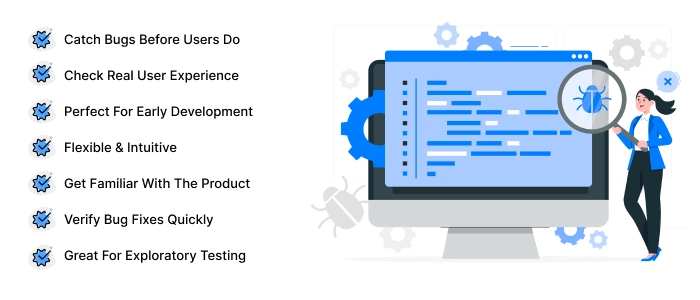
- Catch Bugs Before Users Do: Manual testing helps spot glitches, crashes, and bugs before they embarrass your app in front of real users, and regular code reviews ensure that any potential issues are addressed during the development process.
- Check Real User Experience: A machine can check code, but it can’t tell you if your app’s navigation feels clunky or if a button is weirdly placed. Manual testers think like actual users.
- Perfect for Early Development: When a product is fresh out of development, it’s unstable. Manual testing ensures it’s safe, functional, and ready for the market.
- Flexible & Intuitive: Not everything follows a rulebook. Manual testers can test random scenarios and edge cases that automated scripts might miss.
- Get Familiar with the Product: Manual testing helps QA engineers get hands-on with the software, so they understand it better and can write sharper, more useful test cases.
- Verify Bug Fixes Quickly: After developers squash bugs, manual testers step in to double-check that everything is actually fixed and that nothing else has broken in the process.
- Great for Exploratory Testing: When there’s no fixed script and you just want to poke around the app, manual testing is your go-to.
Now that we know why manual testing is needed, let’s learn why it is important and what makes it a vital part of any custom software development process.
Why is Manual Testing Important?
Manual testing plays a role in scenarios where a human perspective is necessary. It is especially while evaluating the visual elements, user interfaces, and overall usability of a system.
In the early stages of development, investing time in automating tests may not be practical. Make manual validation a quicker, more flexible option. How about fast, real-time feedback with a manual test? Such feedback becomes truly real in Agile development environments where frequent changes and continuous improvement are the order of the day.
Manual testing services add depth, dependability, and a user-focused viewpoint to the quality assurance process, even if it can be laborious and prone to human error. This guarantees that programs fulfil user and functional requirements before they are delivered to the end user.
Here’s why manual testing isn’t going anywhere:
- Humans > Bots (for User Experience): Automation tools can click buttons and fill forms, but can they tell you if your app’s colour scheme is annoying or if a transition feels janky? That could only be done by a human tester who catches the vibe-killers.
- Perfect for Messy Apps: Early-stage apps are unstable, unpredictable, and prone to tantrums. Manual testing lets you carefully explore without relying on rigid automated scripts that might break if something changes.
- Exploratory Testing = Creative Freedom: When scrolling through an app, if some random functions don’t work, exploratory testers test them. Manual testing lets them get creative, uncovering bugs where no one expected them.
- Automation has its Limits: Automated tests follow rules, but software doesn’t always follow them. Manual testing steps in when things get too complex, messy, or out of scope for scripts.
- False Positives are a Real Headache: Automated tests can sometimes raise false alarms, marking a working feature as broken. A human tester adds that much-needed sanity check to keep your dev team from pulling their hair out.
- Great for One-time, edge, or Quick Checks: Not every test needs a script. Some are just “let’s quickly check this thing and move on”. Manual testing is perfect for those fast, on-the-fly verifications.
- User-Centric Apps Need User-Centric Testing: If your app is meant for people, it should be tested by people, too. Human testers understand feelings, intuitions, and frustrations in a way no machine ever can.
Through manual testing, we understand how real people will experience your product. It’s essential to understand what makes it effective. Will understand this through the key characteristics of manual testing that make it such a valuable part of the QA process.
Characteristics of Manual Testing
Manual testing is still a necessary part of the software testing process due to its flexibility, human intuition, and ability to assess user experience from a real-world perspective. It is entirely driven by human testers who actively engage wth the application.
We have listed below the core characters that would be suitable answers for manual testing interview questions.
- Human Involvement: Conducted entirely by human testers without the assistance of automated tools. Testers execute test cases, provide input, and observe outcomes to identify any deviations from the expected behaviour.
- Exploratory Testing: Support for exploratory testing is the most notable aspect of manual testing. Through impromptu, real-time participation, testers can assess new features, explore the software without using prewritten routines, and identify unforeseen problems.
- Adaptive and Flexible: With manual testing, testers can quickly modify test cases and techniques in response to changing project requirements or system behaviour. Because of its adaptability, it works very well in early phases of the software development life cycle (SDLC) and dynamic development environments.
- Visual and Usability Feedback: Evaluation of the visual appearance, design consistency, adaptability, and general user experience of an application can be carried out by manual testers-this is unlike automated tools that always cannot do an assessment successfully.
- Hands-On Understanding of the Product: Through direct interaction with the software, testers develop a comprehensive understanding of its real-time behaviour, usability, and workflows. This familiarity improves the accuracy of creating test cases and reporting defects.
- No Technical Skills Required: Manual testing does not require expertise in programming languages or automation frameworks. A manual tester can perform functional, UI, and usability tests from a user’s perspective without writing a single line of code.
- Investigating Testing: It doesn’t require testers to investigate beyond standard scenarios. Their manual testing job is to find hidden defects or corner cases that the scripted test might overlook.
- Ideal for complex or one-off scenarios: Some complex test cases that involve intricate workflows, multiple third-party integrations, or any unusual edge cases are best evaluated during manual testing.
- Supports Early Testing in SDLC: Even when an application is only partially built, manual testing can begin in the early stages of software development. Ad hoc or exploratory testing can help find problems early and minimise the need for later, expensive solutions.
These manual testing features are an essential component of the software development life cycle. In the following section, we’ll examine the benefits and drawbacks of manual testing to help you understand where it excels and where it falls short.
Advantages & Limitations of Manual Testing

Given the popularity of automation, why even bother with manual testing? As it happens, there are several good reasons. Let’s dissect them in the manual testing tutorial:
Advantages
- Human Intelligence with Real Feedback: The human touch matters, as testers interact with the software just like a real-world user. They can therefore identify defects, poor UI/UX designs, and usability problems that automated tools might overlook. Enhancing the user experience is also made simpler by the real-time feedback.
- Early Defect Detection: In the early phases, manual testing is frequently the best choice, particularly for problems like workflow delays, design defects, or UI errors.
- Cost-Effective for Small Projects: Not every project needs automation tools and frameworks. For small, short-term, budget-constrained projects, manual testing is a cost-effective choice. It saves cost by skipping tool licenses, setup, and costing requirements.
- No Technical Skills Required: A huge benefit of manual testing is its accessibility. It doesn’t require any prior knowledge of programming or coding language to run it when using the black box testing approach. Also, it’s very easy to learn and perfect new testers.
- Efficient for Last-Minute Changes: If any emergency fixes arise, manual testers can jump in and handle them correctly. As it doesn’t require waiting around for scripts to be updated, it’s immediate and hassle-free.
- Real-world Application Testing: Drag-and-drop operations, device-specific features, and gesture controls in mobile app development are best assessed manually to see how well they operate in real-world scenarios.
Limitations
- Time-consuming: Large projects may require a lot of time for manual testing. Repeating the same testing steps over and over and cross-checking results can stretch project timelines. On that, it requires a larger team since more hands are needed to cover all those scenarios.
- Prone to Human Error: No matter how skilled the tester or QA engineer is, people get tired of repeating the same process. It can lead to missed bugs or overlooked glitches. A little brain fog can cost time and money.
- Limited Test Coverage: It relies on individual testers manually running through test cases, which can limit overall test coverage. Automated tools can cover thousands of tests in minutes.
- No Reusability: Each time a new build is released, manual test cases have to be run again. Every time, it’s a new beginning, which increases work and redundancy.
- Less Effective for Regression and Performance Testing: For performance checks and regression testing, manual testing is not the best option. It is inefficient to run repeating test cycles by hand, and simulating hundreds of concurrent users or high-load scenarios is nearly impossible.
Manual testing has drawbacks even if it offers priceless human knowledge and adaptability. Now let’s examine the various manual testing approaches that you might use according to your project requirements and testing objectives.
Different Approaches to Manual Testing
Although there are various approaches to putting manual testing into practice, it can be broadly divided into three categories:
Black Box Testing

Black Box Testing is a testing method that investigates the operational behavior without peeping into the code, design, or other application implementation specifics. The testing focuses on inputs and corresponding expected results, so the internal mechanism is concealed, thus the name “black box”.
To ensure that the system operates as intended, a variety of situations and interactions are evaluated. When evaluating features, functionalities, and user experience from the viewpoint of the end user, this testing method is helpful.
Test engineers manually enter various inputs during this procedure and check to see if the outcomes match what was anticipated. It is reported to the development team for resolution in either scenario, and if the match is found, it is deemed to be functioning.
White Box Testing
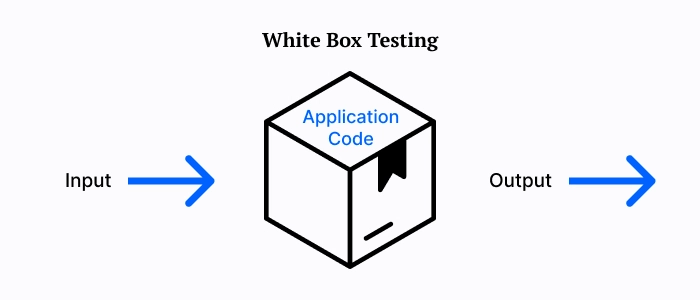
White Box Testing is a type of software testing that examines an application’s internal organization, logic, and implementation. It offers full access to the system’s source code, algorithms, and design, requiring testers to know nothing about the code.
The testers personally examine the designs, code, and internal procedures to ensure no defects. Test cases are created using the system’s internal logic to verify the code’s quality and pinpoint potential weaknesses.
White box testing ensures that the program functions as expected at the structural levels. Developers often finish it before sending the program to testers for further validation. This approach improves black box testing by reviewing a software’s internal dependability, covering subjects that external testing would overlook.
Grey Box Testing

Grey box testing refers to a testing approach that does combine the techniques of black box as well as white box testing. The tester needs partial information about the inner structure of the system in order to design test cases to test the internal processes as well as functionality of the system.
Grey box testing is useful during integration testing, as it requires verifying the instructions between different modules or components. This testing technique is performed by QA engineers who know the application’s code and structure but do not require direct access to the codebase.
Prior to going into the various forms of manual testing, it is crucial to remember that, depending on the testers’ level of experience working on the system internally, each of these methods has a certain function to perform in ensuring the software’s quality. After emphasising this, let’s examine the many forms of manual testing and how they might be converted into particular testing techniques.
Manual testing processes often lead to missed bugs and project delays
Master manual testing skills
Types of Manual Testing
Getting on board with manual testing, let’s know what exactly it does. It covers a bunch of important areas, so let’s break down the different types of manual testing you’ll run into:
Functional Testing
It is the most clear form of testing that literally checks the application to see if it works. It makes sure the login page lets you in with valid credentials, and if ot crashes midway, that’s a functional problem. It ensures that all the features in the app or website work perfectly as designed.
Usability Testing
Usability testing establishes if the program is intuitive, easy to use, and makes sense to the user. Testing is essential because, even if your program is technically good, if it is hard to use, no one will stick with it.
Regression Testing
A new feature is added to the app, but it breaks something else that used to work fine, and chaos ensues. So, manual regression testing helps here by re-testing existing functionalities to ensure new updates haven’t affected them. It keeps your app from turning into a bug-infested mess after every release.
Exploratory Testing
In exploratory testing, instead of following the test cases, you can explore the app features and see what happens, without following the protocol. This is like entering incorrect data and testing things to see if they break. Exploratory testing can catch those weird, unpredictable bugs that formal test cases might miss.
Compatibility Testing
The same application works sometimes okay for one device and poorly on another or even an earlier version of the corresponding device. Compatibility testing ensures the proper functioning of a website or application across different screens, operating systems, devices, and browsers. It guarantees that experience is given to all devices independently from the type of device.
These are the five main types of tests used in every project. Along with these, many other secondary tests can be used for manual testing:
- Performance testing determines how effectively your application manages large loads.
- Security testing involves identifying flaws before hackers do.
- Accessibility testing ensures that everyone, including those with disabilities, can use your app.
- Audio/Video Quality Testing for your app streams media, you’ll want to examine the playback quality.
With these manual testing techniques in your repertoire, you’ll be able to address a variety of software quality issues. To provide a polished product, it’s crucial to understand when and how to conduct these tests throughout the development lifecycle. Next, we’ll examine the stages of manual testing.
Stages of Manual Testing
Manual testing involves several stages, which may not occur in a set order. Depending on the requirements of your software project, these stages may overlap or follow a different order.
Unit Testing
The testing method uses small parts of code called units that are tested separately. The smallest piece of code, like a function, method, or button click action, can all be tested. It is used to check whether these components work fine individually before combining with other parts.
Developers usually use unit testing during the early stages of development. It helps catch bugs and errors early, making it easier to fix problems before they affect other parts of the application.
Integration Testing
Integration testing comes after unit testing, combining units and testing them together to see how well they interact. The main goal is to check whether these combined parts exchange data correctly.
Integration testing can help catch issues like communication errors, data mismatches, or interface problems between different parts of the software. Testers and developers can quickly identify and fix bugs when modules are connected.
System Testing
System Testing is the stage where the entire software, with all its integrated modules, is tested together. It ensures that the complete system works as expected and meets the defined requirements.
System testing examines everything from verifying that the correct outputs are produced for given inputs to evaluating the overall user experience and how the system behaves.
In this phase, testing types include functional tests, manual regression tests, stress tests, and other tests that depend on the time and resources available. This step becomes crucial for ensuring that users receive a software product whose parts interact seamlessly.
UI Testing
The assuredly visual aspect of software uses UI testing or GUI testing. It guarantees that everything that gets displayed on the screen, namely buttons, toolbars, text boxes, checkboxes, icons, colours and fonts, are as ever seen and tended by the user.
One looks at UI/UX design in the different browsers, devices, or operating systems that may enter the corporate world to ensure that they do not disrupt the common look and feel of the application. Checking for layout, design, responsiveness, and ease of use ensures that everything feels right to the end-user.
Acceptance Testing
Acceptance testing is the final step before a software product goes live. It’s done to make the application ready for real users to meet the business goals. Two types of acceptance testing are helpful to catch bugs and check the platform situation:
- Alpha Testing: done by people inside the company
- Beta Testing: done by a small group of real users.
Also, accessibility testing is done to ensure the software is easy to use for people with disabilities, such as those who have trouble seeing, hearing, or moving, and it works well with assistive tools if needed.
To truly master manual testing, it’s essential to understand how to approach it. Up next, let’s dive into the steps of manual testing and break down the exact workflow testers follow to ensure every piece of software delivers as promised.
Steps of Manual Testing
Manual testing takes time, just like when humans do it. The human touch makes it effective in producing high-quality software products. Manual testing requires less technical knowledge and eliminates the need to learn and configure automation testing solutions.
However, testers must be familiar with numerous manual testing methodologies. Manual testing aims to examine the system against the defined requirements or user stories, identify flaws, and help the development team create defect-free software applications.
Step 1: Understanding & Collecting Requirements
Testers must first read and understand all software requirements, which include Software Requirements Specifications (SRS), user stories, and design files. Collect the requirements and analyse what the client expects from the software.
Step 2: Create a Test Plan
After getting the requirements, the QA team can create a roadmap for the entire testing process. It outlines the testing procedure, methods, resource requirements, deadlines, and team role assignments.
Step 3: Write Test Cases
How to write test cases in manual testing that explain step-by-step instructions for testing different parts of the software? You can have a look at the manual testing tutorial for the same. Each test case explains the work, the outcomes, and any special conditions to check, covering all possible situations a real user might face.
Step 4: Review Test Cases
The QA tester or senior testers must review test cases to ensure that nothing important is missed and all cases make sense.
Step 5: Set Up The Test Environment
Before running any tests, a proper testing environment needs to be set up. It includes installing the software, setting up databases, servers, browsers, or any other required manual testing tools that run perfectly.
Step 6: Execute Test Cases
Testers manually follow test cases, interacting with the software by clicking buttons, entering data, navigating pages, and checking if it behaves as expected.
Step 7: Log Defects
Testers log issues into a defect tracking tool, describing the malfunction, how to reproduce it, and its severity. This results in a comprehensive bug report on the issue that will assist their development team in resolving problems.
Step 8: Retest and Regression Testing
After developers fix the bugs, testers again check those areas. They run regression testing, checking other features to ensure that fixing one thing didn’t accidentally break something else.
Step 9: Analyse Test Results and Prepare a Report
The QA team reviews the entire process by documenting what was tested, the number of bugs found and fixed, and whether the software is ready to go.
Step 10: Share Feedback and Suggest Improvements
Testers share feedback with developers, project managers, and other stakeholders. If any ideas or improvements for future testing cycles arise, they are also noted.
While the process relies heavily on human effort, having the right tools can make managing test cases, tracking bugs, and organising test cycles much easier and more efficient. In the next section, let’s explore some of the popular manual testing tools that help QA teams stay organised.
Manual Testing Tools
There are several tools for manual testing, including unit testing, integration testing, security testing, performance testing, and bug tracking. Some of the popular manual testing tools are commercial, while others are open source.
Jira
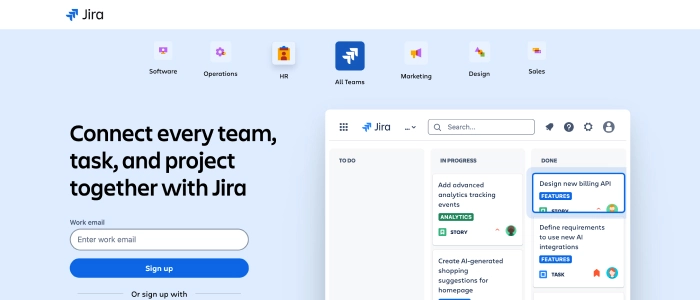
Regularly used bug-tracking tools include Jira, an open-source bug-tracking tool. It helps the team to assign, track, report, and manage work by bringing teams together.
To get the most out of Jira for defect tracking, teams should follow a structured Jira bug reporting process that covers all key fields, priorities, and lifecycle stages.
Agile software projects can benefit from the tracking and management of bugs and defects, work prioritisation, and task assignment capabilities that manual testing tools provide.
Features of Jira:
- It’s a time-saving tool.
- Jira is used to manage defects and issues.
- It is used to define documentation tasks.
- Jira is a very valuable tool for tracking the progress of our documentation.
BugZilla
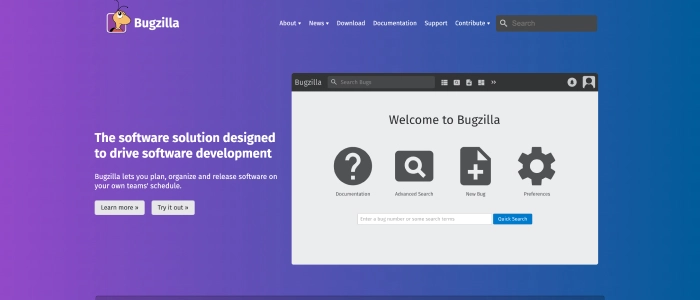
Testers widely use a bug-tracking open-source tool developed by Mozilla for manual testing. It can report and manage issues by simple bug searches and by searching the complete text of the bug, supporting various OS like Mac, Windows, and Linux.
Bugzilla is also regarded as a test management tool because it allows for easy integration with other test case management platforms such as ALM and Quality Centre. Many organisations primarily utilise it to track the application’s numerous problems.
Features of BugZilla:
- Bugzilla allows us to list bugs in various formats.
- Email notifications can be measured based on user choices.
- Bugzilla includes extensive search features.
LoadRunner

The most widely used performance testing tool, LoadRunner, has the primary purpose of categorizing the most possible causes of performance problems. It analyses real-world user behaviours and identifies bottlenecks and performance issues quickly.
Features of LoadRunner:
- The LoadRunner tool contains a large number of applications, which lowers the time required to comprehend and describe the reports.
- The LoadRunner program allows us to generate detailed performance test data.
- It will lower the cost of distributed load testing while also providing an operational tool for deployment tracking.
Apache JMeter

An open-source tool for testing the performance of static and dynamic resources during web application development. With its easy-to-use interface, it is designed using JAVA to load functional test behaviour.
It allows users or developers to use the source code for developing other applications. It is highly configurable and is integrated with plugins for additional features.
Features of Apache JMeter:
- It is platform-independent and accepts JVMS such as Windows, Mac, and Linux.
- It has a simple and engaging graphical user interface.
- It is extremely expandable to run performance tests on various types of servers.
Now that we have seen the tools supporting the manual testing, we can take a peek into some practical examples of manual testing. These practical examples would normally give you the idea of how manual testing is applied in the real-world software projects and why it still holds a place in the QA world.
Examples of Manual Testing
Take the example of a mobile app for food delivery that is undergoing manual testing. In order to make sure that important functions like ordering and tracking delivery function properly, this example will demonstrate the manual testing procedure that testers carry out.
Test Scenario: Place an Order and Track Delivery
Step 1: Test Planning
The first step is to plan what needs to be tested. In this case:
- Make sure users can easily place a food order.
- Ensure users can track their delivery in real-time.
- Prepare and use different test cases for successful orders, failed payments, and order tracking glitches.
Step 2: Test Case Design
Test Case 1 – Successful Order Placement
- Open the app, log in, select a restaurant, add items to your cart, and proceed to checkout.
- Select a valid payment method and place the order.
Expected Result: The order confirmation screen appears, displaying order details and the estimated delivery time.
Test Case 2 – Failed Payment
- Try placing an order using an invalid or expired card.
Expected Result: An appropriate error message should be displayed, and the order should not be processed
Test Case 3 – Track Delivery
- After placing a successful order, go to the “Track Order” section.
Expected Result: The real-time location of the delivery person should be displayed, along with the estimated time of arrival (ETA).
Step 3: Test Environment Setup
Install the software on multiple mobile platforms, including Android and iOS. Ensure you have a stable internet connection and that your test accounts are set up to place orders.
Step 4: Test Execution
Begin running each test case one at a time. Manually interact with the interface by placing orders, attempting incorrect payments, and tracking deliveries.
Step 5: Reporting & Analysis
If any concerns arise, document them clearly:
- Take screenshots.
- Take note of error messages.
- Write a brief explanation of what went wrong and how to reproduce the problem.
Example: “Track Order page keeps loading forever after placing an order on iPhone 14 with iOS 17”
Step 6: Defect Fixt & Re-Verification
Once developers have resolved the issues, testers revisit the situations to ensure that everything is working properly.
Step 7: Test Closure
Finally, review all test results to ensure that each essential feature functions smoothly.
- Can a user place an order without issue?
- Are payment errors handled correctly?
- Is the order tracking accurate and real-time?
A test summary report is created to provide insights into what was tested, the issues discovered and resolved, and what remains pending, if any.
Just like web pages, manual testing of mobile apps can also be done on cloud-based systems. LambdaTest is an excellent cloud testing platform for running manual tests on actual mobile devices and browsers without owning them, a great value when trying to cover as many devices or operating systems as possible.
Manual Vs. Automation Testing
Each method has unique properties that make it appropriate for various situations. The table below summarises the key differences between manual testing and automation testing:
| Parameter | Manual Testing | Automation Testing |
|---|---|---|
| Definition | Software is tested manually by testers | Uses automation tools and scripts to test software. |
| Test Case Execution | Testers execute each test case by hand. | Test cases run automatically using tools or scripts |
| Efficiency | Less efficient, more time-consuming. | Faster, more efficient, especially for repetitive tasks. |
| Test Coverage | Hard to cover everything manually. | Easier to achieve broader test coverage |
| Accuracy | Prone to human errors but better for complex, judgment-based testing | More accurate and consistent; errors depend on test script quality |
| Suitable For | Exploratory, usability, and ad-hoc testing. | Regression, performance, and load testing |
| Setup & Speed | No setup is needed, but it’s slower and labor-intensive. | Requires setup, but much faster once ready |
| Scalability | Limited by time and tester availability | Highly scalable, it can run multiple tests simultaneously across systems |
| Cost Efficiency | Cheaper upfront, but it gets expensive in the long term due to manual labor | Higher initial costs, but saves money in the long run for repetitive testing |
| Complexity | Simple setup, but difficult to manage large test suites | Complex to set up and maintain, especially for dynamic apps. |
| Project Scale | Better for small projects or when requirements change often | Best for large, stable projects with consistent requirements |
| Human Involvement | Full involvement is needed for testers to handle everything | Minimal involvement is required after setup; tools do the heavy lifting |
| Cost | Low for small projects, but gets expensive for large or repetitive tasks | High setup cost, but cheaper in the long term for ongoing, repetitive testing. |
| Regression Testing | Error-prone in repeated scenarios | Perfect for regression ensures stable performance after changes |
| Skill Requirement | Requires software and domain knowledge | Needs scripting, programming, and automation tool skills |
| Early Defect Detection | Defects may be found later in the process | Detects defects early, especially in continuous integration pipelines |
| Consistency | Inconsistencies are possible due to human error | Highly consistent; the same steps are always executed. |
| Initial Setup | No special setup needed. | Requires selecting a tool, creating a script, and setting up the environment. |
Challenges With Manual Testing
Testing must begin early and go well because new software versions degrade more quickly than your phone’s battery during a video chat. However, manual testers encounter various practical obstacles that can cause delays or make the process more difficult.
- Repetitive Testing can be Risky: It can get repetitive when running the same test cases, particularly in manual regression testing. Mistakes might occur because their minds are operating automatically, and testers may miss flaws.
- Test Data Management is a Headache: Testers must continuously create, update, and maintain accurate test data for various situations. Manually completing this takes time and increases the possibility of mistakes. Furthermore, it is challenging to ensure that the data remains consistent across multiple tests.
- Test Environment Setup can be tricky: Creating a testing environment that closely resembles the live (production) environment is difficult and requires too a lot of time. Even a slight variation can skew results, leading to missing bugs or false positives.
- Time Pressure: Testers are expected to fit thorough testing into small timeframes, as projects have deadlines. This may result in hurried test cycles, overlooked edge cases, or insufficient coverage.
- Communication Gap Can Slow Down Process: Testers, developers, product managers, and all other stakeholders must communicate clearly and frequently. However, miscommunication, delays, and unresolved defects can occur when information is translated incorrectly if there is no agreement.
- Cross-browser and Device Testing is a hassle: The biggest challenge is ensuring that software works across a wide range of devices, operating systems, and browsers. The burden increases quickly with each new combination because there are more manual tests to perform.
Confused about how to ensure software quality without automation?
Master manual testing techniques
Conclusion
In this manual testing tutorial, we examined the characteristics of manual testing, its benefits and drawbacks, basic approaches, various types of manual testing, and how to perform manual testing using cloud testing platforms.
Manual testing of software needs patience, creativity, and an open mind. It is an important component of developing user-friendly software, since people will eventually use these programs. Testers must approach their work from the perspective of an end user. Thinking from the end user’s perspective is critical to ensuring that the program satisfies their requirements effectively.
FAQ’s:
What are the main steps involved in manual testing?
The key steps in manual testing include
1. Gathering requirements
2. Creating a test plan,
3. Writing and reviewing test cases,
4. Setting up the test environment,
5. Executing test cases,
6. Logging defects,
7. Performing regression testing
8. Preparing a test report.
How does manual testing differ from automated testing?
Manual testing involves human testers executing test cases without tools, while automated testing uses scripts and software to perform tests. Manual testing is ideal for usability, exploratory, and ad-hoc testing, while automation is suited for repetitive and regression tests.
What are the benefits of manual testing?
Manual testing offers benefits like real-time feedback, detecting usability and design flaws, being cost-effective for small projects, and not requiring coding skills. It’s flexible and perfect for testing last-minute changes.
What is the purpose of a test manual?
A test manual provides clear instructions, test cases, and guidelines for conducting software testing. It ensures consistency, helps testers follow a structured process, and maintains test coverage documentation.
What are the interview questions asked in manual testing?
Common manual testing interview questions include explaining different testing types, how to write test cases, steps for bug reporting, the differences between black-box and white-box testing, and the importance of regression testing.
How to write manual test cases for API testing?
To write manual test cases for API testing, define the API endpoint, list input parameters, expected status codes, response formats, and possible error messages. Validate response time, data accuracy, and security checks.
How to write test cases in manual testing?
Start by writing a test case ID, title, preconditions, clear test steps, expected outcomes, and actual results. Ensure cases are simple, traceable, and cover positive and negative scenarios for better coverage.


 Shaili Gupta

 Ajay Wadne