


Key Takeaways
- AI tools help businesses automate content creation, coding, customer support, and data analysis, improving productivity and reducing manual effort.
- The best AI tools combine automation, accuracy, and scalability, making them valuable for startups, enterprises, marketers, and developers alike.
- Generative AI tools can create text, images, code, audio, and videos, helping businesses speed up innovation and digital transformation.
- Choosing the right AI tool depends on your specific goals, whether it is content generation, workflow automation, chatbot development, or business intelligence.
- Businesses using AI-powered tools gain a competitive advantage through faster decision-making, enhanced customer experiences, and improved operational efficiency.
You start your day with e-mail drafts that are already written, your schedule is perfectly sorted, your meeting notes are summarised, and your to-do list is halfway done, all this before finishing your first coffee of the day.
AI tools in 2026 will be your everyday work BFFs. Whether you’re a content creator publishing a blog, a designer whipping up visuals, a marketer planning your next out-of-the-box campaign, or a developer stuck with some code, there are AI tools for all.
Apps can make your life easier, but rigorous AI models are twisting this and changing how we work, create, communicate, and collaborate. AI tools have become part of every professional, doing the heavy lifting behind the scenes.
Businesses from a variety of industries are looking at more intelligent ways to do everything from writing code to creating graphics as AI tools continue to change the way we work. At Sphinx Solutions, we contribute to the AI app development. Our team creates unique AI solutions that are suited to your company’s objectives, increasing the usability and effectiveness of technology.
Today’s blog will discuss the best AI productivity tools for every profession. It can help professionals across industries who work smarter, faster, and better. So, even if you are new to AI or already obsessed, get ready to explore tools that can help you in the long run.
Summary Table: Best AI Tool for Each Use Case
| Use Case | Best Pick | Runner-Up | Starting Price | Free Option |
|---|---|---|---|---|
| Writing blog posts | Jasper / Rytr | Jasper AI | $49/mo | ✅ Free trial |
| AI chatbot / assistant | ChatGPT (GPT-4o) | Claude (Anthropic) | $20/mo | ✅ Free plan |
| Code generation | GitHub Copilot | Tabnine | $10/mo | ✅ Free plan |
| Image generation | Midjourney | DALL·E 3 | $10/mo | ✅ Free via Bing |
| Video creation | Synthesia | Runway ML | $18/mo | ✅ Free plan |
| Grammar checking | Grammarly | ProWritingAid | $12/mo | ✅ Free plan |
| SEO content writing | Surfer SEO | Frase.io | $69/mo | ✅ 5-day trial |
| Email management | SaneBox | Shortwave | $7/mo | ✅ Free plan |
| Social media scheduling | Buffer | Vista Social | $6/mo | ✅ Free plan |
| Presentations | Gamma | Beautiful.ai | $8/mo | ✅ Free plan |
| Project management | ClickUp | Asana | Free | ✅ Free plan |
| Meeting notes / transcription | Otter.ai | Fireflies.ai | $16.99/mo | ✅ Free plan |
| Customer support | Intercom Fin | Tidio | $29/mo | ✅ Free plan |
| Sales / CRM | HubSpot AI | Gong.io | Free CRM | ✅ Free plan |
| Data analytics | Tableau AI | Polymer | $75/mo | ❌ No free plan |
| HR / Recruitment | HireVue | Paradox (Olivia) | Custom | ❌ Enterprise only |
| Finance / Accounting | Vic.ai | QuickBooks AI | Custom | ✅ 30-day trial |
| Translation | DeepL | Phrase | $8.74/mo | ✅ Free plan |
| Research | Elicit | Consensus | Free | ✅ Free plan |
| Scheduling / Calendar | Reclaim.ai | Motion | $10/mo | ✅ Free plan |
| Voice & text-to-speech | ElevenLabs | Murf AI | $5/mo | ✅ Free plan |
| AI detection | Winston AI | GPTZero | $18/mo | ✅ Free plan |
| Graphic design | Canva Magic Studio | Adobe Firefly | Free | ✅ Free plan |
| Automation / workflows | Zapier AI | Make.com | $19.99/mo | ✅ Free plan |
Best AI Tools By Categories
AI Writing Tools:- ChatGPT, Grok, Claude, Gemini, DeepSeek, Jasper.ai, Chatsonic
AI Detector Tools:- Rytr, Sudowrite, Jasper, Anyword, Neuroflash, Writer Writesonic
AI Search Engine:- Perplexity, ChatGpt, FeeHive, Vista Social, Taplio
AI Scheduling Assistant Tools:- Reclaim.ai, Clockwise, Motion, Calendly, SkedPal, FlowSavvy
AI Grammar Checkers:- Grammarly, Wordtune, ProWritingAid, LanguageTool, Outwrite
AI Email Assistant Tools:- Shortwave, SaneBox, Hubspot Email, Microsoft Copilot Pro
AI Image Generators:- Midjourney, DALL.E 3, Designs.ai, Craiyon, Nightcafe, Stable Diffusion, ImagineArt
AI Video Generators:– Synthesia, Filmora, Sora, Filki, OpusClip, Descript, Runway
AI Development Tools:- Github Copilot, TabNine, Deepcode AI, AskCodi, TensorFlow
AI Social Media Management Tools:- FeedHive, Vista Social, Buffer, Flick, Predis.ai, Publer
AI Presentation Tools:- Gamma, Presentations.ai, SlidesAI, Beautiful.ai, Pitch, STORYD
AI Project Management Tools:- Nifty, Asana, ClickUp, Notion AI, Lark, BeeDone, Any.do, Taskade, Wrike
AI Graphic Design Tools:- Canva Magic Studi, Looka, Designs.ai, Adobe Sensei, Khroma
AI Automation Tools:- Zapier, n8n, Automate.io, Microsoft Power Automate, Make.com
AI Tools for Voice and Speech:- Murf AI, ElevenLabs, Speechify, WellSaid, Respeecher
AI note-taker:- demodesk.com
Generative AI in Productivity Tools

We live in a world where attention spans are short, to-do lists are long, and time seems to slip away constantly. Between emails, meetings, content creation, and managing five apps simultaneously, staying productive can feel like running a marathon in flip-flops.
In 2026, generative AI will be the next best thing to make things easier. This is no longer science fiction; it’s real technology offered through AI services for writing emails, summarising meetings, generating designs, creating slides, editing videos, and managing schedules.
Generative AI tools are like digital sidekicks that get the stuff done so you can focus on big ideas instead of busy work. Hence, generative AI development is rising to the top of the list for companies.
How do they work?
These tools are trained on a lot of content (articles, photos, code, audio) and use that knowledge to create something new. They take data, learn patterns, and create fresh content from scratch.
So, why is this a big deal for productivity?
It resonates with productivity because endless hours dedicated to repetitive tasks are no longer a problem. You can handle them with your Generative AI Integration Services while focusing on ideas and strategy, or get some breathing room in your day.
Moving ahead, we have categorised the best-functioning list of AI tools in 2026.
In this section, we’ve handpicked the best AI tools by category, from writing and design to marketing and coding, so you can find exactly what fits your workflow quickly and hassle-free.
AI Assistant Tools (Chatbots)
AI Assistant tools are real-life great assistants! Smart digital buddies use AI to chat with you just the same as the AI-powered Chatbot app does. It answers questions and helps with real-time tasks. The best part is that they keep getting better with time. Let’s learn more about these tools for AI assistant.
AI Chatbots / Assistants -Quick Comparison
| Tool | Best For | Context Window | Free Plan | Starting Price |
|---|---|---|---|---|
| ChatGPT (GPT-4o) | General use & multimodal tasks | 128K tokens | ✅ Yes | $20/mo |
| Claude 3.5 Sonnet | Long documents & coding | 200K tokens | ✅ Yes | $20/mo |
| Gemini 1.5 Pro | Google Workspace users | 1M tokens | ✅ Yes | $19.99/mo |
| DeepSeek R1 | Reasoning, math & research | 64K tokens | ✅ Free | Free |
| Grok 3 | Real-time X/Twitter data | 131K tokens | ❌ No | $8/mo |
| Mistral Le Chat | Privacy-focused EU users | 128K tokens | ✅ Yes | Free |
ChatGPT (by OpenAI)
ChatGPT, created by OpenAI, was the first text generator available to the public, and it’s still the most popular one I use today. It lets me generate human-like content for free. I can chat with it, brainstorm ideas, write blogs, debug code, translate languages, and even analyze images and charts. The latest version, GPT-4o, can understand visuals and voice input too, which makes it even more powerful.
If you want access to stronger performance, more features, and early upgrades, OpenAI offers paid plans like Plus ($20/month), Pro ($200/month), and Team/Enterprise options.
ChatGPT Features:
- Paste an image and ask questions about it.
- Retains memory across sessions (you can manage what it remembers).
- It has “operators” who can book hotels, order food, etc.
- Multimodal support: image, text, audio, and code handling.
- Built-in search for real-time accuracy via Retrieval Augmented Generation (RAG)
Pricing:
- Plus Plan: $20 per month
- Pro Plan: $200 per month
- Team/Enterprise Plans: Custom pricing based on needs
Claude (by Anthropic)
Claude is an AI assistant developed by Anthropic, and I really appreciate its clean and logical code suggestions, as well as how well it handles context and its friendly, human-like conversation style. The 3.5 Sonnet model works great for me as a coder, researcher, or creator when I need accurate answers with a warm touch.
Although Claude can hit usage limits faster, I find it excellent for developers and professionals like me who want an assistant that truly understands the problem, helps find solutions, and talks like a friend.
Claude’s Features:
- Especially good at reviewing, debugging, and optimising code.
- Offers multiple logical solutions for challenging problems.
- It is very pleasant to interact with, as it feels more like a collaborator than a bot.
- Better context retention in long conversations.
Pricing:
- Free: Limited usage and access to a recent Claude model.
- Pro: For individuals, $18/month billed annually or $20/month billed monthly.
- Team: For teams and businesses, includes central billing, collaboration, and higher limits; $25 per user/month annually or $30 monthly, minimum 5 users.
- Enterprise: Custom pricing for larger organizations with specific needs.
Gemini
Gemini, formerly known as Bard, is Google’s AI assistant, and I love how smoothly it fits into the whole Google ecosystem. I use it with Google Workspace in Docs, Gmail, Sheets, and it’s super convenient for summarizing articles, reviewing documents, drafting content, and even coming up with creative prompts using images.
Gemini’s feature:
- Seamless Android and Google integration.
- Image understanding and creative idea generation.
- Smart email replies, legal document analysis, and data summaries.
- A free version is available with the 1.5 Flash model.
Pricing:
Gemini Advanced: $19.99 per month
DeepSeek
DeepSeek is an open-source AI assistant tool that is gaining popularity. For its transparent reasoning and affordable access. Especially useful for developers, researchers, and anyone who wants clear, logical breakdowns of tough problems. It is ideal for those in R&D or academia. It gives all its results precisely without any unwanted content involved.
DeepSeek Features:
- R1 and V3 models are available (both are free to try online).
- Excels at technical queries, math, and coding tasks.
- Open about what it knows and what it doesn’t.
- More concise than Claude but less natural in writing.
- Very affordable for API use.
Pricing:
Deepseek is completely free with no subscription fees at all.
Grok (By X / Twitter)
Grok is X’s AI assistant, powered by one of the more open-ended AI systems, known for having fewer restrictions and real-time access to Twitter data. Designed to be fast, witty, and open-ended, it does come with a catch. It’s a unique option for social media users or those who want to explore less restricted conversations, but it’s not the most budget-friendly or beginner-friendly pick.
Grok is only available with an X Premium+ subscription, which costs around $40 per month.
Grok Features:
- Real-time Twitter-based information.
- Open to edgy or “less filtered” responses.
- Decent performance in brainstorming and coding.
- Needs more polish in consistency and coding accuracy.
Pricing:
- X Premium: $7 per month (when billed annually)
- X Premium: $8 per month (when billed monthly)
- X Premium+: $32.92 per month (when billed annually)
- X Premium+: $40 per month (when billed monthly)
Several other AI assistant tools include:
AI SEO & Content Optimization Tools
Search engine optimization has been transformed by AI. These tools help content teams research keywords, analyze competitors, optimize drafts in real time, and predict which content will rank before publishing. For any blog, marketer, or agency trying to win organic traffic in 2026, AI SEO tools are non-negotiable
AI SEO & Content Optimization Tools — Quick Comparison
| Tool | Best For | Key Feature | Free Plan | Starting Price |
|---|---|---|---|---|
| Surfer SEO | On-page SEO optimization | Real-time content score | ❌ No | $69/mo |
| Frase.io | Brief writing & optimization | AI outline builder | ✅ 5-day trial ($1) | $14.99/mo |
| Clearscope | Enterprise content teams | Google Docs integration | ❌ No | $170/mo |
| MarketMuse | Content strategy at scale | Topic authority scoring | ✅ 10 queries/mo | $149/mo |
| SE Ranking AI | All-in-one SEO suite | SERP-based content score | ✅ 14-day trial | $52/mo |
| Ahrefs AI | Backlink & keyword research | AI keyword clusters | ✅ Free tools | $129/mo |
| Semrush ContentShake | Social + blog content | Trend-based topic ideas | ❌ No | $60/mo |
| NeuronWriter | Semantic SEO writing | NLP term suggestions | ✅ Limited | $19/mo |
Surfer SEO
Surfer SEO is the industry standard for on-page content optimization. It analyzes the top 50 results for any keyword and gives you a real-time Content Score as you write. The SERP Analyzer compares your page to competitors across 500+ signals including word count, NLP terms, headings, and image count.
Key features
- Real-time content editor with live score
- keyword research with clustering
- SERP gap analysis, Google Docs, and WordPress integration
- AI-generated outlines and paragraphs
- audit tool for existing pages
Pricing
- Standard / 99 USD per month
- Pro $182/mo
- Peace of Mind 299 USD per month
Frase.io
Frase.io combines AI writing with SEO research in one streamlined interface. It pulls competitor data from the top 20 results for any keyword and auto-builds a content brief in seconds. Its AI writer can then draft full articles using that research, reducing time from research to publish by 50–80%.
Key features
- AI content brief builder
- competitor research aggregator
- topic scoring
- question research from Reddit/Quora/Google
- full AI article writing
- SEO score tracker
Pricing
- Basic $44.99/mo
- Team $129/mo
Clearscope
Clearscope is the premium choice for enterprise content teams. It integrates directly with Google Docs and WordPress, giving writers a grade (A+ to F) on their content’s semantic relevance. Trusted by brands like Salesforce, Adobe, and HubSpot.
Key features
- Content grading system
- Google Docs plugin
- WordPress plugin
- keyword discovery
- readability scoring
- team collaboration
- content inventory audits
Pricing
- Essentials $129/mo
- Business $399/mo
- Enterprise custom
MarketMuse
MarketMuse uses AI to build your site’s topical authority map. It shows where you have content gaps versus competitors and prioritizes which topics to write about first based on difficulty and potential ROI. Best for content-driven businesses with 50+ pages.
Key features:
- Topic authority scoring
- content gap analysis
- page-level optimization
- AI-generated briefs
- competitive content analysis
- ROI forecasting
Pricing:
- Free (10 queries/mo)
- Standard $149/mo
- Team $399/mo
- Premium custom
AI Writing Tools
AI writing tools are smart digital assistants that help you write faster, better, and with less stress. Suppose you’re crafting an email, blog post, social media caption, or even a full-blown novel. In such cases, relying solely on AI can sometimes make your content sound generic and limit creativity. That’s why it’s important to produce authentic human-like content that feels natural, engaging, and true to your unique voice.
In that case, these tools use artificial intelligence to suggest words, fix grammar, improve tone, and organise your thoughts. The AI writing tools are perfect for students, content creators, marketers, and anyone who types a lot. Let’s learn more about these AI tools for writing.
AI Writing Tools – Quick Comparison
| Tool | Best For | Templates | SEO Features | Free Plan |
|---|---|---|---|---|
| Jasper | Marketing teams | 50+ | ✅ Surfer integration | ❌ Trial only — $49/mo |
| Rytr | Beginners & students | 40+ | ❌ Basic only | ✅ Yes — $7.50/mo paid |
| Anyword | Ad copy & CRO | 100+ | ✅ Predictive score | ✅ 1,000 words — $29/mo |
| Copy.ai | Sales copy | 90+ | ❌ No | ✅ Free plan — $36/mo |
| Writesonic | SEO blog writing | 100+ | ✅ Built-in SEO mode | ✅ Free plan — $12/mo |
| Sudowrite | Fiction writing | 20+ | ❌ No | ❌ No — $10/mo |
| Neuroflash | Brand content | 100+ | ✅ ContentFlash SEO | ✅ Free plan — $19/mo |
Rytr

An easy-to-use AI writing assistant tool that helps create blog posts, emails, and social media content in minutes. It offers 20+ tones and various templates to match your style and needs. Instead of staring at a blank page, use Rytr as your friendly sidekick.
Rytr Features:
- Great for blogs, emails, and social media content.
- Offers 20+ tones and writing styles.
- Templates galore: from product descriptions to story plots.
- Fast and beginner-friendly UI perfect for students, creators, or anyone with deadlines.
Pricing:
- Free Plan: Limited characters
- Unlimited Plan: $7.5/month (billed yearly)
- Premium Plan: $24.16/month (billed yearly) — includes unlimited characters and extra perks
- Unlimited Plan: $9/month (billed monthly)
- Premium Plan: $29/month (billed monthly)
Sudowrite
Sudowrite is a creative AI tool for writers of all fiction genres. It helps to brainstorm, build characters, and add plot twists while keeping your unique writing voice. Sudowrite can be your co-author who never runs out of ideas.
Sudowrite Features:
- Designed specially for creative writing and storytelling.
- Suggests plot twists, character traits, and vivid descriptions.
- Helps with writer’s block and even polishes rough drafts.
- Keeps your original voice intact so your writing still feels like you.
Pricing:
- Hobby & Student Plan: $10/month or $100/year — 225,000 credits per month
- Professional Plan: $22/month or $220/year — 1,000,000 credits per month (best value for regular writers)
- Max Plan: $44/month or $440/year — 2,000,000 credits per month, includes credit rollover and a 30-minute setup session
Jasper
Jasper is a highly powered AI content creator tool for marketing teams and writers. If you’re churning content on a daily basis, Jasper is your right-hand. It offers templates, internet research, and even AI-generated images to speed up your content creation process.
Jasper Features:
- Perfect for marketers, bloggers, and creators who need high-volume output.
- Dozens of templates for blogs, ads, emails, and more.
- Can search the internet to find facts, stats, and inspiration.
- Even generates images with AI.
Pricing:
- Free Trial: 7-day free trial available.
- Creator Plan: $49/month (or $39/month when billed yearly)
- Pro Plan: $69/month (or $59/month when billed yearly)
- Business Plan: Custom pricing
Anyword
Anyword is an AI writing tool designed for marketers who want smarter content. It predicts the content’s performance and is ideal for digital marketers and copywriters who want their content not only to read well, but also to convert effectively.
Anyword features:
- It starts with headline ideas, then outlines, and then the full piece.
- Each step is tweakable, giving you full creative control.
- It helps to improve your content for performance, especially for ads and landing pages.
- Gives you a “Performance Score” so you know how effective your copy will be.
Pricing:
- Free Plan: $0/month – Includes 1,000-word credits per month.
- Starter Plan: $29/month (billed monthly) or $24/month (billed annually) – Offers 20,000-word credits per month.
- Business Plan: $239/month – Provides unlimited word credits.
- Enterprise Plan: Custom pricing
- Anyword also offers a 7-day free trial with access to all features and a 2,500-word limit, allowing users to explore the platform before committing to a subscription.
Neuroflash

Neuroflash transforms content creation for businesses and startups by combining powerful AI with intuitive tools. This comprehensive platform eliminates the tedious aspects of marketing content production, allowing your team to invest more energy in strategic thinking and creative development. From compelling blog posts to engaging social media and effective email campaigns, Neuroflash helps maintain your brand’s distinctive voice while delivering content that performs.
Neuroflash offers a Free plan plus subscription options: Lite at €9 / month, Starter at €30 / month, Pro at €72 / month (per user), and a custom-priced Business plan upon request.
neuroflash’s Features:
- AI Text & Image Creation: Generate professional-quality writing and visuals with sophisticated AI technology.
- Brand Voice Integration: Maintain consistent tone across all content with customizable brand voice settings.
- SEO Optimization: Enhance your content’s search visibility with built-in optimization tools. SEO Optimization: Enhance your content’s search visibility with built-in optimization tools. By leveraging the best SaaS SEO tools, you can move beyond basic keyword density and focus on semantic relevance, ensuring your product remains visible to high-intent users throughout their buying journey.
- Content Performance Prediction: Make data-driven decisions with AI-powered performance forecasting.
- Team Collaboration Tools: Streamline workflows with integrated document sharing and feedback capabilities.
- Automatic Workflows: Accelerate content production using specialized templates for various content types.
- Multiformat Support: Create tailored content for every channel from blogs and social media to emails and product pages.
SE Ranking
SE Ranking AI Writer is an SEO-focused writing assistant that creates the kinds of content teams publish every day—blog posts, landing and product pages, FAQs, titles and meta descriptions. Using SERP data and a real-time Content Score, it ensures every draft is built to rank. And because it’s part of SE Ranking’s full SEO suite, you can optimize as you write and track results after publishing.
SE Ranking AI Writer Features:
- Generate outlines, paragraphs, FAQs, meta tags, or full drafts in seconds.
- Guided or one-click article generation.
- Real-time Content Score to check SEO strength as you write.
- Competitor-informed optimization tips based on live SERP data.
- Pre-built templates for article structures, headings, FAQs, and meta tags.
- AskAI to expand, rephrase, or add sections on demand.
- Built-in grammar, readability, and originality checks.
- Boosted anti-AI detection for natural, human-like text.
- Deep integration with SE Ranking’s SEO toolkit for research and performance tracking.
Pricing:
- Pro Plan: $119/month — Includes AI Writer (5,500 words for 3 articles) plus all core SEO tools.
- Business Plan: $259/month — Includes AI Writer (13,000 words for 7 articles) with all Pro plan SEO tools, plus extended data and API access.
- Content Marketing Add-ons: $29/month for 15 articles, $49/month for 30 articles, or $99/month for 120 articles.
- Includes a 14-day free trial and 20% off with annual plans.
Several other AI Writing Tools include:
- Writer
- Chatgpt
AI Detector Tools
When AI has this ability to write blogs, essays, and articles, it’s tricky to tell what’s human-written and AI generated content. So, there has to be a solution to identify the difference. This is fulfilled by AI detection tools that help to separate the real content from the robotic content.
Copyleaks
Copyleaks is the best AI detector tool with an impressive accuracy rate of over 99%. Trusted by educators, businesses, and content creators around it can check for AI-written content that ensures the originality of the content.
Copyleak Features:
- Over 99% accuracy in detecting AI-generated content.
- Minimal false positives (just 0.2%).
- Trusted by professionals across various industries.
Pricing:
- Free Trial: Scan up to 5 pages (approximately 1,250 words) to test the platform’s features.
- AI Detector Plan: $9.99/month – Includes 100 credits per month
- Plagiarism Detector Plan: $10.99/month – Offers 100 credits per month.
- Combined AI + Plagiarism Plan: $16.99/month – Provides 100 credits per month
- Each credit typically covers up to 250 words.
Winston AI
WInston AI is a trusted tool for AI detection. It has an accuracy rate of 99.98% identifying AI-generated content from models like ChatGPT, GPT-4o, Google Gemini, and others. It is designed for SEO professionals, publishers, educators, etc., that offers a detailed scoring, sentence-by-sentence analysis, and powerful AI prediction map to highlight artificial content.
Winston AI Features:
- 99.98% accuracy in detecting AI-generated content.
- Detailed scoring and analysis.
- AI prediction map highlighting synthetic content.
Pricing:
- Free Trial: 14-day trial with 2,000 credits.
- Essential Plan: $18/month or $144/year; offers 80,000 credits per month.
- Advanced Plan: $29/month or $228/year; provides 200,000 credits per month.
- Elite Plan: $49/month; includes 500,000 credits per month.
GPTZero

GPTZero is one of the free AI detection tools designed for students and educators. It analyses the text patterns and predicts whether the content is human-written or AI-written. It offers source verification, plagiarism, and sentence analysis, making it a handy AI detecting tool for academic integrity.
GPTZero Features:
- Analyzes text at sentence, paragraph, and document levels.
- Color-coded highlighting to show AI-generated parts.
- Checks the legitimacy of cited sources.
Pricing:
- Free Plan: $0/month – Scan up to 10,000 words per month
- Essential Plan: $15/month (or $10/month billed annually) – Scan up to 150,000 words per month
- Premium Plan: $24/month (or $16/month billed annually) – Scan up to 300,000 words per month
- Professional Plan: $35/month – Scan up to 500,000 words per month
Several other AI Detector tools include:
AI Search Engine
AI Search Engines are tools powered by advanced AI models that can understand context, follow up on questions, and even summarise entire topics in seconds. AI search engines make finding information faster, smoother, and way less boring. Let’s learn more about these AI Search Engines.
Perplexity
Perplexity is just like Google, but designed way cleaner. It shows page links as results, and it gives a straight-to-the-point answer, often with sources you can trust. It’s the best AI search engine tool that understands your question’s context, so if you’re doing multi-step research, it remembers previous queries to keep the flow going.
Perplexity Features:
- Chatbot-style interface for easy conversations.
- Context-aware responses and accurate summaries.
- You can upload documents to search within them.
- Supports visual results with image generation.
- Saves your past searches for future reference.
Pricing:
- Free Plan: $0/month – Offers unlimited quick searches and 5 Pro searches
- Pro Plan: $20/month or $200/year – Provides 300+ Pro searches daily,
- Enterprise Pro Plan: $40/month per user or $400/year per user
- API Access (Pay-as-You-Go): Pricing based on usage
ChatGPT Search
Chatgpt Search, which tops the list of AI search engines, is Openai’s twist on web searching, blending the power of conversational AI with internet knowledge. If you are familiar with ChatGPT before, you just have to ask a question, and it replies like you’re having a chat with a genius friend.
ChatGPT Features:
- Real-time answers with deeper explanations.
- Keeps the conversation going with contextual memory.
- Saves your previous questions and responses.
- Super useful for exploring complex topics without opening 20 tabs
Pricing:
- Plus Plan: $20 per month
- Pro Plan: $200 per month
- Team/Enterprise Plans: Custom pricing based on needs
Several other AI tools for search engines include:
AI Scheduling Assistant Tools
AI scheduling assistant tools help you organise your day, manage meetings, and prioritise tasks without all the back-and-forth messages and mental math. These smart tools learn your work habits, scan your calendar, and adjust your schedule in real-time to help you stay focused, productive, and avoid being overwhelmed by chaos.
These free AI tools for scheduling calendars upgrade your calendar, and you may not have known they were needed.
Reclaim.ai
Reclaim.ai is your time-defence ninja, protecting your calendar from chaos and overbooking. This AI scheduling tool is designed for multitaskers and busy professionals. It automatically blocks time for habits, breaks, and essential tasks, so your focus stays on track.
Reclaim.ai Features:
- Analyse your routines and adjust your calendar intelligently.
- Helps prioritise deep work time and avoid last-minute rush.
- Great for people juggling multiple deadlines or meetings.
- Integrates with Google Calendar and works in the background.
- You stay in control while Reclaim subtly steers your schedule.
Pricing:
- Lite Plan: Free – Ideal for individuals; includes 1 user, 1 scheduling link
- Starter Plan: $10 per user/month – Suitable for teams up to 10; offers 3 scheduling links
- Business Plan: $18 per user/month – Designed for teams up to 100; provides unlimited scheduling links
- Enterprise Plan: Custom pricing – Tailored for organizations with over 100 users
Clockwise
Clockwise makes it so much easier to schedule meetings across time zones without annoying calendar gymnastics. It checks availability across your team, finds the best time for everyone, and minimises meeting chaos. Being the diplomat in the digital workspace, Clockwise is that scheduling AI tool that balances priorities like a pro.
Clockwise Features:
- Optimises meeting times for minimal disruptions.
- Reduces scheduling conflicts with smart recommendations.
- Syncs easily with Google Calendar.
- Allows flexible “focus time” slots to boost productivity.
- Ideal for distributed teams who live in Slack and Zoom.
Pricing:
- Free Plan: $0/user/month
- Teams Plan: $6.75/user/month (billed annually)
- Business Plan: $11.50/user/month (billed annually)
- Enterprise Plan: Custom pricing
Motion

Motion might help you relax if your to-do list is causing you tension. You can keep track of all the things you still need to do with this ingenious AI scheduling application that focuses on project management. It merges scheduling and task management in one place, like a productivity sandwich.
Motion Features:
- Automatically arrange your meetings and tasks based on priority.
- It enables you to modify task priorities so AI can determine when to schedule them.
- Connects to automation tools like Zapier, Gmail, and Slack.
- Keeps your day organised but not strict.
- Perfect for those who want a balance of freedom and focus.
Pricing:
- Starter: Free, 1 ad account, 1 member, up to $100k monthly ad spend.
- Plus: $249/month, up to 5 ad accounts, 2 members, up to $500k monthly ad spend.
- Business: Custom pricing, unlimited accounts and users, over $500k ad spend, includes support.
- Enterprise: Personalized onboarding and dedicated support for large teams.
Several other AI scheduling assistant tools include:
AI Grammar Checkers
AI Grammar checker tools spot the grammatical errors. It helps you fix your grammar, polish your tone, rewrite awkward sentences, and even detect plagiarism. This AI tool for grammar checking makes sure your writing is always on point. Let’s learn more about some of the AI tools used for checking grammar.
AI Grammar Checkers — Quick Comparison
| Tool | Best For | Plagiarism Check | Free Plan | Starting Price |
|---|---|---|---|---|
| Grammarly | All-round writing improvement | ✅ Yes (Pro) | ✅ Yes | $12/mo |
| ProWritingAid | Long-form & fiction writers | ✅ Yes | ✅ Limited (500 words) | $10/mo |
| Wordtune | Rewriting & paraphrasing | ❌ No | ✅ Yes | $6.99/mo |
| LanguageTool | Non-English language writers | ❌ No | ✅ Yes | $5.83/mo |
| Hemingway Editor | Readability & clarity | ❌ No | ✅ Free web version | $19.99 one-time |
| Quillbot | Paraphrasing + grammar | ❌ No | ✅ Yes | $4.17/mo |
Grammarly
Grammarly is often known as the best AI tool for grammar, spelling, and style corrections across multiple platforms. What started with an AI grammar and spelling tool has now evolved into a full-blown writing assistant tool. With added features like an AI content detector and plagiarism checker, it’s a useful tool for students, writers, and anyone with limited knowledge of grammar.
Grammarly Features:
- Detects grammar, spelling, and style issues.
- Real-time tone and clarity suggestions.
- Plagiarism & AI-generated content checker.
- Rewriting based on tone and audience.
- Works with Gmail, Docs, Word, and more.
Pricing:
- Free Plan: $0/month with basic writing checks
- Pro Plan:
– $30/month (monthly billing)
– $20/month (billed quarterly at $60)
– $12/month (billed annually at $144)
- Enterprise Plan: Custom pricing with team management and dedicated support
- Pro features: Plagiarism checks, tone adjustments, vocabulary enhancement
Wordtune
Wordtune checks the grammar and rewrites sentences for improved fluency and varied expressions. You can use different tones like casual writing, formal writing, shorter or longer sentences, etc., without losing their original meaning. Wordtune is the perfect AI grammar and paraphrasing tool, excelling in generating unique content.
Wordtune Features:
- Rewrites sentences in one click.
- Helps rephrase for fluency and better tone.
- Templates for different writing styles.
- Includes a summariser tool for longer texts.
- Great for essays, emails, and content writing.
Pricing:
- Free: Limited daily rewrites, AI suggestions, and grammar checks.
- Advanced ($6.99/month annually): More daily rewrites and AI summaries.
- Unlimited ($9.99/month annually): Unlimited rewrites, summaries, and extra features.
- Teams ($7.99/user/month annually): All Unlimited features plus business tools and security.
ProWritingAid
ProWritingAid is one of the perfect grammar checking tools that uses an AI writing assistant. It is loved by storytellers, bloggers, and creative writers for its deep insights. You’ll get detailed suggestions on grammar, style, structure, and even pacing. Additionally, it works better with platforms like Google Docs, Google Chrome, Microsoft Edge, and Microsoft Word, making editing super smooth.
ProWritingAid Features:
- Grammar, spelling, and style editing.
- Plagiarism detection and readability reports.
- Writing insights: structure, pacing, transitions.
- Browser extensions and integrations.
- Ideal for novelists, bloggers, and content creators.
Pricing:
- Free Plan: Access to basic features with a 500-word limit per document.
- Premium Plan: $10/month (billed annually at $120/year) or $20/month (billed monthly).
- Premium Pro Plan: $12/month (billed annually at $144/year) or $36/month (billed monthly).
- Lifetime Access: One-time payment of $399 for Premium or $699 for Premium Pro
Several other AI Grammar checker tools include:
Finding the right AI tools for professional use in 2026 can be overwhelming
Use Our ai cost Calculator to See the Benefits for Yourself!
AI Email Assistant Tools
AI email assistant tools were designed to make your inbox look less stressful and more productive. They help you sort emails, write better replies, manage follow-ups, and even declutter your inbox without lifting a finger. Let’s learn more about some of the AI email assistant tools.
Shortwave
Shortwave is an email AI generator that focuses on decluttering your inbox by prioritising essential emails and automating replies. It may not have as many features as other big platforms offer. Still, it shines when it comes to daily email traffic and crafting quick, helpful responses.
Shortwave Features:
- It learns from your habits and recommends replies that match your tone.
- The smart sorting keeps your inbox neat and your mind clear.
- It’s ideal for professionals who want to reply fast without sounding robotic.
- Think of it as your inbox assistant that’s always one step ahead, keeping things sharp and snappy.
Pricing:
- Free: Available for 1 user per month, providing basic features with a 90-day searchable email history.
- Personal: Priced at $7 per month, designed for individual users with full email search history and AI-assisted search.
- Pro: At $18 per month, this plan includes advanced features and supports up to 3 signed-in accounts.
- Business: For $24 per month, it offers extended email history (up to 5 years), customizable AI writing prompts, and priority support, accommodating up to 10 signed-in accounts.
SaneBox
SaneBox is a unique AI email management tool that organises your inbox and boosts productivity using AI. Along with working with Gmail, it categorises your mails. Among them are Outlook, Yahoo. And many more.
SaneBox Features:
- Automatically sorts emails (important vs unimportant) into folders.
- Pause low-priority emails and bring them back later when you’re ready.
- Unsubscribe from spammy emails with just a click.
Pricing:
- Snack Plan: $7/month or $59/year (3 free months); includes 1 email account and 2 features.
- Lunch Plan: $12/month or $99/year (3 free months); includes 2 email accounts and 6 features.
- Dinner Plan: $36/month or $299/year (10 free months); includes 4 email accounts and all features.
- Business Plan: Custom pricing; includes all features plus business tools.
- All plans come with a 14-day free trial.
HubSpot Email Writer
If writing an email feels like a big job, Hubspot Email Writer is an AI email writing tool helps you draft professional, clear emails in no time. Whether it’s a follow-up email or a customer service message, HubSpot will help you with the writing.
HubSpot Email Writer Features:
- Suggests better words and phrases to make your emails sharp and polished.
- Great for writing follow-up emails, outreach messages, or customer support responses.
- It saves time while keeping your message accurate and on-brand.
- Whether you’re a freelancer or part of a sales team, this tool makes you sound smart every time.
Pricing:
- Free Plan: Access to AI Email Writer with basic features.
- Starter Plan: $45/month, includes AI Email Writer and additional marketing tools.
- Professional Plan: $800/month, offers advanced features and analytics.
- Enterprise Plan: $3,200/month, provides comprehensive marketing solutions.
Microsoft Copilot Pro for Outlook
Microsoft Copilot Pro is an AI upgrade for Outlook that includes a personal assistant incorporated directly into your mailbox. This application is ideal for people who compose a lot of emails and want to maintain clear communication without wasting time.
Microsoft Copilot Pro’s Features:
- Summarises long threads with clickable sources so you can jump to the relevant parts.
- Uses “Coaching by Copilot’ to analyse your tone, grammar, and structure, making emails more thoughtful and human.
- Helps you stay on point, polite, and professional.
- Bonus: You can connect Outlook to Zapier for automation, such as auto-labelling or archiving.
Pricing:
- $20 per user per month (billed monthly)
Gmail for Gemini
Google’s Gemini AI is integrated into Gmail, providing a whole new level of intelligent email handling powered by advanced AI systems. You can also use Zapier to automate Gmail functions, including filtering and auto-replies. Gemini makes Gmail feel like it’s reading your mind and writing for you.
Gmail’s Features:
- It can summarise your email conversations and draft replies in the side tab.
- Need more context? It pulls info from Google Search to support your responses.
- Smart actions appear in your inbox, helping you stay up to date on orders or conversations.
Pricing:
- Gemini Business: $20 per user/month (annual billing)
- Gemini Enterprise: $30 per user/month (annual billing)
- Google One AI Premium (Individual): $20 per month for Gemini Advanced
- Gemini Code Assist (Google Cloud): $22.80 per user/month (monthly) or $19 per user/month (annual).
SmartReach.io
SmartReach.io is an AI-enabled cold email automation tool that helps sales teams send personalized outreach campaigns at scale.
The platform automates email sequences, manages prospect lists, and tracks campaign performance to improve response rates.
SmartReach.io features:
- Automated email sequences with behaviour-based automation
- Multi-channel outreach through email, LinkedIn, Calling and WhatsApp
- Email deliverability tools including domain warm-up and spam checking
- AI email copywriting & sequence generator using SmartReach AI
- Campaign analytics with open rates, click rates, and reply tracking
- Integration with CRMs like Salesforce, HubSpot, and Pipedrive
- Unlimited monthly emails and unlimited free email validation
Pricing:
- Basic Plan: $29/month – 1000 prospects contacted
- Plus Plan: $89/month – 50,000 prospects contacted
- Pro Plan: $199/month – 100,000 prospects contacted
- Scale Plan: $499/month – 500,000 prospects contacted
Several other AI email assistant tools include:
AI Image Generators
AI image generators take the input (prompts) and transform them into stunning visuals. It can spark some wild imaginations. These AI image generation tools make visual storytelling easy and exciting, even for those without drawing skills. Let’s learn more about some of the AI image-generating tools.
AI Image Generators — Quick Comparison
| Tool | Best For | Image Quality | Free Plan | Starting Price |
|---|---|---|---|---|
| Midjourney | Artistic & creative visuals | ⭐⭐⭐⭐⭐ Exceptional | ❌ No | $10/mo |
| DALL·E 3 | Accurate prompt-to-image | ⭐⭐⭐⭐ Very Good | ✅ Free via Bing | $20/mo (ChatGPT Plus) |
| Stable Diffusion | Developers & custom models | ⭐⭐⭐⭐ Very Good | ✅ Free (self-host) | Free open source |
| Adobe Firefly | Commercially safe images | ⭐⭐⭐⭐ Very Good | ✅ Free plan | $4.99/mo |
| Freepik AI | Marketing & social visuals | ⭐⭐⭐⭐ Very Good | ✅ 20 images/day free | $5.75/mo |
| Canva AI | Social media & templates | ⭐⭐⭐ Good | ✅ Free plan | Free ($15/mo Pro) |
| Ideogram | Text inside images | ⭐⭐⭐⭐ Very Good | ✅ Free plan | $8/mo |
Midjourney

A small, self-funded team created Midjourney and runs it entirely on Discord. I find it’s the best AI tool for turning text prompts into artistic images. Plus, it was the first text-to-image AI tool to offer free access for some time after its launch.
Midjourney Features:
- Full control over image size, format, and style.
- Can extract and work with specific parts of images.
- Great for outpainting and inpainting, also known as creatively expanding or editing images.
Pricing:
- Basic Plan: $10/month or $96/year ($8/month)
- Standard Plan: $30/month or $288/year ($24/month)
- Pro Plan: $60/month or $576/year ($48/month)
- Mega Plan: $120/month or $1,152/year ($96/month)
DALL.E 3
DALL.E 3 is one of the most well-known AI image-generating tools that specialises in converting text prompts into crisp and coherent images. From conceptual art to unique designs, DALL.E 3 offers users the freedom to bring their imagination to life. It’s ideal for both quirky creations and serious design work.
DALL.E 3 Features:
- Converts prompts into high-res, detailed images.
- Built-in editing features let you tweak your visuals.
- Offers outpainting and inpainting to get the exact image you want.
Pricing:
- ChatGPT Plus: $20/month, includes ~40–50 images per 3 hours with DALL·E 3 access
- API Pricing:
– Standard (1024×1024): $0.04 per image
– HD (1024×1024): $0.08 per image
– Ultra HD (1792×1024): $0.12 per image
- Microsoft Bing Image Creator: Free with Microsoft account
- Microsoft Designer: Free basic access
Designs.ai
Designs.ai is an AI image generator tool that has the ability to create stunning images, giving you control over aspects like color, lighting, and composition. Unlike other companies that only offer image-generating tools, Designs.ai offers a whole suite of tools, including a word generator, design maker, face swapper, video maker, and more.
Designs.ai Features:
- Creates high-quality images from text or sketches.
- Background remover included.
- Offers a full suite of AI-powered tools for other design needs.
Pricing:
- Free Plan: Limited features with a 7-day trial.
- Basic Plan: €17/month (billed annually at €204/year)
- Pro Plan: €43/month (billed annually at €516/year)
- Enterprise Plan: €129/month (billed annually at €1,548/year)
InstaHeadshots
InstaHeadshots is an AI-powered headshot generator designed to transform casual selfies into professional-quality portraits. Built specifically for business professionals, job seekers, and online creators, InstaHeadshots uses advanced AI to produce polished, studio-style headshots in just minutes — no photography equipment or editing skills required.
InstaHeadshots Features:
- Converts simple selfies into high-quality professional headshots.
- Offers style customization (outfits, backgrounds, lighting, etc.).
- Fast turnaround time — results delivered within 30 to 90 minutes.
- Built for LinkedIn profiles, resumes, portfolios, and team photos.
Pricing:
Starter:– $49, 40 HD Headshots, 2 Styles, Ready in 90 minutes
Basic: -$59, 100 HD Headshots, 5 Styles, Ready in 60 minutes
Premium:- $69, 200 HD Headshots, 10 Styles, Ready in 15 minutes
Freepik AI Image Generator

Freepik AI Image Generator is a flexible and intuitive platform that allows marketers, designers, and text creators to provide awesome visuals in seconds. From social media pictures and advert creatives to weblog banners and product mockups, the tool combines superior AI fashions with Freepik’s sizeable asset library, making professional layout handy without earlier revel in. Its integration with enhancing features like historical past elimination, mockup technology, and upscaling ensures an unbroken workflow from idea to finished output.
Key Features:
Text-to-Image & Image-to-Image: Make visuals from prompts or references by using advanced models like Mystic and Flux.
Creative Controls: Filter out results with style presets, filters, aspect ratio options, and variation tools.
Built-In Editing: Get background remover, upscaler, mockup creator, and “Reimagine” workflows for additional flexibility.
Pricing:
Free Plan: Up to 20 AI-generated images / day with primary tools and Limited models.
Essential ($5.75/month, billed annually): No limit on generations, high-resolution downloads, and rapid processing
Premium ($12/month, billed annually): covers advanced models, premium assets, and financial rights.
Premium+ ($24.50/month, billed annually): Full suite with latest AI models, unlimited use for selected models, and prompt access to new features.
Best For: Marketers, designers, and content developers in need of fast, professional, and tailored AI-powered visuals.
Several other AI Image Generators tools include:
AI Video Generators
AI Video Generation tools have recently become a trending and most widely used tool for businesses. These tools take your text and turn it into high-quality AI videos. Big organizations are worthy of their potential, and so, its being used across different industries for educational and entertainment purposes.
AI Video Tools — Quick Comparison
| Tool | Best For | Output Quality | Free Plan | Starting Price |
|---|---|---|---|---|
| Synthesia | Training & marketing videos | ⭐⭐⭐⭐⭐ Exceptional | ✅ 3 min/mo free | $18/mo |
| Sora (OpenAI) | Cinematic AI video | ⭐⭐⭐⭐⭐ Exceptional | ❌ No | $20/mo (ChatGPT Plus) |
| RunwayML | Creative video editing | ⭐⭐⭐⭐ Very Good | ✅ Limited credits | $12/mo |
| HeyGen | AI presenter videos | ⭐⭐⭐⭐ Very Good | ✅ 1 min/mo free | $24/mo |
| Fliki | Text-to-video creation | ⭐⭐⭐ Good | ✅ 5 min/mo free | $21/mo |
| Filmora | Video editing + AI tools | ⭐⭐⭐⭐ Very Good | ✅ Free trial | $49.99/yr |
| OpusClip | Short-form video clipping | ⭐⭐⭐⭐ Very Good | ✅ Free plan | $15/mo |
Synthesia
Synthesia is a top-tier AI video generator tool known for its sleek features. It’s uses EXPRESS-1 for high-quality video, perfect for creating training videos, marketing content, and internal communications. It allows users to produce professional-looking videos with customizable avatars and voiceovers, no camera or mic needed.
Synthesia Features:
- Supports 140+ languages
- 230+ customizable AI avatars
- Create your own AI avatar
- Auto subtitles + translations
- Voice cloning available
Pricing:
- Free Plan: $0/month, includes 3 minutes of video per month
- Starter Plan: $18/month (billed annually), providing 120 minutes of video per year
- Creator Plan: $64/month (billed annually), offering 360 minutes of video per year
- Enterprise Plan: Custom pricing
Filmora
Filmora is one of the best AI video gnenerating tool which is beginner-friendly. The simple steps of the drag-and-drop method with a clean layout is the easiest way to learn video editing. It doesn’t require any fancy skills and can create Youtube Vidoes and Instagram Reels.
Filmora Features:
- With AI Smart Cutout select objects by painting over them.
- With AI Remove Background you can switch up your video background without a green screen!
- With AI Audio Denoise you can wipe out background noise for crisp, clean sound.
- With Silence Detection you can automatically cut out awkward pauses.
- Loads of transitions, effects & templates to boost creativity.
Pricing:
- Monthly Subscription: $19.99/month
- Annual Subscription: $49.99/year
- Perpetual License: $79.99 (one-time payment)
- Team Plan: $155.88/year per use
OpusClip
Alright, so I gotta tell you about this thing I’ve been using lately – OpusClip. Seriously, it’s changed the game for how I handle my longer videos. I’m turning them into smaller bits for social media, and looking back, I honestly don’t know how I juggled all that before. It’s just straightforward to use and takes so much of the mind-numbing, repetitive stuff off my plate.
The AI in it? It’s actually pretty sharp. It has this knack for sniffing out the genuinely good parts of my videos on its own. I used to waste so much time scrubbing through footage to hunt down those myself. And then getting everything to fit right for TikTok or Instagram? OpusClip just sorts it, which is a massive relief.
Adding captions is a breeze too – and let’s be real, captions are essential these days. You can even pop in some emojis to make your clips more eye-catching, which definitely helps when folks are scrolling with the sound off. That ‘hook’ feature it has is another one I really like; it just seems to nail the perfect starting point to get people interested straight away.
Basically, if you’ve got older videos you want to breathe new life into for socials, OpusClip makes it way less of a headache. It’s super practical, frees up a bunch of my time, and frankly, just makes the whole social media editing grind a lot less stressful. If you’re trying to level up your content without pulling your hair out, you should definitely give it a look
Google Veo: My Take on This AI Video Generator
Google’s Veo is seriously impressive for churning out AI-generated videos. You can pretty much get visuals for anything you can imagine, though I’ve found its content moderation to be quite strict.
I mostly use Veo to create b-roll for my social media marketing videos. Veo 2 is surprisingly affordable, and while it occasionally throws out some weird results with action scenes, the physics are honestly some of the most realistic I’ve seen in AI video so far.
Now, Veo 3 is a bit pricier, but it adds the ability to generate audio, which, to me, makes it way more useful.
Want to Give Veo a Try?
You can test out Veo 2 for free in Google AI Studio. They give you a limited number of free credits to play around with.
If you want to get your hands on Veo 3, you’ll need to subscribe to either the $19.99/month Google AI Pro plan or the $249.99/month Ultra plan.
Several other AI Video Generators tools include
AI Video Editing Tools
Video is the default language of the internet, from short social clips to product demos and tutorials. AI video editor speed up cutting, cleanup, reframing, captions, and visual effects so teams can publish more content with less effort.
By 2026, AI driven editors turn slow, manual steps into quick actions: automatic silence cuts, smart reframing for vertical or horizontal formats, background removal, voice cleanup, and reusable brand templates. Whether you are a creator, a marketing team, or a product group building video features, these tools help you deliver studio quality results faster.
Banuba Video Editor SDK (for developers)
Banuba Video Editor SDK is a software development kit that you embed into your iOS, Android, or cross platform app. It is not a standalone consumer editor. Use it to develop a fully featured, TikTok style in app editor without starting from scratch.
Key features:
Best for: Product teams and mobile developers who need to build an in app editor. Not intended for end users as a finished app.
- Customizable editor UI, including themes, fonts, stickers, and captions
- Core editing, trim, merge, speed controls, multi track audio, auto subtitles
- Enhancements, silence detection, background removal, audio denoise
- Effects pipeline with filters and beauty, optional AR and face effects
- Works with native iOS and Android plus popular cross platform stacks
Pricing:
Custom, based on usage and feature set, contact Banuba for a quote.
AI Development Tools
AI solutions and AI productivity tools improve developer productivity by automating processes like data cleaning and migration. Various AI development tools are used by developers to produce code, detect mistakes, and make real-time suggestions that can decrease coding and debugging time
Also, for the development of apps with Flutter, React Native etc., you can always hire AI developers who are familiar with these tools and Let’s look forward to some of the best AI tools for developers and coders.
Why AI Developer Tools Matter for the Apps of 2026?
AI developer tools are the new must-have for creating smart apps of the next generation. And by 2026, these tools will be the magic secret sauce behind the most amazing tech.
AI is the new language in every industry; these tools make the business work smarter. They automate the menial, tedious jobs so humans can spend more time making important decisions and digitized ideas. It means the companies can do better things, use their resources efficiently, and make sure everything continues.
Using these AI tools, companies can have smart apps that are rapidly transitioning and up-to-date with the current trends. In a world that moves at the pace of technology today, the best way to be is ahead with companies using AI developer tools.
AI Development Tools — Quick Comparison
| Tool | Best For | Language Support | Free Plan | Starting Price |
|---|---|---|---|---|
| GitHub Copilot | General coding | All major languages | ✅ Yes | $10/mo |
| Tabnine | Privacy-first teams | All major languages | ✅ Yes | $9/mo |
| Amazon CodeWhisperer | AWS developers | 15 languages | ✅ Free individual plan | $19/mo (Pro) |
| Cursor AI | AI-native code editor | All major languages | ✅ Yes | $20/mo |
| Codeium | Free GitHub Copilot alternative | 70+ languages | ✅ Free forever | $12/mo (Pro) |
| DeepCode AI (Snyk) | Security vulnerability scanning | 19 languages | ✅ Free plan | $25/mo |
Github Copilot is an AI development tool that speeds up the process of writing code. A true assistant to developers, it can give suggestions while you code, finishing lines or even whole blocks. It works in the code editor and can help in many languages.
GitHub Copilot Features:
- Autocompletes lines and chunks of code in real-time.
- Generates comments and documentation automatically.
- Plays nice with all major IDEs.
- Supports Python, JS, Ruby, C++, and many more languages.
- Helps fix bugs and improve security on the fly.
Pricing:
- Free Plan: $0/month, includes up to 2,000 code completions and 50 premium requests per month.
- Pro Plan: $10/month or $100/year, offers unlimited code completions and 300 premium requests per month.
- Pro+ Plan: $39/month or $390/year, provides unlimited code completions and 1,500 premium requests per month.
- Business Plan: $19/user/month, designed for teams, includes 300 premium requests per user per month.
- Enterprise Plan: $39/user/month, tailored for large organizations, offering 1,000 premium requests per user per month.
- Additional premium requests can be purchased at $0.04 each.
TabNine
TabNine is an AI code assistant tool that is similar to GitHub Pilot. It is powered by GPT-3 that can generate code across various languages and platforms. Tabnine helps developers to spend less time typing and debugging, allowing them to focus more on problem-solving and conceptual parts of programming.
TabNine Features:
- Gives real-time code suggestions that make sense.
- Works smoothly inside your favorite IDEs.
- Supports languages like Python, JS, C++, and more.
- Offers personal AI agents that learn your style.
Pricing:
- Dev Plan: $9/user/month, AI chat within IDEs, code generation, testing, documentation, and integration with tools like Atlassian Jira.
- Enterprise Plan: $39/user/month (with a 1-year commitment), includes all Dev features plus private deployment options (SaaS, VPC, on-premises), advanced AI agents, codebase-aware models, IP indemnification, and priority support.
Black Box AI
Black Box AI is a term for artificial intelligence systems where the internal workings and decision-making processes are not easily understood, even by the developers who create them. A true “black box,” you can see the input (data, prompts) and the output (predictions, content), but the complex, layered processes in between are opaque. This is common in deep learning and neural networks, which power many of today’s most advanced AI tools.
Black Box AI Characteristics:
- Opaque Decision-Making: It’s difficult to trace the exact path of logic the AI used to arrive at a specific conclusion.
- High Performance: Often achieves state-of-the-art results in complex tasks like image recognition, language translation, and content generation.
- Powered by Neural Networks: Typically built on deep learning models with millions or even billions of parameters that interact in non-linear ways.
- Difficult to Debug: When the AI makes an error, identifying the root cause within the model’s hidden layers can be extremely challenging.
- Potential for Bias: The model may learn and amplify hidden biases from its training data, and because of its opaque nature, identifying and correcting this bias is a significant challenge.
Amazon CodeWhisperer

Amazon CodeWhisperer is a general-purpose AI coding tool to assist programmers with coding. It can be easily integrated with current IDEs, giving developers easy access to it. Developers may share IDE functionality, participate in remote pair programming, and effortlessly monitor code changes among several collaborators with CodeWhisperer.
Codewhisperer Features:
- Auto-generates full functions based on comments.
- Gives smart line-by-line suggestions.
- Integrates with Amazon Q for top-tier security scans.
- Works with multiple programming languages.
Pricing:
- Individual Plan: Free, unlimited code suggestions, 50 security scans/month.
- Professional Plan: $19/user/month, 500 security scans, advanced admin controls.
DeepCode AI

Deepcode AI is a code review tool that looks for flaws in your code before they become serious issues. By spotting problematic code snippets and offering concise suggestions for enhancement, DeepcodeAI guarantees code quality and adherence to industry best practices.
DeepCode AI Features:
- Supports over 19 programming languages.
- Learns from 25M+ code data flows.
- Gives smart, pre-scanned fix suggestions.
- Real-time feedback for cleaner, safer code.
Pricing:
- Free Plan: 100 tests/month with basic code analysis.
- Team Plan: $25/user/month with collaboration and advanced tools.
- Enterprise Plan: Custom pricing with extra security and integrations.
- DeepCode AI is part of Snyk’s platform for AI-powered code analysis.
Several other AI Development Tools include:
- GPT-4o Canvas for Coding
These AI development tools show how AI can supercharge development workflows. If you’re looking to create your own AI-powered development tool or integrate similar intelligence into your app, Sphinx Solutions can help bring your vision to life.
In terms of generative AI, 2026 represents both a bright future and a significant advancement. Furthermore, as AI services advance daily, it makes sense to include one of these tools in your daily tasks to increase output and optimise company procedures according to your needs.
AI Social Media Management Tools
It is almost like juggling when it comes to managing your social media accounts. Images, videos, and the post are created, you respond to comments, monitor performance, and rinse & repeat. It gets boring and then time-consuming.
The social media management AI tools make a big difference when it comes to being this big. The best AI apps for social media management make it easier to schedule, craft, and publish content.
AI Social Media Management Tools-Quick Comparison
| Tool | Best For | AI Writing | Free Plan | Starting Price |
|---|---|---|---|---|
| Buffer | Individual creators | ✅ AI assistant | ✅ 3 channels | $6/mo per channel |
| Vista Social | Agencies & multi-brand | ✅ ChatGPT powered | ✅ 3 profiles | $39/mo |
| FeedHive | Content repurposing | ✅ AI writer | ❌ No | $19/mo |
| Hootsuite | Enterprise social teams | ✅ OwlyWriter AI | ❌ No | $99/mo |
| SocialPilot | SMB agencies | ✅ AI captions | ✅ 7-day trial | $30/mo |
| Predis.ai | Visual content creation | ✅ AI + visuals | ✅ Free plan | $32/mo |
| Publer | Multi-platform posting | ✅ AI writer | ✅ Free plan | $12/mo |
FeedHive
FeedHive is a smart AI tool for social media that helps you create, schedule, and manage posts with ease. They have features like content ideas and hashtag suggestions with a visual preview where you can view the posts before they go live.
FeedHive’s analytics dashboard displays post-performance and peak hours for your audience. It is simple for platforms while adjusting the posts and using drafts for easier consensus, as a result, it is the best option for freelancers and small businesses.
The best feature is content repurposing, where you can reuse the older posts if they don’t involve too much effort in your feed, because the content is fresh. FeedHive is probably one of the good, low-key tools for social media management.
FeedHive Features:
- Creates written content with hashtags and descriptions.
- Estimate a post’s likelihood of success and recommend the best time to publish.
- Enables customisation of a single interface for several social media platforms.
- Monitors post-performance, follower growth, and engagement.
- Enables you to host the platform with customised branding on your domain.
Pricing:
- Creator: $19/month — 4 social accounts
- Brand: $29/month — 10 social accounts + AI & collaboration
- Business: $99/month — 100 social accounts + unlimited posts
- Agency: $299/month — 500 social accounts + white-label & priority support
- All plans have a 7-day free trial.
Vista Social
Vista Social is the best AI app for managing multiple social media accounts in one place. It makes it easier to plan, schedule, and track your posts for time-saving AI features. So. Vista Social is ideal for those who are facing problems in managing the social media workload.
Vista Social is perfect for small agencies, medium-sized businesses and creator for their social media management with its user-friendly options.
Vista Social Features:
- Easily arrange and preview your posts before publishing.
- Uses ChatGPT to help write captions, replies, and content ideas.
- Automatically posts content at the best times for higher engagement.
- Manages all your social media messages, comments, and reviews from one place.
- Quickly adapt one post for multiple platforms like Facebook, Instagram, and LinkedIn.
- Suggests quick, smart replies for faster audience interaction.
Pricing:
- Free Plan: $0/month – Includes 3 social profiles, 1 user, and 15 posts per profile per month.
- Standard Plan: $39/month – Supports 8 profiles, 1 user, and includes features like planning, publishing, and media tools.
- Professional Plan: $79/month – Allows up to 15 profiles and 5 users, adding bulk scheduling, report scheduling, and collaboration tools.
- Advanced Plan: $149/month – Offers 30 profiles, 10 users, and advanced features like Zapier integration and unlimited AI assistant.
- Enterprise Plan: $379/month – Provides 80+ profiles, unlimited users, and includes dedicated support and custom integrations
Buffer
Buffer is a social media management tool for planning, scheduling, and organizing your posts on several platforms. You can do that for a lot of accounts from one spot, see how our posts are doing, and an organizer would also be helpful. Buffer is excellent for individuals, brands, influencers, and content creators who want to begin managing their social media easily to save time.
Buffer is one of the most incredible options when it comes to adapting your message so that it reads right on each platform. When you write a post, it changes from tone and length to size so it always fits (for Instagram, Twitter, and even LinkedIn posts).
Buffer Features:
- Adjusts your content to match each platform’s style and tone.
- A space to jot down post ideas and build them into full posts with AI help.
- Run and manage several social media profiles from one place.
- Check how your posts perform and see what’s working best.
Pricing:
- Free: $0/month, 3 channels, 30 posts max
- Essentials: $6/month per channel ($5 if yearly), unlimited posts, AI assistant
- Team: $12/month per channel ($10 if yearly), unlimited users, collaboration
- Agency: $100/month for 10 channels, priority support, and feature
SocialPilot

SocialPilot is a social media management tool for small businesses, agencies and social media managers. It lets you schedule posts, manage multiple social accounts, collaborate with your team and analyse performance. It also has white-label reporting, social inbox and AI powered publishing assistance to make your social media management easier and faster.
SocialPilot Features:
- With Socialpilot, you can schedule and publish posts across 7+ platforms including Instagram, Facebook, Linkedin and X.
- AI Assistant helps with caption ideas and hashtag suggestions to speed up content creation.
- Its Bulk scheduling features help you to plan hundreds of posts in advance.
- SocialPilot’s collaboration features lets your teams with role-based access and have approval workflows.
Pricing:
- Essentials – ~$30/mo, which includes 7 social media accounts, one user, 500 AI credits, content library, tags
- Standard – ~$50/mo includes 15 accounts, 3 users, 1000 AI credits, social inbox, analytics, team collaboration, approval workflows.
- Premium – ~$100/mo includes 25 accounts, 6 users, 5000 AI credits, bulk scheduling, advanced analytics, client approval, white-label reports.
- Ultimate – ~$200/mo includes 50 accounts, unlimited users, unlimited AI credits, advanced security, advanced white label, dedicated account manager, onboarding support.
- Enterprise – custom quote includes unlimited scalability, API, SSO, white-label, big brand support
- All plans have a 7-day free trial.
Several other AI Social Media Management tools include:
- StoryChief
AI-powered social media solutions have so much to do, everything from creating and scheduling to monitoring success and adjusting for each platform. Regardless of whether you’re a small business, freelancer, or developing brand, picking the correct tool may streamline your processes and maintain your social media presence stress-free.
AI Presentation Tools
Your big screen presence gets people, but that is only if your slides are clear and beautiful. Good-looking, running, and organized slides are one way for your audience to follow you & retain your main points.
This is where AI tools for presentation can be a big help. Rather than from zero, these tools cut time from the process by providing design help, layouts, and content recommendations. So, you can concentrate on your talk and not so much on slide making.
Gamma
Gamma is an AI-powered presentation tool that makes creating presentations quick. The best part is that Gamma handles all the design work, layouts, colors, and fonts so you can focus on your message.
You can easily add text and images, but adjusting layouts or moving elements around can be a little tricky. Also, the templates are stylish but limited if you want something outside their usual style. Even with these small drawbacks, Gamma is perfect for anyone who wants to make polished slides without wasting time on design.
Gamma Features:
- Instant slide creation from simple prompts.
- Auto-designed layouts, fonts, and color schemes.
- Basic and advanced image generation tools.
- Multiple plans, including a Free Plan with 400 AI credits and a Plus Plan for extra features.
Pricing:
- Free Plan: Provides 400 AI credits, basic AI image generation, and the ability to generate up to 10 cards.
- Plus Plan: Priced at $8/month when billed annually or $10/month when billed monthly. Includes unlimited AI creation, the option to remove the “Made with Gamma” badge, and allows generation of up to 15 cards.
- Pro Plan: At $15/month when billed annually or $20/month when billed monthly, this plan offers unlimited AI creation, premium AI image generation, advanced AI editing operations, and the ability to generate up to 30 cards.
Presentations.ai
Presentations.ai is a smart AI presentation tool that makes it easy to create clean, professional presentations. Both tools also let multiple people work on the same presentation at once, which is great for teams.
What is liked most about Presentations.ai is how well it matches the brand style without much extra effort. The colors, fonts, and overall look felt more in line with compared to Gamma. It’s a solid option for anyone who wants beautiful, ready-to-use slides.
Presentations.ai Features:
- Creates presentations from simple text prompts or documents.
- Real-time team collaboration on the same presentation.
- Brand-friendly templates that adjust to your company’s style.
- Engagement analytics to track how your presentation performs.
Pricing:
- Free Starter Plan: $0/month; includes limited AI credits, basic templates, and collaboration features.
- Pro Plan: $198/year; offers additional AI credits, pro templates, custom fonts, analytics, and PDF export.
- Enterprise Plan: Custom pricing; provides unlimited AI credits, company templates, admin capabilities, and dedicated support.
- Public Beta Offer: $40/year for up to 10 members; includes early access, pro templates, custom themes, and additional AI credits.
SlidesAI
SlidesAI is a handy AI presentation tool that makes creating presentations easy. You need to share your topic and a few details, and it will automatically design the slide for you. It handles the layout, fonts, and colors, so you don’t have to spend time adjusting everything.
This tool is perfect for people who need clean, professional slides but don’t have the time or design skills to build them from scratch. It’s a great way to stay focused on your message while letting the tool manage the design part.
SlidesAI Features:
- Generates presentations from your topic and input text.
- Automatically designs layouts, colors, and fonts.
- Offers different themes and templates for various needs.
- Let’s you easily edit and adjust slides after they’re created.
Pricing:
- Free Plan: 3 presentations/month, 2,500 characters each, 10 AI credits/month
- Pro Plan: $10/month (or $100/year), 10 presentations/month, 6,000 characters each, 50 AI credits/month
- Premium Plan: $20/month (or $200/year), unlimited presentations, 12,000 characters each, 100 AI credits/month
- Team Plans: From $8/user/month, collaboration features, same as Pro or Premium features
- Institution Plans: Custom pricing for bulk licenses with all Premium features
PlusAI

Plus AI is a smart presentation tool that works well with Google Slides and PowerPoint thanks to its AI-powered features. Companies can use it to optimize procedures, edit slides, and make presentations.
Although it might feel restrictive to users looking for more extensive AI capabilities beyond slide creation, it’s perfect for educators, business professionals, and frequent presenters.
With its freemium business model, the service is available for occasional use but may be expensive for frequent business use.
PlusAI Features:
- Instant slide creation from outlines or text input
- Smart formatting, layout, and style suggestions
- Integration with Google Slides for direct editing
- Templates for business, education, and internal comms
- AI-assisted content rewriting and slide optimization
Pricing:
- Free Plan: Basic slide generation and limited access to templates
- Pro Plan: $10/month (billed annually) – includes unlimited slide generation, premium templates, and advanced editing features
- Team Plan: Custom pricing with team collaboration features and admin controls
SketchBubble AI
SketchBubble AI is an AI-powered slide deck creator that instantly turns topics or outlines into polished presentations. When combined with visuals and infographics, it streamlines structure and design, freeing users to concentrate on ideas rather than formatting. With features such as PDF to PPT conversion, multilingual support, editable content, and seamless export to PowerPoint or Google Slides, it’s ideal for professionals, educators, and students who want engaging presentations in less time.
Key Features
Automatic slide deck generation from topic prompts
PDF to PPT conversion feature
Visual assets: infographics, icons, images included
Export in PowerPoint & Google Slides formats
Multilingual presentation support
Editable content & design after generation
Intuitive, user-friendly interface
Pricing:
Free Plan: $0/month; 500 free AI credits, All the features: AI-powered generation, templates, exports, edits, visuals; full core functionality.
Monthly Billing: $15/month; Offers additional AI credits, Same features, priority support, higher usage limits.
Yearly Billing: Offers additional AI credits, Same as Monthly Plan, but at discounted rate (pay once yearly)
Several other AI Presentation tools include:
- Microsoft Copilot for PowerPoint
- Gemini for Google Slides
AI Presentation Tools are good-looking, running, and organized slides is one way for your audience to follow you & retain your main points in addition to looking professional. Rather than from zero, these tools cut time from the process by providing design help, layouts, and content recommendations.
AI Project Management Tools
Task completion and teamwork are greatly facilitated by having a well-defined plan. AI project management solutions facilitate task organisation, process improvement, and task tracking. Managing resources, staying on schedule, and increasing productivity at work are all made easy with these AI tools for project management.
By 2026, AI-powered project and task management solutions will have made increasing workplace productivity quicker and more efficient. They support teams in staying organised, working more efficiently, and completing projects on schedule.
Here are two of the best AI tools for project management you can try today.
Asana
Asana is one of my favorite AI tools for managing projects and keeping my team organized. It’s so much easier to plan, track, and manage tasks as its AI-powered features help me work smarter.
Asana can assign tasks, predict deadlines, and highlight any problems like overlapping work or delays. It even spots patterns, like if a certain task keeps getting pushed back, so the issue can be fixed before it slows everything down.
I’ve connected Asana with other AI apps using AI automation tool (Zapier), so everything works together smoothly. It saves me hours by automating small tasks I used to do manually.
Asana Features:
- Helps me set clear, realistic goals using data from past projects.
- Quickly updates me on the status of my tasks and projects.
- Gives me short, clear overviews of what’s happening.
- Alerts me to possible problems before they affect my deadlines.
Pricing:
- Free: Up to 10 users, basic features, unlimited tasks/projects
- Starter: $10.99/user/month, timelines, custom fields, 250 automations/month
- Advanced: $24.99/user/month, portfolios, workload, 25,000 automations/month, advanced integrations
- Enterprise: Custom price, unlimited users, advanced security, SSO, priority support
- Enterprise+: Custom price, added compliance, data residency, audit logs
ClickUp
ClickUp is a project management AI software that has made handling tasks and deadlines so much easier. The user interface is so simple to create tasks, assign them to people, set deadlines, and track progress.
What makes it even better is the built-in AI tools that help me draft project plans, meeting summary, and summarize documents, saving my time. I’ve set up simple rules like moving tasks to “Completed” automatically when all subtasks are done. It keeps everything flowing without me having to follow up.
ClickUp’s AI has proven helpful in generating concise project outlines and summarizing lengthy documents. It gives me a starting point, and I just adjust it to fit what I need. It’s a great tool for both small teams and bigger projects since it scales easily.
ClickUp Features:
- Helps draft project plans, meeting notes, and summarize long documents.
- A drag-and-drop style Kanban board for easy task tracking.
- Automatically moves tasks or triggers actions based on simple rules.
- Connects smoothly with Slack, Google Drive, GitHub, and other tools.
Pricing:
- Free: 3 presentations/month, 2,500 chars each, 10 AI credits
- Pro: $10/month, 10 presentations, 6,000 chars, 50 AI credits
- Premium: $20/month, unlimited presentations, 12,000 characters, 100 AI credits
- Team Pro: $8/user/month, 10 presentations/user, 6,000 chars
- Team Premium: $15/user/month, unlimited presentations, 12,000 characters
- Institution: Custom pricing, all Premium features
Several other AI project management tools include:
AI Graphic Design Tools
Social media and graphic design go hand in hand, making eye-catching posts, improving your selfies, or designing banners. Having a good graphic design tool is important. For that, you don’t need to be a design expert to create beautiful visuals.
Thanks to AI-powered graphic design tools, anyone can quickly make attractive posts, images, and covers without spending hours on design work. These tools are easy to use and help you turn your ideas into great-looking content with very little effort.
Canva Magic Studio
Canva Magic Studio is the best AI graphic design tool anyone can use. Now that they have the even easier design-creating capability of their brand-new Magic Studio, powered by AI. The new upgrade includes the tools that aid a more effortless design of any sort, whether it be for social media posts, presentations, or ads.
On this platform, just type in what you need or upload a photo, and it creates ready-to-use templates for you. It’s great when you’re low on ideas and need a quick start. It has features like Magic Write, Magic Edit, and Magic Animate perfect for small businesses, content creators, marketers, or anyone who wants good designs without needing pro design skills.
Canva Magic Studio Features:
- Magic Design: Creates pre-made templates from text or graphics in an instant.
- Magic Write: Produces textual content for presentations, posts, and captions.
- Magic Edit: With this, you may quickly alter or remove elements from photos.
- Magic Animate: Enhances designs with animations to create more captivating content.
Pricing:
- Free Plan: Access to basic features and limited Magic Studio tools.
- Pro Plan: $14.99/month
- Teams Plan: $29.99/month for up to 5 users
- Enterprise Plan: Custom pricing
Looka
Looka is an easy-to-use AI tool for graphic design made for creating logos and brand designs. As one of the simplest AI logo generators, it’s a great choice if you don’t have a graphic designer. All you have to do is enter your business name and pick your favorite colors and styles, and Looka’s AI will quickly create different logo options for you to choose from.
Looka has limited customization offers, which is the perfect option for small businesses, side projects, or startups. For professional designers in big companies, it’s not so much recommended.
Looka Features:
- Instantly generates logo designs based on your chosen name, colors, and style.
- Easily adjust fonts, colors, and layouts without design skills.
- Get matching templates for social media, business cards, and more.
- Choose between one-time logo purchases or a full brand kit subscription.
Pricing:
- Basic Logo: $20 — low-res PNG, editable
- Premium Logo: $65 — high-res files, unlimited edits, full ownership
- Brand Kit: $96/year — templates for branding materials
- Brand Kit Web: $129/year — branding + website builder
- Brand Kit Web Ecommerce: $299/year — website + online store
Designs.ai
Designs.ai is a very simple design tool that will help you to quickly easily design
Whether it be a logo, video, or social post, this will create the exact thing you need in mere minutes. All you need to do is specify what is needed the AI will turn out professional-looking designs for you.
Fantastic for Businesses, Marketers, or anyone with no design skills but craving some much-needed attractive content. No special skills needed, the tool takes care of formatting, color, and style for you. Basic, Fast, and I can already tell I am going to use this so many times.
Designs.ai Features:
- Make logos, videos, and social media posts easily.
- Get instant, high-quality designs by entering a short description.
- No design skills needed, it handles everything for you.
- Great for busy marketers and small business owners who need quick, professional designs.
Pricing:
- Free Plan: Limited features with a 7-day trial.
- Basic Plan: €17/month (billed annually at €204/year)
- Pro Plan: €43/month (billed annually at €516/year)
- Enterprise Plan: €129/month (billed annually at €1,548/year)
Several other AI Graphic design tools include:
AI Automation Tools
Each of these AI automation tools is useful by itself, but the real advantage comes when you connect them with the other apps and tools you already use everyday. By linking AI automation tools to your daily workflows, you can save more time, reduce manual tasks, and keep everything running smoothly without extra effort.
Zapier
Zapier is an automation Platform to connect your favorite apps & build automated workflows. Just tell them what you need, and the Zapier AI assistant called Copilot will help you set up. It can suggest workflow ideas, connect your apps, organize your data, and even test everything for you.
Zapier Features:
- Build workflows by describing tasks in plain language.
- Automate tasks like data extraction, content creation, and analysis using AI, built right in.
- Personal AI agents to handle daily tasks across 7,000+ apps.
- Easily create and manage chatbots for customer support or FAQs without writing code.
Pricing:
- Free: 100 tasks/month, single-step Zaps, 15-min update
- Professional: $20/month, multi-step Zaps, 2-min update, paths, premium apps
- Team: $69/month, shared workspaces, 25 users, advanced admin
- Enterprise: Custom price, unlimited users, advanced security & support
n8n
A self-hosted AI automation tool called n8n assists in integrating various services and apps to create unique processes without requiring the development of entire programs. Both developers and non-coders can use it. In addition to enabling seasoned users to add custom functions as necessary, the visual editor makes it simple to construct workflows by dragging and connecting stages.
n8n is AI software frequently used for activities including managing content changes, automating data backups, and retrieving data from APIs. Once configured, n8n becomes a strong and dependable tool for managing repetitive chores, even though it may take some getting used to at first. While n8n is a powerful and flexible automation platform, some teams can explore an n8n alternative to get a more lightweight setup, faster onboarding, or reduced self-hosting overhead.
N8n Features:
- Easily build workflows by dragging and connecting nodes.
- Keep full control of data and processes on your own server.
- Add JavaScript functions for advanced automations.
- Run workflows on a schedule or trigger them by specific events.
Pricing:
- Free (Self-Hosted): Unlimited workflows, community support
- Starter (€20/mo): 2,500 executions, 5 workflows, email support
- Pro (€50/mo): 10,000 executions, 15 workflows, priority support, admin tools
- Enterprise (Custom): Unlimited executions, SSO, Git integration, dedicated support
AI Apply
AIApply is an AI-driven career tool designed to streamline job applications with smart automation. From crafting personalized resumes to tailoring cover letters, AIApply acts like your career co-pilot—saving you time while increasing your chances of landing interviews
AIApply Features:
- Instantly generate tailored, ATS-optimized resumes with an AI-powered resume builder.
- Create custom cover letters based on job descriptions and your profile in seconds.
- Use job tracking tools to manage applications and follow-ups effortlessly.
- Access proven resume templates and intelligent content suggestions to stand out.
- One-click applications for supported platforms to accelerate your job search.
Pricing:
Premium: $19.99/month, all Pro features plus advanced AI optimization and priority support
Free: Basic resume builder, limited AI edits
Pro: $9.99/month, full access to resume and cover letter builder, smart tracking
Several other AI automation tools include:
AI Tools for Voice and Speech
AI voice and speech tools have transformed how we create, edit, and interact with audio content. From realistic voiceovers to voice cloning and speech-to-text conversion, these tools are streamlining workflows for content creators, educators, marketers, and businesses. Whether you’re producing podcasts, e-learning modules, or promotional videos, AI-powered voice tools help deliver studio-quality results without the need for expensive recording equipment or voice talent.
Murf AI
Murf.ai is one of the best AI voice generators designed for creators, educators, and professionals. It lets you convert text into realistic voiceovers with 120+ voices in over 20 languages. Whether you’re making videos, eLearning content, or product demos, Murf simplifies the process with easy voice customization, pitch control, and team collaboration features. You can even add images, music, and video to sync with your voiceover—making it an all-in-one tool for high-quality audio content creation.
Key Features:
- 120+ natural-sounding AI voices in 20+ languages
- Advanced voice editing with pitch, speed, and emphasis control
- Voice cloning for personalized audio
- Background noise remover and studio-quality output
- Ideal for eLearning, YouTube, podcasts, and ads
Pricing: Free plan available; Paid plans start at $19/month
Platform: Web-based
AudioTranscribe.io
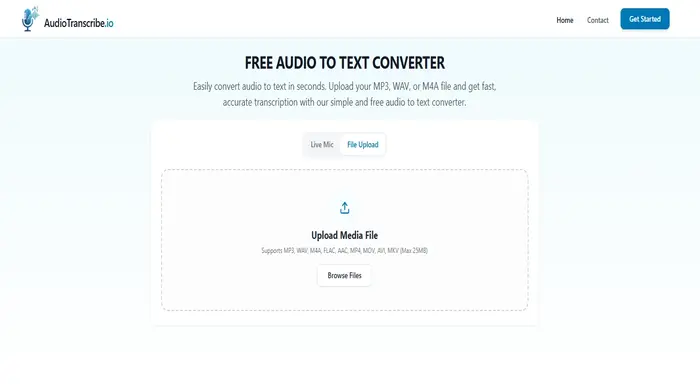
AudioTranscribe is a fast, free audio transcriber built for anyone who needs accurate transcriptions without any manual work.. Simply upload your audio file and get a clean, readable transcript in seconds. Whether you’re a journalist, student, content creator, or business professional, AudioTranscribe.io makes it effortless to turn spoken words into written text.
Key Features:
- Supports MP3, WAV, and M4A audio formats
- Fast, accurate transcription powered by AI
- Export transcripts in multiple formats: TXT, DOCX, SRT (subtitles), and VTT
- No account or sign-up needed.
- Works on mobile, tablet, or desktop.
- Secure file handling with automatic deletion after your session
Pricing: Free
Platform: Web-based
ElevenLabs
ElevenLabs: A Leading AI Voice Generator with Advanced Features
ElevenLabs is widely recognized as one of the top AI voice generation tools on the market, offering high-quality text-to-speech and voice cloning capabilities.
The voice output is impressively realistic. When I tested it by converting text into speech, I was struck by how naturally the voice captured human-like intonation and rhythm far beyond my expectations. The platform also allows for fine-tuning of pitch, speed, and tone, giving users significant control over the final sound.
One standout feature is voice cloning. I uploaded a sample of my own voice, and the system generated a clone that closely mirrored my speech patterns. When I input custom text, the synthesized voice was nearly indistinguishable from my original recording, with only minor tonal discrepancies in some cases.
I also tested ElevenLabs with a third-party text-to-speech app, which made it easy to convert written content into audio. This feature is particularly valuable for accessibility or for users who prefer consuming content through listening.
While the technology is highly impressive, there’s still room for refinement. Occasionally, the AI voices need slight manual tweaks to achieve more nuanced emotional tones. And although customization options are robust, they may feel limiting for those looking to create very specific or highly stylized voices.
ElevenLabs has a generous free tier with 10,000 credits (about 10 minutes of text-to-speech). The Starter Plan is priced at $5/month and includes 30,000 credits (30 minutes), voice cloning, and access to the Dubbing Studio.
Several other AI Tools for Voice and Speech include:
AI-Powered Learning Management System
ProProfs LMS is a learning management system built to scale workplace training, with AI features that make course creation faster and smarter. A single prompt like “Build a cybersecurity awareness course with quizzes” can generate a complete program in minutes, ready for learners to start. Over time, the platform has been used to create over 100,000+ courses and supported over 4 million learners worldwide.
The AI doesn’t stop at creation. It personalizes learning paths for different roles and skill levels, while the analytics engine adjusts delivery to match individual performance. This combination keeps learners engaged and helps organizations see stronger knowledge retention across their teams.
ProProfs Training Maker’s Features:
- AI Course Generation: Enter a topic and instantly get structured lessons, quizzes, and assessments. These platforms also allow educators to quickly turn PDFs into interactive assessments using a pdf to quiz tool, transforming manuals, compliance documents, or training handbooks into engaging learning experiences.
- Content Conversion: Transform existing PDFs, documents, and videos into interactive courses.
- Personalized Learning Paths: Assign role-based content and adapt journeys based on progress.
- AI Assessments: Access 1,000,000+ question bank or let AI generate custom quizzes with automated grading.
- Multilingual Voiceovers: Convert text into professional narration in multiple languages.
- Real-Time Analytics: Track learner progress with live dashboards and AI-driven insights.
- Compliance Automation: Manage certifications, reminders, and reporting with no manual work.
- Mobile-Friendly Design: Deliver training seamlessly across any device.
Pricing:
- Free Plan: For up to 10 learners, includes all premium features.
- Essentials: $1.99 per active learner/month, with 200+ ready-to-use courses and AI tools.
- Premium: $3.99/month per learner
- Enterprise: starts at $499/annually
Choosing the Best AI Tool for Your Business
Picking the right AI tool can feel like scrolling endlessly throughout the day. But which one fits your business?
Before selecting the best AI tool to complete your task efficiently, you should consider a few factors.
Understand your Goals:
Are you looking to write blogs, design images, automate support, or speed up coding? Pick a tool that solves your problem, not one that just sounds fancy.
Budget Check:
Some free AI tools, while others come with monthly subscriptions. Choose what fits your budget without skipping on features that matter most.
Ease of Use:
You don’t need any degree to use AI. Go for tools with clean dashboards, helpful tutorials, and smooth interfaces.
Integration Game:
Will the AI tool play nicely with the platforms you already use (like WordPress, Google Docs, Slack, or Shopify)? Make sure it’s compatible with your platforms.
Scalability and Security:
If your business grows, can the tool grow with you? And does it protect your data? Look for options that are GDPR/SOC2 compliant.
Community Support:
A good AI tool usually comes with solid support and a helpful community. It makes a difference when you get stuck.
Following the above, you can land up choosing the best AI platforms and tools. But if you need something creative and want to have your own AI tool, then always lookout for the best AI development company.
Sphinx Solutions For AI Development Tool
Sphinx Solutions is one of the best AI development companies in India, that simplifies your journey in “how to build an AI?”. With around 15 years of experience in custom software development, the company has proved its expertise in IT with flying colors.
If you need a smart AI chatbot development, a code-writing assistant, or an AI that learns from your business data, Sphinx Solutions has the expertise to build it from scratch. Our team has delivered powerful, scalable, and secure AI tools for startups and enterprises alike across healthcare, e-commerce, fintech, and beyond.
- End-to-end development
- Custom AI model training
- UX-rich dashboards
- Cloud and API integration
- Post-launch support
With the help of Sphinx Solutions’ built-in AI Cost Calculator, you can quickly determine how much your AI tool will cost to construct.
Whether you want to create an AI-powered analytics dashboard, a personalised recommendation engine, a smart chatbot, or any other creative solution, our calculator provides you with an upfront cost breakdown based on your unique needs.
Choose the kind of instrument you require, add essential features, and receive a prompt, customised quote. It’s the simplest approach to budget before beginning work. You can always hire prompt engineer, who can simplify the process of AI app development.
Finding the right AI tools for professional growth can be overwhelming
Discover top AI tools effortlessly.
Conclusion
Many AI tools are available to make your life easier, regardless of whether you are a startup founder, a lone creator, or a member of a developing team. The secret is to try different things and see what works best for your workflow.
Also, companies are selecting the appropriate AI, not just utilising it. Try out a few tools, enjoy using them, and let technology handle the labour-intensive tasks while you concentrate on creating something truly remarkable.
FAQ’s:
Who can benefit from AI developer tools?
For everyone creating code, from novices just getting started to seasoned software engineers, AI developer tools are incredibly beneficial. These tools can help you cut down on errors and save time when developing apps, debugging code, or trying to speed up development.
AI development tools can streamline processes for non-technical people working on low-code or no-code platforms or creating websites. AI may essentially make your life much easier if you work with programming!
How much does it cost to develop an AI tool?
The cost to develop an AI tool can vary depending on what you’re building. A simple AI chatbot might cost around $10,000–$30,000, while a full-fledged AI platform or product could go upwards of $100,000 or more. Things like complexity, features, data needs, team size, and development time all play a big role in cost.
Sphinx Solutions has built AI cost calculator that can give an estimate cost of building your required AI tools.
What are the best AI tools for coding?
Here are some of the top AI tools that coders absolutely love:
1. GitHub Copilot – Autocompletes code and suggests whole blocks while you type.
2. TabNine – Smart code completion with support for many languages.
3. Amazon CodeWhisperer – Generates code based on comments and suggests security fixes.
4. AskCodi – Great for developers working in frameworks like React or Vue.
5. GPT-4o Canvas – Helps edit, debug, and explain your code like a real assistant.
What are AI productivity tools?
The goal of AI productivity solutions is to help you accomplish more tasks in less time. They may create emails, manage schedules, automate tedious chores, summarise materials, and even provide customer service. Here are a few well-known examples:
1. Notion AI: Assists with task planning, note summarisation, and thinking organisation.
2. Grammarly: It is a tool for editing and polishing your writing.
3. ChatGPT/Gemini: It is used for writing, brainstorming, and research aid.
4. Otter.ai: Automatically takes notes and transcribes meetings.

 Shaili Gupta


 Ajay Wadne

