
With innovations and inventions coming up from different corners of the world, building a mobile application has become easy. This can be said as 8.9 million apps available across app stores are expected to cross $600 billion in revenue; it’s no wonder everyone wants to jump in.
In 2025, almost every great idea seems to have its own app, whether it’s for fitness, shopping, learning, or even tracking your sleep. Building an app isn’t bound to coding anymore; it is about solving real problems, creating the best user experience.
In case you’ve ever wondered how to build an AI app, the expenses to build one, or maybe the way to convert your website into an app, this blog will walk you through each step, in reality, and without technical jargon.
Understanding the system is vital, whether or not you want to interact with an app development enterprise or do it yourself. So, if you’ve ever wondered how to develop an AI app, how much it costs, or how to convert your website into an app, this academic will walk you through every step.
What Does it Mean to “Make an AI App”?
An AI app is a system capable of reasoning, learning, and adapting to the demands of its users. As AI is changing the way apps interact with users, the global AI app development industry is predicted to exceed $300 billion by 2026. These growing numbers in the market demonstrate how rapidly the AI trend is expanding.
Companies of all sizes are searching for ways to use AI so they can remain competitive. To make AI the backbone of one’s digital experience, companies are looking forward to integrating it with machine learning, NLP or computer vision.
A good app development service providing company will help to combine data-driven insights with creativity to make your app smarter. So, if you are planning to build a mobile app, then integrating it with AI tools can make it functional to futuristic.
Why Build an AI App Instead of a Regular App?
We expect the app to behave as humans; to think and then respond in that too in fraction of seconds. These abilities require special apps and not the regular ones. Hence, AI apps were introduced that learns from user behaviour, predict needs, and deliver personalised experiences. AI apps will make you feel smarter and more human.
Here are some very apt reasons why building an AI app is a better option:
- Personalised User Experience: AI uses the data it receives and learns from user activity to generate content, suggestions, and alerts.
- Smarter Automations: Several tasks like chat support, content formation and analytics become more accurate and in lightning speed.
- Data-Driven Insights: AI apps can be a helping hand for businesses to understand their customer behaviour and make improvements.
- Higher Engagement: Some very intelligent features like voice recognition, image search, and quick responses keep users hooked.
How is AI Evolving and How Can Your App Adapt?
AI is rapidly developing, changing how applications are developed and utilised. Predictive analysis, voice assistants, and other AI integrations are anticipated to be present in 90% of mobile applications. Therefore, including AI trends into your mobile application development process will help you keep your product ahead of the competition.
Some easy ways your app can adapt to the evolving AI requirements during mobile app development:
- Develop AI Literacy: Understand the basic concepts of AI that can be helpful while making correct decisions during design and development.
- Adapt Experimentation Culture: Always look out for and test new AI features to see what works best for your existing app that can add more value.
- Implement Agile Practices: As soon as new updates are introduced, keep your app flexible to implement those quick AI updates and integrations.
- Use AI Tools and Platforms: Use trusted AI frameworks and cloud platforms that will add value and will be quick enough to reflect changes in your app.
- Collaborate with AI Experts: Partner with AI professionals or AI app development companies that have achieved some positive feedback on AI integrations.
How to Define Your AI App Idea?
A successful app development starts with a strong foundation that depends on a well-defined idea. Planning your AI app carefully will set you apart from the millions of apps vying for users’ attention. Learn how to create an app, develop user-attracting features, or collaborate with an app development company. This will set the stage for the direction of your project that can deliver a powerful product.
Understand User Needs:
Understanding the users is the biggest code to crack, and once done, it can do wonders for your app. Many users uninstall apps that fail to meet their expectations. SO, always focus on your user goals for faster communication, smarter productivity or early access to services.
When planning an app, focus on solutions that can simplify users’ lives. This step can involve conducting surveys, analysing user behaviour and studying current trends. AI can help in analysing users’ data that can unlock users’ needs for you to design it accordingly from the start.
Defining Features That Add Value:
The greatest apps only have the appropriate features, not all of them. Determine which features are most crucial for your application. Use the MVP technique and concentrate just on the essential features to carry out this step.
For example, if you’re building a fitness AI app, the main features include personalised workout recommendations, voice coaching, and progress tracking in real-time, along with advanced AI features like smart reminders as well.
So, identify your target users and decide on features that your app truly needs. Also, partnering with an experienced App Development service can help you refine these features, maintaining the scalability and smooth performance.
Solving Real-World Problems:
Apps are built to solve problems that create real impact and ease life.
App development can be used for a variety of purposes, such as simplifying learning, enhancing customer support, automating routine operations, etc. By providing capabilities like predictive problem-solving, which allows the app to foresee difficulties before they arise, AI apps can go one step further.
So, choose a relevant, quantifiable, and significant pain point when defining the goal of your app. Your chances of sticking out in the crowded field of app development increase with the strength of your answers to real-world problems.
Which Tech Stack and Frameworks Are Best for Your AI App?
It’s about choosing the foundation and materials before building a house. Choosing the right technology stack and frameworks affects the performance, scalability. Security, and even the cost to build an app in the long run.
It’s important to know that AI apps need the best technologies to handle big data, machine learning models, and real-time processing. The best frameworks make it easy for developers to test, train and deploy AI models with ease.
Here’s the list of best technology stacks and frameworks that you can use in your AI apps:
Programming Languages:
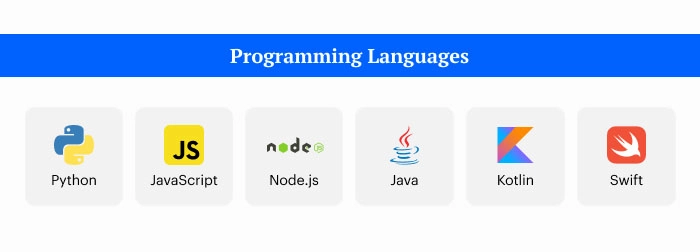
- Python: Popular for AI and machine learning apps
- JavaScript (Node.js): for creating interactive and faster frontend interfaces.
- Java/Kotlin: For Android Apps
- Swift: For iOS Apps
AI Frameworks and Libraries:
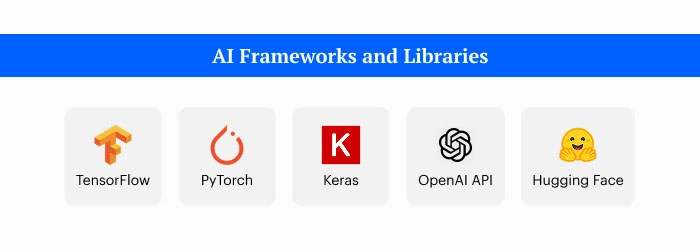
- TensorFlow: Owned by Google for deep learning and large-scale model deployment.
- PyTorch: Best known for its simplicity and speed during model prototyping.
- Keras: Good for beginners learning how to build an AI app quickly.
- OpenAI API / Hugging Face: Excellent for integrating pre-trained language and vision models.
Cloud Platforms and APIs:
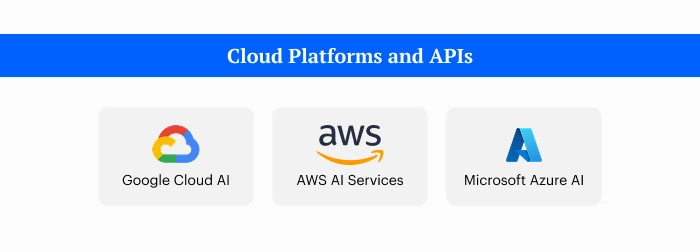
- Google Cloud AI, AWS AI Services and Microsoft Azure AI: These are the top cloud solutions that handle AI workloads, storage, and deployment easily.
Databases and Backend:

- For AI apps, you’ll need a combination of structured and unstructured databases. Use MongoDB or Firebase for flexibility and PostgreSQL or MySQL for traditional relational data.
Frontend Frameworks:
- Frameworks like React Native, Flutter, or Angular make your app smooth, interactive, and compatible with multiple devices.
How to Design the UI/UX for AI Apps?
UI/UX design is the heart of any mobile app development. To design UI/UX for AI apps, focus on easy navigation, user controls and making AI decisions explainable. Before wireframing, map out the human-AI interaction flow. It should be adaptable enough, using micro-interactions to build trust and make errors understandable with guidance.
Here are a few ways how UI/UX can be defined and designed well for your AI app:
Build Trust and Transparency:
AI should explain its decisions with simple visuals and micro-interactions to build trust while clearly stating its limitations and protecting privacy. Ethical design must always remain a top priority in AI systems. Today, AI supports students learning app development with duolingo for coding, along with startups and businesses scaling through smart technology. With accessible platforms and modern tools available, now is the perfect time to start building intelligent solutions.
Give Users Control:
Provide customisation control to users for setting the AI behaviour pattern, like giving a tab for AI-generated outputs. This can make the user think an alternative suggestions and the ability to undo changes. Even when AI is making decisions, the design should be in a way that the user oversees it.
Set the Interactions Flow:
The conversation between AI and humans should be logical for the user and not just the machine, so plan the flow accordingly. By using NLP, script the conversations to be very clear and helpful. In case of error, provide actionable advice to get better results.
Pro tip: Keep AI invisible until it matters and only show the AI’s input or output when it is adding value.
Use AI-powered tools in Design:
Once the design is ready in your mind, use AI tools to quickly implement and create an initial design during the mockup round. This will ease the process and save time to create prototypes that can mimic AI’s feedback. Use AI tools completely to help with research, summarisation of user data, and streamlining design-to-development handoff with ready-to-use code.
How to Train Your AI Model for Best Performance?
Similar to tutoring a bright student, your AI model becomes sharper with richer data and support. In 2025, creating an AI software involves more than simply knowing how to create one; it also involves letting your app grow and learn on its own.
Your AI may act like a pro, comprehend user behaviour, and produce correct results with the support of a robust training procedure. In fact, research indicates that well-trained models and high-quality data are responsible for more than 70% of effective AI applications.
Here’s how to do it step by step:
- Collect High-Quality Data:
Make sure the data your AI model is learning from is relevant, diverse, and clean. When creating an online shopping app, for example, take into account real customer questions, purchasing trends, and opinions.
- Choose the Right Algorithms:
Select algorithms that are appropriate for the features of your application. Use natural language processing for chatbots and convolutional neural networks for image-based applications. Your AI can reason more logically and draw better conclusions if it has the proper algorithm.
- Train, Test, and Tune:
Don’t stop training after just one session. Continue using fresh data to test your model, adjust its parameters, and assess its correctness. This cycle guarantees the seamless operation and continued relevance of your software.
- Optimise for Performance:
Select reliable frameworks to train models efficiently. They help you achieve the cost-speed-accuracy balance that is essential for any app development company looking to create scalable AI solutions.
How to Integrate AI Features in AI Apps?
When you incorporate AI elements into your app, it becomes truly intelligent. AI is what makes these things feasible, whether it’s an app that detects photographs, a chatbot that can understand people, or a system that anticipates what users could do next.
- Natural Language Processing:
NLP makes it easier for your app to comprehend and react to human language. Chatbots, voice assistants, and intelligent search capabilities can be developed using APIs like as Google Dialogflow, OpenAI GPT models, or Amazon Lex.
- Computer Vision:
This AI feature allows your app to view and analyse images or videos. Frameworks like OpenCV, TensorFlow, or the Azure Computer Vision API can be used to combine features like object identification, facial analysis, and picture recognition.
- Recommendation Engines:
Recommendation systems make suggestions about what the user wants next by assessing a variety of characteristics, including user preferences, behaviour, and history. You can build one using tools like TensorFlow Recommenders or Amazon Personalise.
How to Deploy Your AI Apps?
After writing and testing, the software must be ready for deployment. This can be accomplished via DevOps approaches, cloud platforms, and edge computing. Understanding these deployment options will help you make sure your program runs smoothly and rapidly for all users.
Here’s a simple breakdown of how to do it right:
1. Cloud Deployment:
This is the most popular way to host an AI application. Without the need for bodily servers, cloud platforms, which include AWS, Google Cloud, and Microsoft Azure, allow you to keep data, run models, and scale quickly.
2. Edge Deployment:
If your program demands fast answers, like a voice assistant or a self-driving feature, edge computing can be helpful. Rather than sending facts to the cloud, it approaches it locally at the user’s tool. This reduces latency, promotes privacy, and conserves bandwidth, making allowance for quicker and more efficient program execution.
3. Backend Infrastructure:
Your app’s “engine room” is its backend. It manages data, servers, APIs, and AI models. Containerisation tools like Docker and Kubernetes can improve stability and deployment.
4. DevOps Integration:
DevOps unites development and operations teams to improve overall performance and solve issues more quickly. You can keep your application up to date and functional by using CI/CD pipelines.
How to Measure the Success of Your AI App?
Building an AI app is a 50% journey, and the other 50% comes with the performance. The calculation of these two makes it a complete success of your AI app.
But how do you calculate the success of your AI app?
Measuring an app’s success means going beyond the number of downloads. It’s the performance os AI features, user engagements and how your app improves over time. Even if you have built it yourself or partnered with an App Development Company, using the right metrics and analytics tools is what turns a good app into a great one.
- Define Key Metrics:
Set clear goals to track user engagement, retention rate, AI accuracy, and response time. If your app uses chatbots, monitor how accurately it understands user queries or how quickly it replies.
- Use Advanced Analytics Tools:
Tools like Google Analytics for Firebase, Mixpanel, or Amplitude can show how users operate your app. For AI performance, you can use tools like TensorBoard, or Weight & Biases to know model accuracy, data quality and training efficiency.
- Monitor Continuous Learning:
AI app improves with time as new data is fed. Keep retraining your models regularly to make them smarter. Recommendation engines get better as users interact more with the app.
- Encourage User Feedback:
Listening to users is just as important as tracking numbers. Add in-app surveys or feedback forms; they can reveal what your analytics might miss.
- Continuously Update and Optimize:
The best apps never stop improving. Use a DevOps approach for quick updates, bug fixes, and AI model upgrades to stay ahead of trends and competition.
How Much Does It Cost to Make an AI App?
One of the most often asked questions about establishing an AI software in 2025 is, “How much will it cost me?” The answer is different for everyone because the cost is determined by the complexity of your idea, the features you desire, and who you employ to develop it.
Let’s break it down in the simplest way possible:
1. Core Factors That Influence the Cost
Here’s a simple breakdown of what contributes most to your total app development budget:
| Factor | Details | How It Impacts Cost |
|---|---|---|
| App Complexity | Whether your app uses basic AI (like chatbots) or advanced machine learning and predictive analytics | Higher complexity = more development time and cost. |
| Features & Functionality | Includes integrations like voice recognition, image analysis, recommendations, or NLP. | Each feature adds development hours. |
| UI/UX Design | Clean, modern, and user-friendly design ensures better engagement. | Advanced animations or customisation raise costs |
| Development Team & Expertise | Whether you choose a freelancer, an in-house team, or a professional app development company | Experienced teams charge more but deliver faster and better |
| Maintenance & Updates | Regular updates are required to fine-tune models and ensure data security | Ongoing monthly or yearly expense |
2. Average AI App Development Cost in 2025
AI technology has evolved rapidly, but development costs have become more flexible thanks to ready-made AI models and APIs. Here’s a general idea of what you can expect in 2025:
| Type of AI App | Estimated Cost Range (USD) | Examples |
|---|---|---|
| Basic AI App | $8,000 – $25,000 | Chatbots, content generators, sentiment analysis apps |
| Mid-level AI App | $25,000 – $70,000 | AI assistants, fitness or shopping recommendation apps |
| Advanced AI App | $70,000 – $250,000+ | Custom-trained models, image/video recognition, predictive analytics |
3. Regional Cost Comparison
Where you build your app also affects the cost significantly. Development rates vary across countries:
| Region | Hourly Rate (Approx.) | Remarks |
|---|---|---|
| USA / UK | $80 – $150/hr | High-end expertise, premium quality |
| Eastern Europe | $40 – $80/hr | Balanced cost and skill |
| India | $25 – $50/hr | Cost-effective, top AI talent pool |
| Southeast Asia | $20 – $45/hr | Affordable but varied experience levels |
4. Emerging Trends Impacting AI App Cost in 2025
With new frameworks and technologies, the cost of producing AI apps is changing. Among the most significant trends:
- AI-as-a-Service Platforms: Google Vertex AI, Amazon Bedrock, and OpenAI provide ready APIs that lower the price of custom training.
- No-Code and Low-Code Builders: Glide AI and AppSheet are helpful tools for rapidly developing simple AI applications.
- Edge AI Implementation: While running AI models locally on devices enhances speed, the cost of development goes up a little.
- Data Security & Compliance: App developers now have to handle data securely due to tighter privacy regulations, which adds a little extra expense.
How Can You Create an App Using AI for Free?
Making AI-powered software doesn’t always require a large sum of money or technical expertise. By 2025, no-code AI app builders like Appy Pie, Glide, AppSheet, and Builder.ai will allow you to create apps for free or at a minimal cost.
These platforms provide AI-powered templates that enable you explain your idea, drag and drop things like chat, maps, or payment gateways, and let AI construct the backend for you. It’s a simple way for students, entrepreneurs, and small businesses to make apps without having to hire a full-service app development company.
If you want to turn your website into an app, platforms like Thunkable or Adalo can do it in a few clicks. However, while the free plans are great for testing ideas, scaling your app later may require a premium plan or App Development Service. Still,
it’s a fantastic opportunity to experiment with AI-powered app creation and learn how to create an app without having to pay a thing!
What are the Major Challenges in AI App Development?
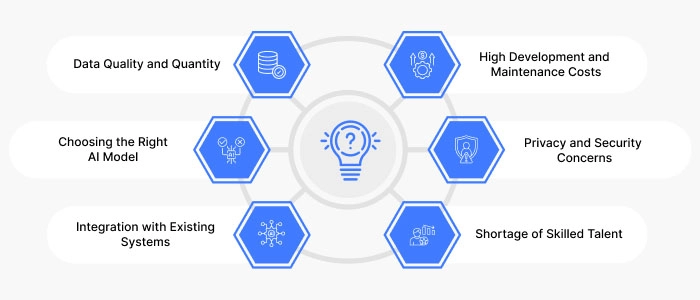
Although developing software with AI capabilities is fun, things don’t always work out as planned. The primary problems that businesses and developers could encounter are as follows:
1. Data Quality and Quantity:
AI learns from data; thus, if the data is bad or not enough, it can make inaccurate predictions. About 42% of developers say that getting accurate and available data is hard while they are making apps.
2. Choosing the Right AI Model:
It requires expertise and time to choose and train the appropriate machine learning model. If you choose the wrong model, users’ opinions of your app and its functionality may deteriorate.
3. Integration with Existing Systems:
Integrating AI with your existing database, website, or cloud system could be difficult, especially for beginners learning how to write an application.
4. High Development and Maintenance Costs:
A completely working AI software often requires a robust infrastructure and an expert app development business to manage scalability and upgrades, even though you can learn how to create an app utilising free resource.
5. Privacy and Security Concerns:
Since AI apps manage sensitive user data, data security and ethical AI use are essential.
6. Shortage of Skilled Talent:
Many startups and companies still find it difficult to find experts that are knowledgeable with both AI algorithms and recommended techniques for app development in 2025.
Curious About How ai app development Services Can Boost Your Efficiency?
Use Our app cost Calculator to See the Benefits for Yourself!
How to Choose the Right App Development Company for AI?
One of the most important phases in transforming your idea into a profitable digital product is selecting the best app development company for your AI project. Making an informed decision might help you save time and money because there will be a lot of IT companies in 2025. Here’s how you can make the right choice:
1. Check Their AI Experience and Portfolio
To find out more about AI integrations, look at the company’s prior AI projects.
It can manage complex AI-powered solutions, as evidenced by its impressive portfolio of case studies and customer endorsements.
2. Evaluate Their Communication and Transparency
A professional team communicates efficiently, provides regular progress reports, and is up forward about price and timetables. When asked about the cost of producing an app, the company should provide specific estimates rather than confusing information.
3. Assess Their Technical Expertise
In addition to coding, the organisation should be skilled in data administration, machine learning models, UI/UX design, and API integration. This guarantees that your AI application will function flawlessly and offer an excellent user experience.
4. Prioritise Security and Scalability
Choose a business that places a high priority on data security, privacy compliance, and scalable infrastructure to ensure long-term success because AI apps handle sensitive data.
5. Look for Innovation and Long-Term Support
A great App Development Service doesn’t end at launch. Pick a company that offers continuous support, regular updates, and innovative suggestions to keep your AI app ahead of trends.
Why Sphinx Solutions Can Be a Good Option
If you’re dreaming of building an app, Sphinx Solutions would possibly just be the suitable partner for you. With over a decade of experience in AI integration, cloud-based solutions, and custom app development, Sphinx blends technical information with innovative ideas to convey ideas to lifestyles.
- Proven Expertise: From healthcare and banking to e-commerce and logistics, Sphinx has built and delivered AI-powered programs that give true commercial business consequences.
- Full-Cycle Development: The crew covers everything from conceptualising your concept to app creation, improvement, and post-launch assistance, providing an adventure from start to conclusion.
- Smart AI Solutions: Sphinx remains ahead of the curve with equipment like GPT-powered chatbots, predictive analytics, and system mastering automation to make your app definitely intelligent.
- Built for Growth and Security: Every app is designed to be steady, scalable, and geared up to grow as your enterprise expands.
- Client-First Approach: What units Sphinx apart is its clean verbal exchange, brief responses, and genuine collaboration; you’re constantly part of the procedure.
Conclusion
Anyone with the right concepts, resources, and development partners can create a powerful AI application; it’s no longer a difficult undertaking. When creating cutting-edge AI apps, identifying your target market and choosing pertinent AI models are essential steps. While questions regarding data quality, security, and cost may emerge, the right App Development Company can help you overcome them via knowledge and innovation.
Whether you’re a student learning how to develop an app, a startup experimenting with automation, or a firm wanting to scale utilising smart technology, AI has unlimited applications. Now is a great time to start programming because platforms, frameworks, and professional app development services are more accessible than ever.
FAQ’s:
1. How to Build a Powerful AI App Like a Pro in 2025?
Start by defining your app’s purpose and audience, then choose the right AI tools, frameworks, and data sources. Work with an experienced app development company to design, test, and launch your AI-powered app with scalability in mind.
2. How to Manage Privacy, Security, and Compliance in AI App Development?
Use data encryption, secure APIs, and follow standards like GDPR or HIPAA to protect user data. Regular audits, ethical AI practices, and compliance checks keep your AI app safe and trustworthy.
3. What Is the Cost and Timeline to Build an AI App?
On average, an AI app can cost between $30,000 to $200,000+, depending on its features and complexity. The development timeline usually ranges from 3 to 9 months, depending on scope, team size, and integrations.
4. How to Integrate AI into an App?
You can integrate AI using tools like TensorFlow, OpenAI API, or Google ML Kit. These help add smart features like chatbots, recommendations, or image recognition seamlessly into your existing app.
5. Can I Build My Own AI App for Free?
Yes, you can start for free using no-code AI app builders like Appy Pie, AppSheet, or Glide. They’re perfect for testing ideas and learning how to make an app before investing in full-scale development.


 Ajay Wadne
 Shaili Gupta


