You’re racing to push your latest feature to production, and just as you’re about to hit deploy, your security team drops a bombshell that says, critical vulnerabilities detected. Does this scenario sound familiar?
In 2026, this scenario is ancient history because we have DevSecOps. The software development world has changed dramatically. Gone are the days when security was an afterthought, something you’d tack on at the end before shipping. Today’s threat landscape is ruthless:
- Data breaches now cost companies an average of $4.88 million
- Over 512,000 malicious packages were discovered in open-source registries in 2024 alone
- 81% of organisations admit to shipping vulnerable code under deadline pressure
But organisations with strong DevSecOps practices save nearly $1.7 million per breach and resolve issues 108 days faster than those without. That’s not just impressive, that’s transformative.
Struggling with insecure software deployments?
Secure pipelines with DevSecOps expertise
In this comprehensive guide, we’ll break down what DevSecOps really means in 2026, explore 11 essential DevSecOps tools that are actually making a difference, and dive into the top use cases that show how security can accelerate, not slow down, your development pipeline. We’ll also examine how DevOps Automation Services help organizations streamline workflows, reduce manual effort, and build more secure, efficient development processes. Whether you’re a developer tired of last-minute security fires or a security professional looking to embed protection without becoming the team villain, d
DevSecOps, short form of Development, Security, and Operations, is like having a security guard who’s part of your construction crew, not someone who shows up after the building’s done to point out all the fire hazards.
At its core, DevSecOps is the practice of integrating security into every single phase of the software development lifecycle. We’re talking from day one, when you’re just sketching ideas on a whiteboard, all the way through deployment and beyond. It’s about making security everyone’s responsibility, not just something the security team worries about at 3 AM when production goes down.
Think of DevSecOps as a mindset shift. Instead of asking “How do we add security?” teams ask “How do we build security in from the start?” It’s the difference between painting a car and having the paint baked into the metal itself.
The key principles include:
- Shift-Left Security: Finding and fixing vulnerabilities during development, not after deployment.
- Automation First: Security checks that run automatically with every code commit.
- Shared Responsibility: Developers, security teams, and operations all own security outcomes.
- Continuous Monitoring: Security doesn’t stop at deployment; it’s an ongoing conversation.
DevSecOps vs DevOps: What’s the Real Difference?
| Aspect | DevOps | DevSecOps |
|---|---|---|
| Core Focus | Speed and efficiency in software delivery | Speed with built-in security at every stage |
| Primary Goal | Faster deployments and improved collaboration | Secure, fast, and reliable software delivery |
| Team Collaboration | Development + Operations | Development + Operations + Security |
| Security Approach | Security is handled at the end of the pipeline | Security is integrated from the beginning (Shift Left) |
| Process | Automates build, test, and deployment | Automates build, test, deployment and security checks |
| CI/CD Pipeline | Focused on speed and automation | Includes automated security testing within CI/CD |
| Developer Experience | Focus on code and delivery | Real-time security feedback directly in IDEs |
| Compliance | Often manual and time-consuming | Automated and enforced as code |
| Risk Handling | Security issues may appear late (bottlenecks) | Risks are identified and fixed early |
| Outcome | Faster releases, but potential security gaps | Faster, secure, and more reliable releases |
Why DevSecOps Matters?
Let’s get real about why DevSecOps isn’t just another buzzword to add to your LinkedIn profile. The stakes have never been higher.
The Threat Landscape is Evolving
In 2026, we’re dealing with:
- AI-Powered Attacks: Cybercriminals are using AI to find vulnerabilities faster than ever.
- Supply Chain Compromises: 97% of commercial codebases contain open-source components, each a potential attack vector.
- Zero-Day Exploits: The window between vulnerability discovery and exploitation is now measured in hours, not days.
- Cloud-Native Complexity: Microservices, containers, and serverless architectures create massive attack surfaces.
The Business Case is Crystal Clear
Organisations with high DevSecOps adoption see:
- $1.7 million lower breach costs compared to those without DevSecOps.
- 108 days faster incident response and remediation.
- $2.2 million in savings through AI and automation in security.
- 60% faster software releases without sacrificing security.
The DevSecOps market is projected to hit $24.2 billion by 2032, growing at nearly 20% annually. This isn’t hype, it’s companies voting with their wallets because DevSecOps delivers measurable ROI.
What is The DevSecOps Lifecycle?
DevSecOps isn’t a single phase; it’s woven throughout your entire development process. Let’s break down what security looks like at each stage.
Plan:
This is where it all begins. During planning, teams:
- Conduct threat modelling to identify potential security risks
- Define security requirements alongside functional requirements
- Establish security policies and compliance frameworks
- Create security acceptance criteria for user stories
Tools like Jira help track security requirements, while platforms like IriusRisk assist with collaborative threat modeling.
Code:
Developers write code with security in mind, supported by:
- IDE Security Plugins: Real-time vulnerability detection as you type
- Pre-commit Hooks: Automated checks that prevent committing secrets or obvious flaws
- Secure Coding Standards: Guidelines and templates that make the secure path the easy path
- Code Review Tools: Platforms like Gerrit and Phabricator with built-in security checks
Build:
When code gets built, automated scans kick in:
- SAST (Static Application Security Testing): Analyzes source code for vulnerabilities without executing it
- SCA (Software Composition Analysis): Scans third-party dependencies for known vulnerabilities
- Container Scanning: Checks Docker images for security issues before they’re deployed
- License Compliance: Ensures open-source components meet legal requirements
Test:
Testing goes beyond functionality:
- DAST (Dynamic Application Security Testing): Tests running applications for vulnerabilities like SQL injection
- IAST (Interactive Application Security Testing): Combines SAST and DAST for comprehensive coverage
- Penetration Testing: Simulates real-world attacks to find exploitable weaknesses
- Security Regression Testing: Ensures fixes don’t introduce new vulnerabilities
Deploy:
Deployment security focuses on:
- Infrastructure as Code (IaC) Scanning: Validates Terraform, Kubernetes configs for misconfigurations
- Secrets Management: Ensures credentials are properly encrypted and rotated
- Policy Enforcement: Automated compliance checks before production deployment
- Zero Trust Verification: Validates every access request, regardless of source
Operate
In production, security becomes active monitoring:
- Runtime Application Self-Protection (RASP): Real-time threat detection and response
- Container Runtime Security: Monitors container behavior for anomalies
- Log Analysis: AI-powered detection of suspicious patterns
- Incident Response Automation: Automated containment and remediation of threats
Monitor
Continuous observation provides:
- Security Analytics: Track security metrics and KPIs
- Vulnerability Tracking: Monitor the entire vulnerability lifecycle
- Compliance Reporting: Automated evidence collection for audits
- Feedback Loops: Insights feed back into planning for continuous improvement
11 Essential DevSecOps Tools You Need to Know
The right tools can make or break your DevSecOps journey. Here are the 11 game-changers that are delivering results in 2026.
DefectDojo
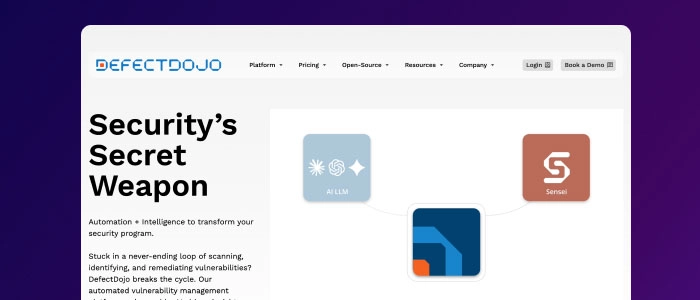
DefectDojo is an open-source Application Security Posture Management (ASPM) platform that acts as the central brain of yourDevSecOps program.
Why it matters: Instead of drowning in thousands of alerts from different security tools, DefectDojo consolidates everything into one dashboard. It correlates findings, eliminates duplicates, and helps you prioritize what actually matters.
Best for: Teams using multiple security tools who need a single pane of glass view.
Snyk
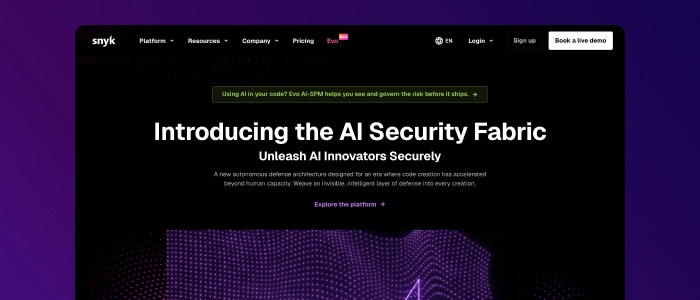
Snyk finds and fixes vulnerabilities in your code, dependencies, containers, and infrastructure as code.
Why it matters: In 2026, Snyk’s AI-powered “DeepCode” engine offers remarkably accurate auto-fix suggestions that developers can accept with a single click. It’s integrated directly into IDEs, so security happens where developers actually work.
Best for: Development teams who want security feedback without leaving their workflow.
Wiz
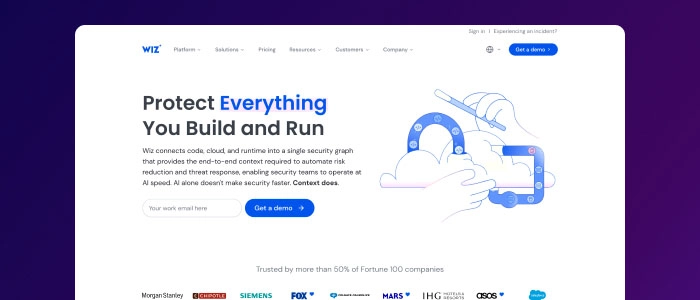
Wiz provides an agentless, graph-based view of your entire cloud infrastructure across AWS, Azure, and GCP.
Why it matters: It excels at identifying “toxic combinations” like a publicly exposed S3 bucket containing sensitive data accessible by a vulnerable VM. The 2026 version visualizes complete attack paths across multi-cloud environments in seconds.
Best for: Cloud-native organizations with complex multi-cloud deployments
HashiCorpVault
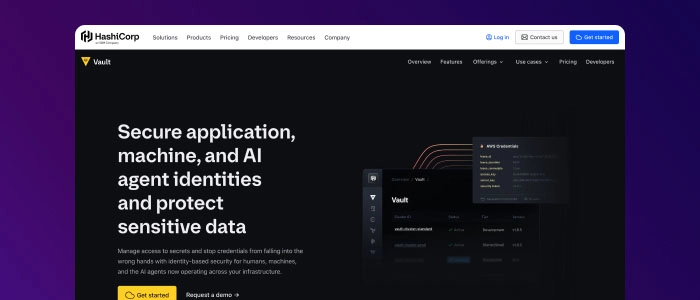
What it does: Vault centrally manages secrets, encryption keys, and certificates across your entire infrastructure.
Why it matters: Hardcoded credentials are a security nightmare. Vault generates dynamic, short-lived secrets for databases and cloud providers, making it essential for Zero Trust architectures. No more storing passwords in environment variables.
Best for: Any team serious about eliminating credential exposure
Checkov
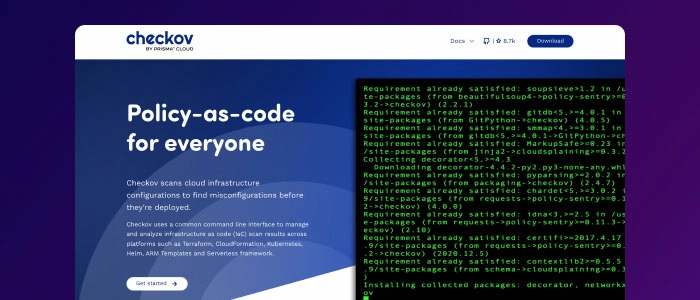
What it does: Checkov scans Terraform, CloudFormation, Kubernetes manifests, and other IaC files for security misconfigurations.
Why it matters: As infrastructure becomes code, misconfigurations can lead to massive breaches. Checkov catches these issues before deployment, with over 1,000 built-in policies covering compliance frameworks like CIS, PCI-DSS, and HIPAA.
Best for: DevOps teams managing infrastructure through code
GitLabDevSecOpsPlatform
What it does: GitLab offers native SAST, DAST, container scanning, dependency scanning, and license compliance, all built into the CI/CD pipeline.
Why it matters: For teams wanting simplicity, GitLab eliminates the need to integrate dozens of separate security tools. Everything works out of the box, with security results displayed directly in merge requests.
Best for: Teams preferring an all-in-one platform over best-of-breed point solutions
Sysdig
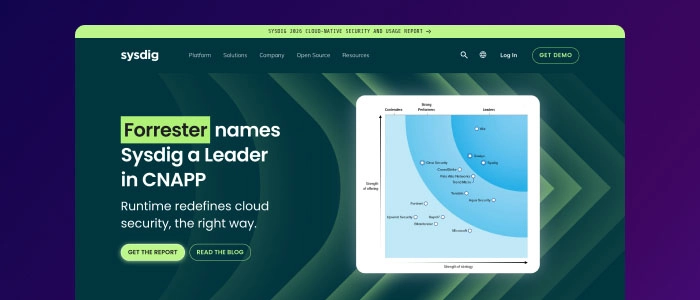
What it does: Sysdig captures deep system calls in containerized environments, enabling forensic analysis even after containers are destroyed.
Why it matters: When a breach happens in an ephemeral container, traditional forensics fail. Sysdig lets security teams replay events to understand exactly what happened, making incident response in Kubernetes environments possible.
Best for: Organizations running containerized workloads at scale
TruffleHog
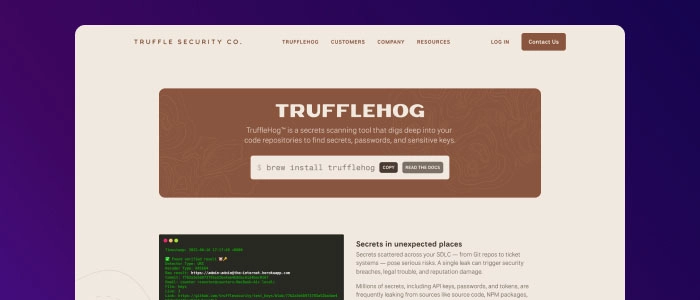
What it does: TruffleHog scans your entire Git history, not just the latest commit, to find accidentally committed secrets.
Why it matters: Developers accidentally commit API keys, passwords, and tokens all the time. Even if you delete them in the next commit, they remain in Git history forever. TruffleHog finds these landmines before attackers do.
Best for: Any team using Git (which is basically everyone).
OWASP ZAP

What it does: ZAP (Zed Attack Proxy) is a free, open-source DAST tool that finds vulnerabilities in running web applications.
Why it matters: ZAP tests for the OWASP Top 10 vulnerabilities, including SQL injection, XSS, broken authentication, and more. It integrates seamlessly into CI/CD pipelines and provides detailed reports developers can actually use.
Best for: Web application security testing on any budget.
Trivy
What it does: Trivy scans container images, file systems, Git repositories, and Kubernetes configurations for vulnerabilities and misconfigurations.
Why it matters: Trivy is ridiculously fast and incredibly accurate. It detects vulnerabilities in OS packages, application dependencies, and IaC files. Best of all, it’s completely free and open source.
Best for: Teams needing fast, accurate scanning across multiple asset types
SonarQube
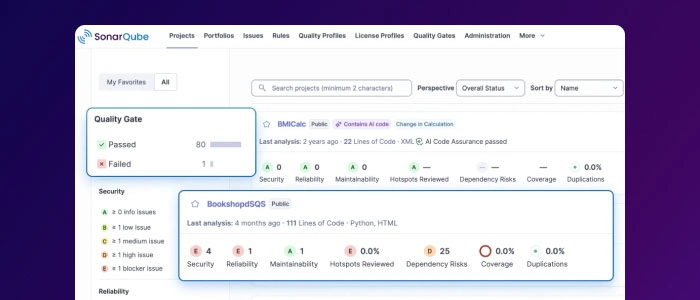
What it does: SonarQube performs continuous inspection of code quality and security, detecting bugs, vulnerabilities, and code smells.
Why it matters: SonarQube doesn’t just find security issues, it helps improve overall code quality. It supports 30+ programming languages and integrates with every major CI/CD platform. The quality gate feature can automatically block merges that don’t meet security standards.
Best for: Teams wanting to improve both security and code quality simultaneously
What are the Top DevSecOps Use Cases That Actually Work?
Theory is great, but let’s talk about real-world scenarios where DevSecOps makes a tangible difference.
Use Case 1: Securing AI-Generated Code
- The Challenge: In 2026, over 70% of enterprise codebases include AI-assisted code. While GitHub Copilot and similar tools boost productivity, they can also introduce vulnerabilities.
- The DevSecOps Solution: Automated SAST tools scan AI-generated code immediately upon commit. IDE plugins flag potential security issues in real-time, and policy-as-code frameworks ensure AI suggestions meet security standards before being accepted.
- Real Impact: Teams can leverage AI productivity gains without sacrificing security. Automated scans catch 75% of AI-introduced vulnerabilities before they reach production.
Use Case 2: Supply Chain Security
- The Challenge: The average application uses hundreds of third-party dependencies. Each one is a potential security risk, and attackers know it. Malicious packages in npm, PyPI, and other registries are skyrocketing.
- The DevSecOps Solution: Software Composition Analysis (SCA) tools automatically scan dependencies during builds. Software Bill of Materials (SBOM) generation provides complete visibility into what’s in your application. Dependency management policies block vulnerable or malicious packages.
- Real Impact: Organisations detect and remediate supply chain vulnerabilities 67% faster. Automated SBOM generation streamlines compliance with emerging regulations like the EU Cyber Resilience Act.
Use Case 3: Cloud-Native Security
- The Challenge: Modern applications run in complex Kubernetes clusters across multiple clouds. Microservices, service meshes, and serverless functions create massive attack surfaces that traditional security tools can’t handle.
- The DevSecOps Solution: Runtime security tools monitor container behaviour continuously. IaC scanners validate Kubernetes manifests and Helm charts before deployment. Policy engines like Open Policy Agent (OPA) enforce Zero Trust policies automatically.
- Real Impact: Teams prevent cloud misconfigurations that could lead to data exposure. Automated policy enforcement reduces manual security reviews by 80%.
Use Case 4: Compliance Automation
- The Challenge: Organisations must comply with GDPR, HIPAA, PCI-DSS, SOC 2, and numerous other regulations. Manual compliance processes are slow, expensive, and error prone.
- The DevSecOps Solution: Security tools automatically collect evidence for compliance audits. Policy-as-code frameworks enforce compliance requirements in CI/CD pipelines. Automated reporting provides real-time compliance dashboards.
- Real Impact: Compliance audit preparation time drops from weeks to days. Continuous compliance monitoring replaces point-in-time assessments, reducing audit costs by 60%.
Use Case 5: Zero Trust Implementation
- The Challenge: Traditional perimeter-based security doesn’t work in distributed, cloud-native environments. Organisations need to verify every access request, regardless of source.
- The DevSecOps Solution: Identity and access management (IAM) policies are enforced as code. Service mesh implementations provide mutual TLS between microservices. Secrets management tools rotate credentials automatically. Every API call is authenticated and authorised.
- Real Impact: Lateral movement attacks become nearly impossible. Credential compromise doesn’t mean full infrastructure access. Organisations reduce the blast radius of security incidents by 85%.
Use Case 6: Incident Response Automation
- The Challenge: When security incidents occur, every second counts. Manual incident response is too slow for modern threat landscapes.
- The DevSecOps Solution: Security orchestration and automated response (SOAR) platforms detect threats and execute predefined playbooks. Container orchestration systems automatically isolate compromised workloads. Self-healing infrastructure replaces vulnerable components without human intervention.
- Real Impact: Mean time to remediation (MTTR) drops from hours to minutes. Automated incident response handles 90% of security events without requiring human attention.
What is the Future of DevSecOps Automation Tools?
Automation isn’t just nice to have; it’s the only way DevSecOps works at scale. Here’s what automation looks like in practice.
CI/CD Pipeline Integration
Modern DevSecOps automation tools integrate directly into your CI/CD pipeline:
- Jenkins Plugins: Security scanning triggers automatically on every build
- GitHub Actions: Security workflows run in parallel with functional tests
- GitLab CI: Native security features require zero configuration
- CircleCI Orbs: Reusable security configurations across projects
Policy as Code
Security policies are enforced automatically through code:
- Open Policy Agent (OPA): Define security policies in Rego language
- Sentinel: HashiCorp’s policy framework for infrastructure
- Kyverno: Kubernetes-native policy management
- Regula: Policy-as-code for IaC security
AI-Powered Security
Artificial intelligence is transforming DevSecOps automation:
- Intelligent Triage: AI prioritises vulnerabilities based on actual risk, not just CVSS scores
- Auto-Remediation: AI suggests and sometimes implements fixes automatically
- Behavioural Analysis: Machine learning detects anomalous behaviour in production
- Predictive Security: AI predicts which vulnerabilities are most likely to be exploited
Infrastructure Automation
Security becomes automated infrastructure:
- Terraform: Infrastructure security policies enforced before deployment
- Ansible: Security configurations applied consistently across environments
- Kubernetes Operators: Security policies that scale with your clusters
- Service Mesh: Automated mutual TLS and traffic encryption
How to Get Started with DevSecOps?
Here’s your roadmap from zero to hero.
Step 1: Start Small and Build Momentum
Don’t try to boil the ocean. Pick one high-impact area:
- Add pre-commit hooks to catch secrets before they’re committed
- Implement dependency scanning in your build pipeline
- Set up automated SAST for your most critical applications
Early wins build confidence and demonstrate value quickly.
Step 2: Foster a Security Culture
Tools are useless without the right culture:
- Security Champions Program: Designate security advocates in each development team
- Regular Training: Secure coding workshops and capture-the-flag exercises
- Blameless Post-Mortems: Learn from security incidents without finger-pointing
- Celebrate Security Wins: Recognize teams that improve security metrics
Step 3: Integrate into Existing Workflows
Security should fit into developers’ existing workflows:
- IDE Plugins: Security feedback where developers actually work
- Pull Request Integration: Security scan results visible in code reviews
- Ticketing Integration: Vulnerabilities automatically create Jira tickets
- Slack Notifications: Critical security alerts in team communication channels
Step 4: Measure and Iterate
Track key metrics to demonstrate progress:
- Mean Time to Remediation (MTTR): How quickly vulnerabilities get fixed
- Vulnerability Backlog: Number of known issues awaiting fixes
- Security Test Coverage: Percentage of code protected by security scans
- Deployment Frequency: Ensure security doesn’t slow down delivery
Step 5: Scale Gradually
Once you’ve proven value, expand systematically:
- Add more security testing types (DAST, IAST)
- Expand to more teams and projects
- Implement runtime security and monitoring
- Automate compliance reporting
- Establish policy-as-code frameworks
The key is continuous improvement, not perfection on day one.
What are the Common DevSecOps Challenges and How to Overcome Them?
Let’s be honest, implementing DevSecOps isn’t all sunshine and rainbows. Here are the real challenges and practical solutions.
Challenge 1: Alert Fatigue
The Problem: Security tools generate thousands of alerts. Teams become overwhelmed and start ignoring notifications.
The Solution:
- Use AI-powered triage to prioritize based on actual risk
- Consolidate findings with ASPM platforms like DefectDojo
- Set appropriate severity thresholds—not everything is critical
- Focus on exploitable vulnerabilities in production systems first
Challenge 2: Tool Sprawl
The Problem: Teams adopt too many point solutions, creating a fragmented security landscape.
The Solution:
- Start with integrated platforms (GitLab, Azure DevOps) when possible
- Establish a security tool consolidation roadmap
- Use ASPM platforms to aggregate findings from multiple tools
- Regularly evaluate and retire underutilized tools
Challenge 3: Developer Resistance
The Problem: Developers see security as friction that slows them down.
The Solution:
- Make security the easy path with secure-by-default templates
- Provide automated fixes, not just findings
- Integrate security feedback directly into IDEs
- Show developers the business impact of security issues
- Gamify security with bug bounties and recognition programs
Challenge 4: Skills Gap
The Problem: There’s a global shortage of 4.8 million cybersecurity professionals. Finding people who understand both development and security is even harder.
The Solution:
- Train existing developers in security fundamentals
- Upskill security teams in development practices
- Implement security champions programs
- Leverage automation to reduce manual security work
- Partner with managed security service providers
Challenge 5: Legacy Systems
The Problem: Not everything can be containerized and deployed via CI/CD. Legacy applications need security too.
The Solution:
- Apply DevSecOps principles incrementally to legacy systems
- Focus on runtime monitoring and virtual patching
- Implement Web Application Firewalls (WAF) as a compensating control
- Gradually refactor legacy code using the strangler fig pattern
Challenge 6: Compliance Complexity
The Problem: Regulatory requirements like GDPR, HIPAA, SOC 2, and emerging AI regulations create complex compliance obligations.
The Solution:
- Implement compliance-as-code frameworks
- Automate evidence collection for audits
- Use policy engines to enforce compliance requirements
- Maintain continuous compliance, not point-in-time assessments
- Invest in GRC (Governance, Risk, and Compliance) platforms
Remember: Every organisation faces these challenges. The difference is how you address them.
Conclusion
DevSecOps isn’t just another IT trend; it’s a fundamental shift in how we build software. In 2026, the question isn’t whether to adopt DevSecOps, but how quickly you can implement it effectively.
The data speaks for itself as organisations with mature DevSecOps practices save millions in breach costs, ship faster, and build more resilient systems. They’re not choosing between speed and security; they’re achieving both.
The 11 DevSecOps tools we’ve explored, from DefectDojo’s centralised orchestration to Snyk’s AI-powered fixes, from Wiz’s cloud security to HashiCorp Vault’s secrets management, represent the cutting edge of what’s possible. But tools alone aren’t enough. Success requires:
- Cultural transformation where security becomes everyone’s responsibility
- Process automation that embeds security without creating friction
- Continuous improvement, treating DevSecOps as a journey, not a destination
- Practical implementation starting small and scaling systematically
The threat landscape will only intensify. AI-powered attacks, sophisticated supply chain compromises, and increasingly complex cloud architectures demand a security approach that keeps pace. DevSecOps provides that foundation.
Whether you’re a developer tired of security becoming a last-minute blocker, a security professional seeking to scale your impact, or a business leader recognising that security is a competitive differentiator, DevSecOps offers a proven path forward.
The future of software development is secure by design, automated by default, and resilient by nature. That future starts with your next commit.
Ready to Transform Your Security Posture?
At Sphinx Solutions, we help organisations implement DevSecOps practices that deliver measurable results. From tool selection and integration to team training and process optimisation, we’ve guided dozens of companies through successful DevSecOps transformations.
Don’t let security be the bottleneck that slows down innovation. Contact us today to learn how DevSecOps can accelerate your development pipeline while strengthening your security posture.
FAQ’s:
What is DevSecOps in simple terms?
DevSecOps is the practice of integrating security into every stage of the DevOps pipeline. Instead of treating security as a final step, it becomes a continuous and automated part of development, testing, and deployment.
How is DevSecOps different from DevOps?
DevOps focuses on speed and collaboration between development and operations, while DevSecOps adds security into the process. It ensures that applications are not only delivered faster but are also secure from the beginning.
Why is DevSecOps important?
DevSecOps helps identify and fix security issues early, reducing risks, costs, and delays. It improves compliance, strengthens application security, and ensures safer, faster software releases.
What are some popular DevSecOps tools?
Some widely used DevSecOps tools include Snyk, Aqua Security, Checkmarx, SonarQube, and OWASP ZAP. These tools help automate security testing and vulnerability detection across the development lifecycle.
Can small businesses adopt DevSecOps?
Yes, DevSecOps is not limited to large enterprises. Small businesses can adopt it by using affordable or open-source tools and gradually integrating security practices into their existing DevOps workflows.


 Shaili Gupta

 Ajay Wadne