

For decades, PHP has been one of web development’s most widely used server-side scripting languages. PHP development is responsible for the core majority of dynamic websites and complicated web applications on the internet (a huge portion), including CMSes (like WordPress), Facebook (back in its humble beginnings) and Wikipedia.
Powerful and flexible language, combined with the correct tools in your development toolkit, can make all the difference between productivity, performance, and code quality! The PHP ecosystem provides utilities to ease your job, IDEs or code editors with many features, frameworks, debugging tools and testing tools for development in the PHP ecosystem.
Developers need proper tools to optimise their productivity. For both newbies diving into PHP development and industry veterans with their hands full on large projects, the best PHP tools can improve coding, reduce errors, and accelerate project delivery dates.
But with so many options available, it can be tricky to figure out which tools truly deserve a spot in your toolkit. That’s where this blog comes in. We’ve rounded up a list of the most powerful and widely recommended PHP development tools every developer should know about in 2025. These tools will help you write clean, maintainable code, detect bugs faster, collaborate with your team efficiently, and confidently deploy projects.
Wasting time with inefficient PHP workflows?
Boost productivity using essential PHP tools.
What are PHP Development Tools?
PHP has progressed well beyond its origins as a simple website programming language. PHP tools and software constantly evolve, creating a powerful, versatile, modern programming environment.
Types of PHP Development Tools
As web development demands have increased, new PHP tools have been continuously developed and enhanced. PHP’s toolkit is getting stronger from more competent code editors and advanced debugging tools to lightweight frameworks and cloud-based deployment solutions.
- Modern IDEs and code editors incorporate intelligence features such as real-time mistake detection, syntax highlighting, version control integration, and code refactoring tools. These innovations enable developers to write cleaner code, spot errors faster, and communicate more effectively.
- Laravel, Symfony, and CodeIgniter are a few of the most important frameworks that have made significant contributions to PHP development. They each come with integrated routing, authentication, database management, and security features, which take time off developers and force them to follow good practices.
- Testing and debugging tools have also become crucial during the PHP development cycle. Tools such as PHPUnit, Xdebug, and PHPStan let developers find flaws early on, extensively test code, and maintain high-quality applications.
- The rise of cloud services, containerisation (Docker), and CI/CD pipelines has pushed PHP tool development towards seamless integration and faster project deployments.
We expect PHP tools to meet modern web development needs and focus on automation, AI-driven code assistance, and increased security features by 2025. The PHP community is still active and innovative, ensuring developers have access to cutting-edge technologies to execute projects more quickly and effectively.
What are PHP Development Tools Used For?
PHP tools for development help you write tests and manage your coding faster, which is what every developer needs. Whether you use powerful IDEs like PhpStrom, frameworks (Laravel), or any other technology to boost processes and code productivity, PHP tools make building scalable, secure, and high-performance web applications quicker, so you deliver projects faster.
1. Code writing and editing
PHP developers can easily create and edit code with code editors and integrated development environments. They also offer syntax highlighting, code completion, and intelligent suggestions for the user’s convenience.
2. Version Control
These enable developers to manage multiple versions of projects, track code changes, collaborate with teams, and document code changes over time. Furthermore, it allows for the reversal of these changes if necessary.
Example: Git.
3. Dependence Management
PHP projects frequently require other libraries and packages. By allowing developers to control dependencies, these technologies facilitate the update and integration of technology stack components. Additionally, it guarantees that projects utilise the appropriate dependencies.
Example: Composer
4. Debugging
To create apps free of bugs, developers must identify and correct code flaws. Step execution and variable inspection are aspects of debugging tools.
5. Testing
Because developers need to write and run unit tests on some parts of the code, unit Tests make the code more stable and accurate and help developers identify early-stage errors.
Example: PHPUnit
6. Database Management
These PHP utilities enable developers to work with databases through web-based interfaces and perform database operations without the need for SQL queries.
Example: phpMyAdmin, Adminer
7. Performance Optimisation
PHP software is used by developers to assess the performance of their applications, identify bottlenecks, and enhance the speed and efficiency of their code.
8. Web Development Frameworks
Development frameworks facilitate the creation of web applications by providing developers with off-the-shelf structures and libraries, avoiding the need to create repeated code.
Examples: Symphony, CodeIgniter, Laravel
9. API Development & Testing
These are essential resources for creating, evaluating, and recording APIs for programs that communicate with outside sources.
Example: Postman
10. Security & Quality Assurance
In order to adhere to security best practices, PHP tools identify application vulnerabilities. Furthermore, coding standards are enforced to maintain code quality.
Best PHP Development Tools (2025)
We will also quickly compare these seven PHP development tools based on their features. Let us have a look:
PHP Strom

PHPStorm is a widely preferred and trustworthy IDE for PHP developers. It is lightweight, speedy, and easy for many to read. It’s quite simple to work with the most widely used PHP frameworks (Laravel, Symfony, Yii, and CakePHP) as well as several CMS platforms (WordPress, Magento, and Drupal).
This is a handy tool that lets you edit front-end languages like HTML5, CSS or JavaScript while you are editing at the same time and keep both the codes/front-end and backend code as one source.
It works with databases like any other PHPStorms, Git, Composer, remote deployment tools, etc., and is the full suite developers need to stay fast in their workflow.
Key Features of PHP Strom:
- Native encoding support for hassle-free code handling
- Intelligent code completion to speed up coding with accurate suggestions
- Code rearranger for better readability and structure
- Zero-configuration debugging to identify and fix issues quickly
- Native ZenCoding (Emmet) support for rapid HTML and CSS coding
- Extensible with valuable plugins like VimEditor and many others
AWS Cloud9
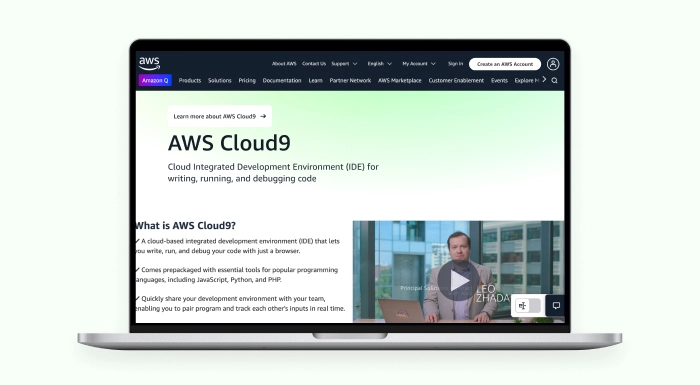
AWS Cloud9 is an open-source cloud-based IDE that enables developers to write code and execute it straight from a web browser. Since a code editor, debugger, and terminal are all included in the package, you don’t need to download or install any additional software locally on your computer.
All you need is a web connection to start working from anywhere.
Cloud9 offers a programming language setup that lets you code in any language (PHP, C, C++, JavaScript and Python) and more than IDEs in this case. It comes with workspaces already pre-configured and extension packages, meaning developers can start coding immediately without setting up SDKs or plugins.
One of Cloud9’s most significant benefits is its in-the-cloud coding playground. You can share your workspace and pair program with team members in real time, allowing for frictionless remote teamwork.
Key Features of AWS Cloud 9:
- Cloud-based IDE, accessible from any location
- Supports a number of languages, including Python, JavaScript, PHP, C, and C++.
- Pre-configured workspaces for instant coding
- Built-in code editor, debugger, and terminal
- Live preview and browser compatibility testing
- Real-time collaborative coding with team members
- Effortless development of serverless applications
- Remote debugging and resource management through AWS services
Code Lobster
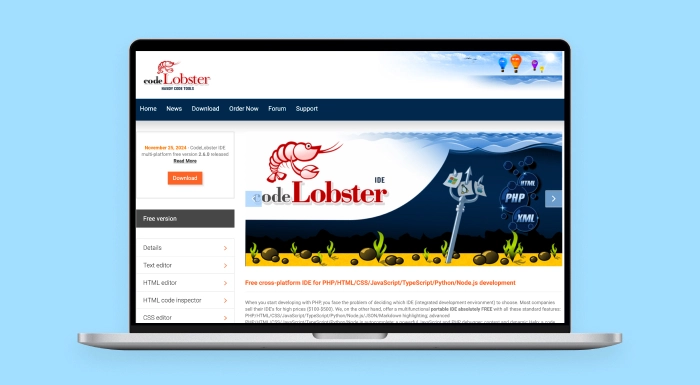
Codelobster PHP IDE is a widely used, GUI-friendly IDE by Codelobster Software. It is a widely loved tool among PHP guys as it speeds up, makes web development easier, and organises it better.
One of its most significant advantages is its excellent support for the most popular PHP frameworks, such as Laravel, Symfony, CodeIgniter, CakePHP, and CMS platforms like WordPress, Joomla, Drupal, and Magento.
The main thing differentiating Codelobster from other IDEs is the auto-completion of HTML, CSS, JavaScript, and PHP. The IDE introduces the developer to function names, tags and attributes while coding. It also comes with an integrated PHP debugger that allows developers to debug locally and fix mistakes early on.
Another helpful feature is its ability to automatically detect server settings and configure files for debugging, saving developers time and effort.
Key Features of Code Lobster:
- Syntax highlighting for easy code reading
- Auto-completion for keywords, tags, functions, and DOM elements
- Built-in PHP debugger with detailed error insights
- SQL Manager for managing databases
- Code validator to check syntax errors
- Function parameter display for quick reference
- Plugin support for frameworks and CMS like WordPress, Joomla, and Magento
Zend Studio

The integration of Zend Studio with Xdebug, X-Ray, and Zend Debugger is one of its most useful features. This enables developers to locate and correct PHP script issues during development.
This IDE enables developers to deploy applications on various server types, such as cloud servers, which enhances adaptability for contemporary projects. Eclipse plugins enable developers to enhance Zend Studio features, which provide exceptional adaptability for small and large web development projects.
The PHP IDE Zend Studio provides a robust solution with professional capabilities. It targets PHP 7, which remains a standard choice for most website development projects.
Key Features of Zend Studio:
- Intelligent code editor for cleaner, faster coding
- Debugging and profiling can be done separately or in conjunction with Zend Server.
- Integrates with version control tools like Git, GitHub, CVS, and SVN
- Easy deployment to private, public, or cloud-based servers
- Supports Docker for container-based development
- High-resolution display support (HiDPI) for clear, sharp visuals
- Fast performance in code validation, indexing, and search
- Seamless integration with Zend Framework and Zend_Tool
- Extendable with Eclipse plugins for additional functionality
Apache Netbeans
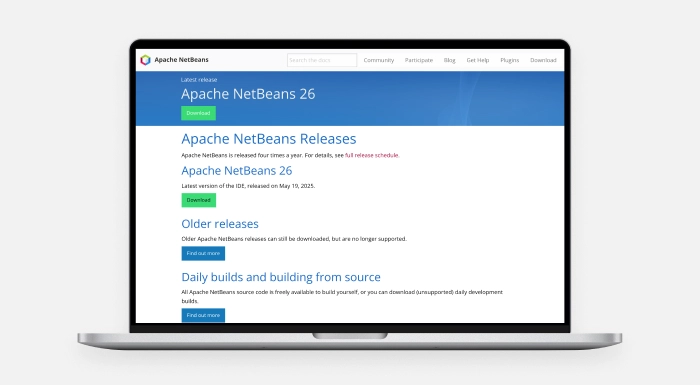
The popular free IDE NetBeans was first created by Sun Microsystems for Java. Subsequently owned by Oracle, it is now maintained by Apache. Although it originated as a Java tool, newer program versions are fast, lightweight, and strongly supportive of PHP development.
Apache NetBeans is an extensively used tool for creating web applications of any size. The program operates in multiple languages because it supports English, Japanese, Russian, Chinese, Brazilian, and Portuguese, making it a worldwide selection.
Strong connection with the top PHP frameworks, such as Zend, Symfony, CakePHP, FuelPHP, Smarty, and WordPress CMS, is what keeps the tool popular. Because it supports PHP as well as HTML5, CSS, and JavaScript, it may be used for full-stack web development. It features robust local and remote debugging capabilities with xDebug and is easily integrated with version control solutions like Git.
Key Features of Apache Netbeans:
- Code folding and formatting for cleaner, more organised code
- Intelligent code completion and real-time editing suggestions
- Getter and Setter generation for easy handling of object properties
- Syntax highlighting for better readability and error spotting
- Code navigation to quickly jump between classes, functions, and files
- Try/Catch code completion for faster error handling in your code
- Supports rectangular selection for editing multiple lines at once
- Efficient project management tools and integration with Git, SVN
- Helps developers write bug-free code with valuable hints and quick fixes
Eclipse
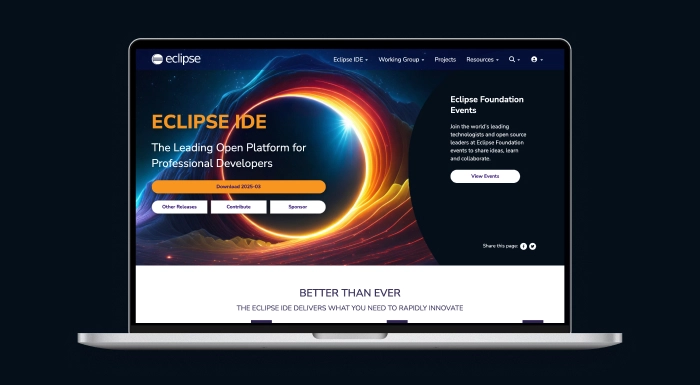
The open-source PHP development tool Eclipse enjoys widespread popularity among developers. Eclipse appears on various PHP tool rankings because of its adaptable nature and expandable functionality through its extensive plugin system, which makes it suitable for large-scale PHP projects.
Licensed under the Eclipse Public License 2.0, Eclipse is free to use. It uses Java 11 as its minimum runtime environment but allows users to compile PHP projects with any version they wish. Its most significant advantage is the ability to select from an enormous repository of plugins that make PHP programming easier, debug functions, and add its central functionalities.
This cross-platform IDE is a GUI and non-GUI application capable of and compatible with any web server that supports PHP. It’s highly customisable and made to accommodate a vast range of project needs.
Key Features of Eclipse:
- Syntax highlighting for better readability and error detection
- Content assist to speed up coding with intelligent suggestions
- Code templates for frequently used code snippets
- Code formatting to keep your code clean and organised
- Code navigation for easy movement between functions, classes, and files
- Built-in support for unit testing
- Recently integrated Node.js support for LSP-based tooling
- Modern UI with updated Windows dark theme and GTK light theme
- Active developer community and extensive documentation for troubleshooting
Sublime Text 4
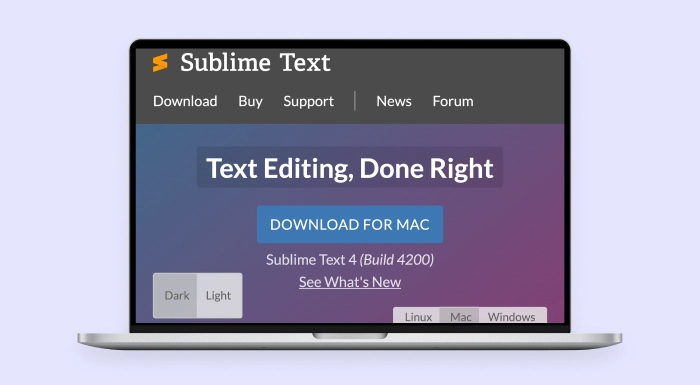
Sublime Text 4 remains the top choice among developers using PHP worldwide due to its exceptional modern coding interface. The modern code editor is also preferred by PHP developers worldwide because of its simple design, powerful performance features, and extensive range of plugins for working with different programming languages.
This code editor functions seamlessly on Windows, Mac OS, and Linux systems, supporting all major operating systems. Developers show gratitude to Sublime Text 4 through positive feedback because of its beautiful interface design and exceptional processing speed while working on any operating system.
Installing useful packages like xDebug client, CodeBug, Sublime PHP Companion, Simple PHPUnit, CodIntel, and PHPDoc can turn Sublime Text into an efficient PHP development environment.
Its customisable UI toolkit allows developers to quickly navigate symbols, lines, or words using keyboard shortcuts. Its intuitive design and distraction-free mode make coding focused and efficient.
Key Features of Sublime Text 4:
- Split editing to view and edit multiple files or sections side by side
- Instant project switch to move between projects without saving or closing files
- Distraction-free mode for focused coding sessions
- A useful command pallet for fast access to commands and features
- Plugin API and the vast library of packages for added functionality
- Ability to interact with multiple lines simultaneously, making bulk edits easy
- Customisable key shortcuts for seamless navigation and editing
PHPUnit

PHPUnit is recognised as the standard test framework utilised by PHP programmers because it represents one of the most dependable solutions for testing PHP web applications. It emerged from the JUnit testing framework for Java, which enables developers to create and organise PHP code unit tests with high productivity.
Unit testing involves dividing application code into specific, small elements known as units, which undergo separate testing with multiple test scenarios. Every application section must work correctly through individual testing before being included in the system. PHPUnit’s early bug identification capabilities allow developers to enhance code quality and system stability across all projects regardless of size.
PHPUnit is a dependable tool that enables developers to create new test cases or structure existing ones based on project requirements. The testing framework connects with established codebases to enhance debugging routines and validation methods.
Key Features of PHPUnit
- Unit testing framework tailored for PHP applications
- Inspired by JUnit for Java, providing familiar concepts for experienced developers
- Allows developers to write custom test cases based on specific requirements
- Supports debugging and quick identification of code issues
- Makes code coverage analysis possible, which aids in identifying the code segments that are examined.
- Validates the latest refactored code to avoid regressions
- Ensures better software stability by testing individual units separately
How to Choose the Right PHP Development Tools?
Your selection of PHP development tools creates an immediate effect on both project productivity and performance. The extensive range of development tools requires you to evaluate several vital factors before choosing. The following factors represent essential considerations:
Identify Your Project Requirements:
The initial stage involves identifying both the scale and nature of your project. Laravel, Symfony, and CodeIgniter represent three frameworks known for their performance and adaptable nature which can accommodate various project sizes from small to large.
Evaluate Your Team’s Expertise:
Your development team should work with tools that match their current skill level. When you plan to hire a PHP developer or work with PHP development companies, matching the software tools to their proven competencies creates better project collaboration and workflow efficiency.
Check Community Support and Documentation:
Opt for tools backed by a strong developer community and extensive documentation. A vibrant community means quick help, regular updates, troubleshooting guides, tutorials, and valuable resources for overcoming technical challenges.
Look for Integration Capabilities:
Your PHP tools should seamlessly connect with fundamental technologies like MySQL and PostgreSQL databases, JavaScript libraries, API services and cloud platforms. Development speed increases when integration becomes efficient because obstacles are minimized.
Consider Debugging and Testing Support:
Reliable debugging and testing tools such as PHPUnit or Xdebug play an essential role in the delivery of stable and error-free applications. Ensure that your development environment includes convenient debugging and unit testing capabilities.
Check Performance and Speed:
Some tools offer better performance for large-scale or resource-heavy projects. Tools like Zend Studio or Sublime Text 4 provide faster code validation, indexing, and debugging features.
Review Licensing and Cost:
Whether you opt for open-source tools like Eclipse or Apache NetBeans or premium options, ensure their licensing terms and pricing fit your project’s budget.
Why Choose Sphinx Solutions for PHP Development?
With 14+ years in the industry, Sphinx Solutions is a top-tier custom software development company. Our team has completed 500+ web and mobile application projects delivered to clients in 25+ countries, including startups, SMEs and Fortune 500 brands.
Our dedicated PHP development team, with 50+ developers, possesses expertise in constructing secure, future-proof, scalable, business-oriented solutions. We use Laravel, Symfony, Codeigniter, and CakePHP frameworks to develop powerful digital products through custom PHP applications and complex enterprise platforms.
Our company differentiates itself from other PHP development companies through our ability to create specifically designed business solutions which surpass basic application development. Our main strength is consistently delivering superior quality while ensuring maximum client contentment.
The solutions we create enable our clients to access enhanced capabilities through third-party API connectivity, along with cloud-based deployment and eCommerce development. Each project manager establishes direct communication lines with their assigned project to secure timely results. We actively encourage you to hire a PHP developer from Sphinx Solutions to handle your upcoming PHP-based project.
Conclusion
Choosing the best PHP development tools is essential to creating websites that work effectively, scale, and perform exceptionally. Project requirements, developer expertise, community support, and system integration features should all be considered while choosing PHP development tools.
Sphinx Solutions is the industry leader in reliable PHP development services because of its skilled staff and customer-focused delivery method, which enables it to provide tailored digital solutions to organisations worldwide.
FAQs:
- What is PHP, and what is it used for?
PHP (Hypertext Preprocessor) is a popular open-source scripting language mainly used for server-side web development. It helps build dynamic, interactive websites and web applications.
- Which software is used for PHP programming?
Common software for PHP programming includes IDEs and text editors like Zend Studio, NetBeans, Eclipse, Sublime Text 4, and PHPStorm, often enhanced with plugins and frameworks.
- Which are the most commonly used programming tools?
Popular programming tools include IDEs like Visual Studio Code, Eclipse, and PHPStorm, testing tools like PHPUnit, and performance profilers like Xdebug.
- Which is the best web development tool?
The best tool depends on your project needs, but PHPStorm, Visual Studio Code, and Laravel are widely considered top choices for modern PHP web development.
- What are the best code editor tools for PHP development?
Top PHP code editors include PHPStorm, Sublime Text 4, Visual Studio Code, and Atom all offering smart code completion, syntax highlighting, and plugin support.
- What tools help optimize PHP performance?
Tools like Xdebug, Zend Debugger, New Relic, and profilers such as Tideways help identify bottlenecks and optimize PHP application performance effectively.


