

A web application is software that can be accessed through web browsers without downloading on computers, tablets, or phones. Users can join when they maintain an active internet connection. Web apps have quietly woven into almost every part of our daily routines, from shopping online to managing our finances, streaming shows, and collaborating with teammates across the globe.
Web application development benefits from modern frameworks’ improved efficiency and maintenance capabilities, such as React, Angular, and Vue.js. These tools are used by developers to create applications with improved performance, faster update times, and high-quality code.
Web apps have quietly woven into almost every part of our daily routines, from shopping online to managing our finances, streaming shows, and collaborating with teammates across the globe.
And guess what?
According to Statista, the global market for web application development is expected to hit a whopping $179.90 billion in 2024.
Our guidance will provide step-by-step instructions for web app development and your central concept before moving on to interface design and backend implementation. Throughout this process, we will teach you essential methods, tools, and recommended frameworks, enabling you to turn your ideas into real projects.
Confused about building web applications?
We provide custom web development solutions, designed to fit your specific business requirements.
What is Web Application Development?
Users may access web apps like Instagram, Netflix, and Google Docs through their browsers without installing anything. The main advantage of web applications is that they may be used anywhere users connect because they are browser-based and live online.
Software programs that users access via web browsers like Chrome, Safari, or Firefox are web apps. Instead of installing these apps on local devices as is customary, remote servers run them by sending content and services straight to users via the Internet. Many applications are available, from simple utilities like calculators to extensive platforms like Trello and Canva.
Website applications typically combine HTML, CSS, and JavaScript to create user interfaces and execute functionality, while Python, Ruby, and Java handle backend processes. The system depends on MySQL or MongoDB to maintain and store user data.
If you’ve ever heard the term CRUD, which stands for Create, Read, Update, and Delete, that’s basically what web apps do with data. Whenever you post a photo, edit your profile, or delete a message, you make one of those four moves happen behind the scenes.
So why are web apps such a big deal?
These systems provide a high level of convenience to their users. The flexible systems require no installations and operate on all devices, including phones, tablets, and laptops.
They are a great option for businesses that aim to reach a wide range of customers on many platforms and devices because they facilitate quick construction and easy upgrading. To ensure optimal performance while managing these platforms, using a Macbook cleaner can help keep your device running smoothly by removing unnecessary files and improving overall speed.
If you’ve ever wondered how web apps are made or are thinking about making one yourself, you’re in the right place. Everything from web apps and their operation to the necessary tools, frameworks, and initial stages will be covered in this guide.
Why is Web Application Development Important?
Web application development has never been more crucial in a world where nearly everything is accessible with a single click. Web apps fuel many of our online activities, from ordering online food to remotely running enterprises. But why are they so important?
Let’s break it down:
- Reach Anyone, Anywhere:
The importance of web application development has increased in a world where nearly anything can be accessed with a single click. Much of what we do online is powered by web apps, from ordering online food to remotely running enterprises. This global reach helps businesses connect with a broader audience without worrying about geographical limits.
- Fuel for Business Growth & Innovation:
Thanks to web apps, businesses may launch new concepts, services, and goods more quickly than ever. They help brands stand out in a congested market, stay competitive, and be unique. The possibilities are endless, whether it’s launching a new feature or starting an entirely digital service.
- A Better Experience for Users:
All dislike unwieldy, complex apps. Well-designed online apps provide smooth, simple, and intuitive user experiences. Consumers who enjoy using your app are likelier to remain on it longer, engage more, and stick with it.
- Use Automation to Save Time:
Data entry, payment processing, inventory management, and customer support can all be automated with web apps. Your staff will be more productive as a result, and they will have more time to focus on important, long-term projects.
- Cost-Effective and Hassle-Free:
Unlike traditional software that needs to be installed and updated on every device, web applications run entirely online. This makes them easier (and cheaper) to maintain, update, and scale as your business grows. You can use Sphinx Solution’s “App Cost Calculator” to get a cost-effective budget on application development.
In summary, web applications are vital to contemporary digital experiences rather than merely useful tools. Additionally, the significance of creative, user-centred web app development and our dependence on online services will increase.
Unsure About Mobile App Pricing?
Get a transparent cost estimate tailored to your app idea instantly
Popular Examples of Web Applications
Although a “web application” may sound technical, you probably use dozens without realising it. Web apps are used for anything from online shopping to team discussion and project management.
Let’s examine a few well-known instances that you have probably encountered:
- E-Commerce Apps
These web apps let you browse, buy, and track orders from anywhere. Think of Amazon, Shopify, Etsy, and eBay platforms that have completely transformed online shopping.
- Social Networking Apps
Where would we be without our daily scroll? Social media platforms like Facebook, Instagram, LinkedIn, and Twitter (now X) are web applications designed to connect people, share content, and keep conversations going worldwide.
- CRM Apps
A vital feature of a CRM is client interactions. Teams can effectively communicate with contacts, monitor prospects, and close deals with the help of web-based platforms like Salesforce, Zoho CRM, and Hubspot CRM.
- Project Management Apps
From project organisation to setting deadlines and keeping everyone in sync, there is never a dull moment in web apps such as Basecamp, Asana, and Trello. Collaborating as a team from across the hall or the world is made possible by these facilities.
- Health & Fitness Apps
Apps tracking your progress, such as Fitbit, MyFitnessPal, and Nike Training Club, guarantee that nothing will hinder your present health and fitness. These systems allow users to set goals, monitor their health data, and record workouts.
- Real-Time Communication Apps
Video conferences and instant messaging are broadly used nowadays. Teams can collaborate, communicate, and conduct ad-hoc meetings without downloading software, using Slack, Zoom, and Google Meet.
- Marketing & Email Automation Apps
Tools like Mailchimp simplify customer outreach and email campaign management. This feature-rich web application manages everything from analytics to subscriber administration. Alongside marketing tools, services such as Mailtrap focus on transactional email delivery, providing detailed analytics and high deliverability for system messages.
- Collaboration & Document Apps
Google Docs has completely transformed the way we produce and distribute documents. It’s a web application you can use on any device, collaborate with others in real time, and securely store on the cloud.
- Business or Service Apps
You’ll see a lot of businesses having their own apps these days. It’s a great way of maintaining contact with your customers 24/7 and consolidating all your services and offerings in one place. To give you a better understanding, suppose a mental health clinic wants to create a guided meditation platform for its clients, or a small business wants to scale its home improvement marketing efforts. All such businesses can benefit from web application development and reach new audiences all around the world.
- All-in-one Productivity Apps:
Notion has quickly become her favourite tool for organising notes, projects, and tasks in one location for collaborative teams and individuals. It is also preferred by freelancers, startups, and even those offering bookkeeping services for its versatility and contemporary minimal design.
These are just a few examples of the innumerable web applications fueling our daily routines, work domains, and families. As we fast-forward into a technologically advanced existence, expect ever-so-many more inventive, handy, and brainfully intuitive web apps to change how we exist and work over the Internet.
Top Programming Languages for Web Application Development (2025)
Thinking of making a web app? You’ll need to choose a programming language first, and there are lots to pick from. From tried-and-true favourites, developers today have an exciting mix of languages. Every language has benefits and special features; you can contact people for support.
Let’s examine some of the most popular programming languages for custom web application development in 2025 and why developers love them.
JavaScript

Makes the web pages interactive, dynamic, and user-friendly.
- Front-end: works with HTML and CSS to make interfaces come to alive. Popular frameworks: React, Angular, Vue.js.
- Back-end: With Node.js, you can build server-side applications with JavaScript, making it a full-stack superstar.
Python

Syntax is simple yet strong enough to create intricate, expandable web apps.
- Back-end: ideal for server-side development using Flask and Django frameworks.
- Full Stack: Combine with front-end tools or Django’s templating engine for a full-stack solution.
Ruby

Ruby on Rails is renowned for its quick development cycles and beautiful, readable code.
- Back-end: Great for startups and projects that need to move fast without compromising structure and scalability.
Java
Its robustness makes it a top pick for large-scale, enterprise-level applications.
- Back-end: Frameworks like Spring and JavaServer Faces (JSF) power everything from banking apps to e-commerce platforms.
PHP

It continues to fuel millions of dynamic websites and applications.
- Back-end: Used with frameworks like Laravel and Symfony, it’s still a practical, budget-friendly choice for many web projects.
C# / ASP.NET

In the Microsoft ecosystem, C# combined with ASP.NET offers strong support for building secure, scalable web applications.
- Back-End: Particularly popular for enterprise and Windows-based services.
Golang

Designed by Google, it is known for its performance, simplicity and excellent support for concurrent processing.
- Back-End: Ideal for building APIs and scalable, high-performance web services.
Rust
It prioritises safety and memory management without sacrificing speed.
- Back-End: Great for apps where security and performance are top priorities.
TypeScript

It adds static typing to JavaScript, making your code more predictable and easier to debug.
- Front-End: A go-to choice for large applications, especially with frameworks like Angular, React, and Vue.
Each language offers distinct advantages, vibrant communities, and a variety of frameworks that make developing web apps easier. What you’re constructing, how quickly you need it, your current tech stack, and your scalability plans all influence the “right” decision.
Transform Your Ideas with web Development
We offer end-to-end web development services for unique requirements.
Essential Tools for Web Application Development
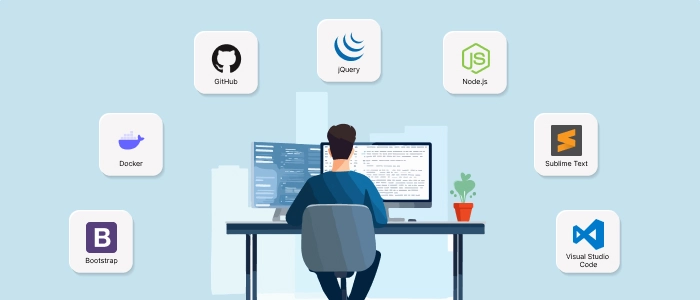
There’s no shortage of helpful platforms and web development tools, many free and open-source. Here’s a look at some of the most popular tools developers swear by.
Bootstrap
A popular front-end toolkit that includes pre-made user interface elements. Without worrying about every piece of HTML and CSS, developers can create slick, responsive interfaces fast with Bootstrap.
Docker
Consider Docker your web apps’ travel bag. It makes deployment and collaboration much easier by enabling you to wrap software into self-contained, portable containers that can operate almost anywhere.
GitHub
GitHub functions as a developer social network and code repository. Collaboration occurs there, code is stored, and version control keeps everything in order.
jQuery
Although newer frameworks have taken the spotlight, jQuery still excels in simplifying JavaScript tasks. It’s simple to learn and ideal for interactive web elements and fast repairs.
Node.js
A powerful JavaScript runtime that lets you build scalable back-end services. Bonus: it’s fast, efficient, and uses the same language on both the front and back ends, which developers love.
Sublime Text
Sublime is a lightweight, snappy code editor perfect for quick edits and organising your project’s components. Clean, customisable, and efficient, it has a loyal fan base for a reason.
Visual Studio Code (VS Code)
An all-time favourite among developers, VS Code is a free, open-source editor that makes coding, debugging, and version control a breeze. It supports multiple programming languages and boasts a library of extensions for every developer’s needs.
Step-by-Step Web Application Development Process
Developing a web app requires much more than programming work; the idea must be given a working product that people might enjoy using. Tools, tech stacks, and so forth will differ, but one encounters many indispensable and distinct things and concepts in the development process. So let’s keep it simple and fun:
Define the Problem You’re Solving
Every great web app starts with a clear problem it’s trying to fix. This is your North Star. Identify the issue, why it matters, and how your app will make life easier or better for its users.
Plan the Workflow
Once you know your problem, map out how your app will work. Sketch the steps a user will take inside your app, from logging in to completing a task. This helps shape your app’s core structure.
Wireframe & Prototype
Before starting development, create simple wireframes or prototypes. Think of them as rough drafts of your app’s layout and features. This is where you can play around with how it looks and feels.
Validate Your Idea
Share your prototype with potential users. Gather honest feedback and refine your design based on what they like, what confuses them, and what’s missing. Better to fix things early than after launch!
Choose Your Tech Stack
Pick the right tools for the job. From programming languages and frameworks to databases and hosting services, your tech stack should suit your app’s needs, not just follow trends. A simple to-do app doesn’t need the same firepower as a social network.
Build Your Web Application
- Database: Choose the data you want to work with, then structure your database accordingly.
- Back-end: building logic, developing APIs, managing data, and authenticating users.
- Front-end: Create the user interface that your visitors interact with by combining HTML, CSS, and JavaScript with front-end frameworks like as React or Vue.
Test, Test, Test
Testing isn’t a one-time event it should happen throughout development. Run functionality, usability, security, and performance tests to catch bugs before your users do.
Deploy & Host Your App
When everything is functioning properly, it’s time to launch your app. Get a domain, pick a cloud hosting provider, and launch your application from your local computer to the Internet using a CI/CD tool.
Maintain, Update, and Improve
Launching your app is the first step. Pay attention to user input, security, and performance. As your user base grows, fix issues, release updates, and add new features.
Although it may appear overwhelming, the web application development process is considerably easier when divided into three distinct, doable parts. Realising your app idea has never been easier thanks to today’s robust tools and encouraging developer communities.
Best Practices for Successful Web Application Development
Ensuring a technically feasible web application is only one step in the process; other steps include ensuring it works flawlessly, looks good, is safe, and offers an excellent user experience. Keep the following tried-and-true best practices in mind when developing a web application:
Start with a Solid Plan
Before you dive into coding, map everything out. Define your goals, nail down your app’s features, sketch the UI/UX design, and decide how your app will work behind the scenes. A clear plan now saves a ton of headaches later.
Write Clean, Consistent Code
Well-structured code is aesthetically pleasing and easier to scale, debug, and maintain. Follow best practices, use comments and documentation, standardise software code, and use linters and formatters.
Design for All Devices
Ensure your web app is responsive so it displays beautifully and works seamlessly, whether users access it from a mobile phone, tablet, or laptop.
Focus on Speed and Performance
After all, no one wants to visit a bloated, slow-loading site. Deliver a high-performing experience by optimising every file, compressing images, cutting HTTP requests, and caching content when possible.
Keep It Safe
Security is not negotiable. Never trust user input, use multi-factor authentication, and ensure your website is served securely over HTTPS to prevent attacks like SQL injection and cross-site scripting (XSS).
Test Across Browsers and Devices
Make sure to thoroughly test your web application on a variety of devices and browsers because different browsers will show it differently.
Searching for Reliable web Developers?
We deliver custom web application development to power your success.
Conclusion
All a winning web application really comes down to is providing a solid, consistent and gratifying experience to users. From diligent planning and code hygiene, through testing, optimising and ongoing evolution, each stage directly impacts your app’s ability to thrive in the long run.
By adhering to these best practices, you will not only ease the web application development process, but you will produce an app that is fast, secure, accessible, and scalable. Keep in mind that technology moves at a rapid pace, and your app will need to do the same. Commit to continuous learning Make sure you’re always keeping up with the latest tools, trends and best practices. Never stop improving your product with real user input.
FAQs:
- What are the 6 steps for getting started with web application development?
To kick off web app development, start by defining your app’s purpose and audience. Then, plan the features and workflow, create wireframes or prototypes, select the right tech stack, build the front-end and back-end, and finally, test thoroughly before launching it to the world.
- Why would you develop a web application?
A web application helps businesses and individuals offer services, automate processes, or solve problems online. It’s accessible from any device with a browser and can reach a wider audience without the need for app downloads.
- What are the common technologies used in web app development?
Popular technologies include HTML, CSS, and JavaScript for front-end, along with frameworks like React, Angular, or Vue.js. For back-end, developers often use Node.js, Python (Django/Flask), Ruby on Rails, or PHP (Laravel), paired with databases like MySQL, PostgreSQL, or MongoDB.
- What are the 6 examples of web applications?
Famous web applications you might use daily include Gmail, Google Docs, Netflix, Facebook, Amazon, and Spotify. These apps run inside your browser and deliver interactive, feature-rich experiences without needing installation.
- What is the cost of Web application development?
The cost of developing a web application can vary widely based on its complexity, features, technology stack, and the team you hire. On average, it can range from $5,000 for a simple app to $50,000 or more for a complex, custom-built solution. Ongoing maintenance and updates also add to the long-term cost. You can always use our app cost calculator to get an estimated cost of your project.


 Anand Mahajan


 Shivraj Dhaygude
